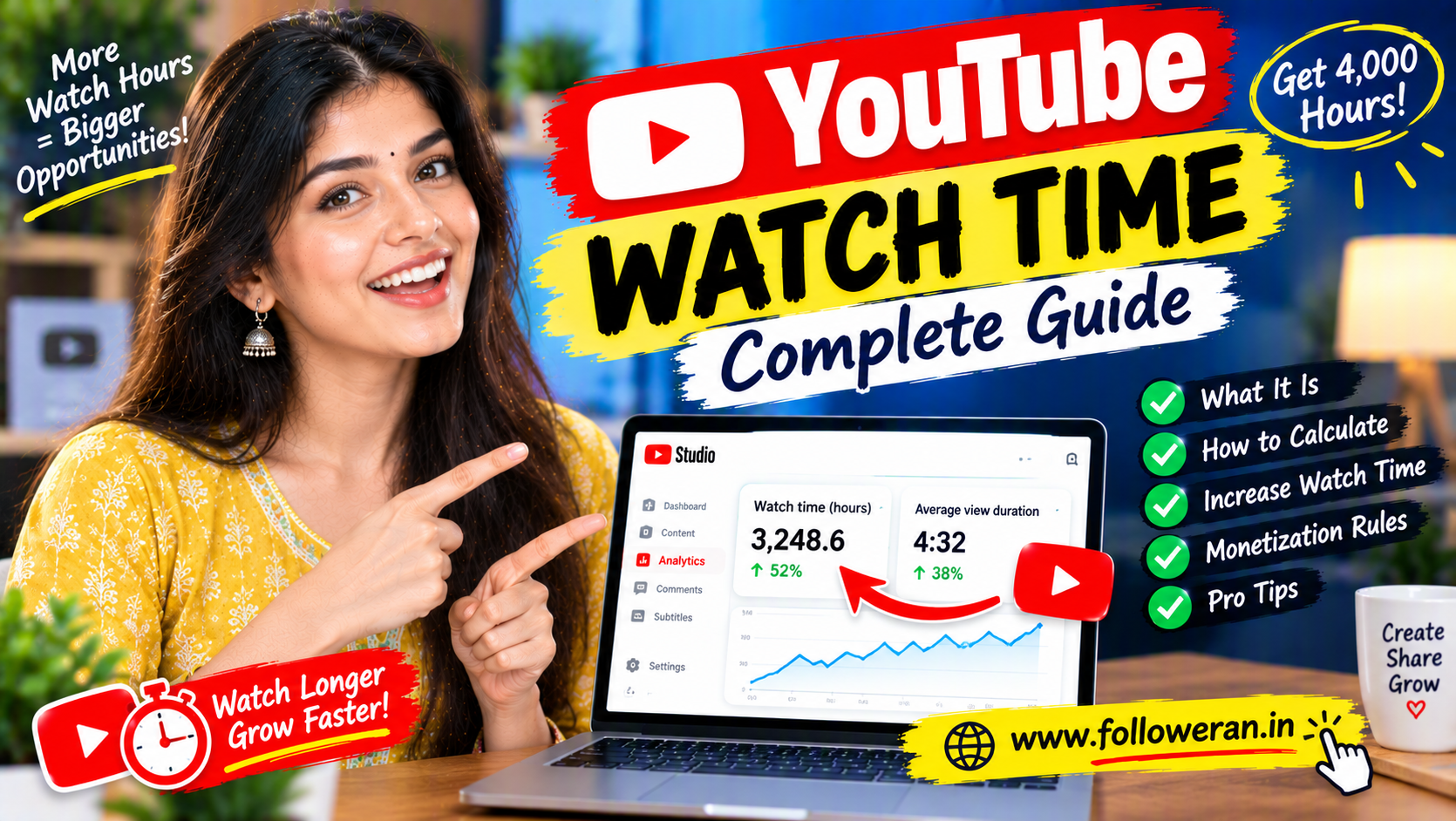
YouTube Watch Time: Complete Guide to Increasing Watch Hours
YouTube watch time is one of the most important metrics for creators who want to understand how long viewers actually spend watching their content.
YouTube defines watch time as the amount of time viewers have watched your video. In YouTube Analytics, it is shown in hours, while average view duration shows the average amount of time viewers watched among engaged views.
For creators, watch time can help answer questions such as:
Are viewers actually watching my videos?
Which videos keep people watching longer?
Which topics create deeper interest?
Why are viewers leaving early?
Which videos contribute most to my channel's total viewing time?
Watch time is also important when discussing YouTube Partner Program eligibility. Currently, YouTube lists 1,000 subscribers plus 4,000 qualified public watch hours from long-form videos in the past 12 months, or an alternative path based on qualified Shorts views. YouTube states that watch hours from Shorts views in the Shorts Feed do not count toward the 4,000-hour requirement.
YouTube has announced that starting February 1, 2027, the full ad-revenue entry threshold for new creators will change to 8,000 qualified watch hours in the last 365 days or 20 million qualified Shorts views in the last 90 days, while still requiring 1,000 subscribers.
This guide explains YouTube watch time from beginner concepts through advanced optimisation strategies.
What Is YouTube Watch Time?
YouTube watch time is the amount of time viewers spend watching your content.
For example:
If:
100 viewers
watch:
5 minutes each
your total watch time is:
500 minutes
or:
8 hours 20 minutes
The actual YouTube Analytics figure can vary because YouTube uses its own measurement systems and reporting windows.
What Are YouTube Watch Hours?
YouTube watch hours are simply watch time expressed in hours.
For example:
60 minutes = 1 hour
120 minutes = 2 hours
600 minutes = 10 hours
If your analytics dashboard reports:
250 watch hours
that means viewers collectively watched approximately:
250 hours
of your content during the selected period.
YouTube Watch Time vs Average View Duration
These are related but different metrics.
Watch Time
The total amount of time viewers watched your video or channel content.
Average View Duration
The average amount of time viewers watched.
YouTube lists both metrics in its Analytics engagement reporting.
For example:
Video views = 10,000
Average view duration = 4 minutes
Approximate watch time:
40,000 minutes
or:
666.7 hours
The actual reported figure can differ depending on YouTube's measurement and reporting.
Why YouTube Watch Time Matters
Watch time helps you understand whether your videos actually hold attention.
Two videos can have:
100,000 views
but very different watch times.
Video A
Average view duration:
30 seconds
Video B
Average view duration:
6 minutes
Even with equal views, Video B produces substantially more viewing time.
This is why views alone don't tell the complete story.
Why Watch Time Is Important for Monetization
Watch time is particularly important for creators pursuing the long-form route to YouTube Partner Program ad-revenue eligibility.
YouTube currently lists:
1,000 subscribers
plus:
4,000 qualified watch hours from public long-form videos during the last 365 days
as one route to ad-revenue eligibility. The alternative is:
1,000 subscribers
plus:
10 million qualified public Shorts views during the last 90 days.
These thresholds are not the only requirements.
YouTube also reviews channels for compliance with its applicable policies and other eligibility conditions.
What Counts Toward the 4,000 Watch-Hour Requirement?
YouTube says qualified watch hours for this threshold come from:
Public long-form videos
during:
The previous 12 months.
YouTube states that the following do not count toward the 4,000 qualified public watch-hour requirement:
Private videos
Unlisted videos
Deleted videos
Ad campaigns
YouTube Shorts
and certain livestream situations, including livestreams that are unlisted, deleted or not converted to VOD.
Do Shorts Watch Hours Count Toward 4,000 Hours?
No.
Watch hours generated from views in the Shorts Feed do not count toward the 4,000 qualified public watch-hour threshold. YouTube instead provides a separate Shorts-based eligibility route.
This distinction causes confusion for many new creators.
You might see substantial watch time from Shorts in your general analytics while not seeing the same amount reflected in the monetization progress toward 4,000 qualified watch hours.
YouTube Watch Time vs Valid Public Watch Hours
These terms should not automatically be treated as identical.
Analytics Watch Time
Measures viewing activity for your content during a selected reporting period.
Qualified Public Watch Hours
Are the specific watch hours that meet YouTube's monetization eligibility rules.
A channel can therefore have:
Total watch time
that is different from:
Qualified public watch hours
for YPP purposes.
Where to Check YouTube Watch Time
You can review watch-time metrics through:
YouTube Studio
Then open your channel or video:
Analytics
The Engagement section provides watch time and average view duration, while other Analytics sections provide reach, audience and content-performance information.
The exact interface can change as YouTube updates Studio.
YouTube Watch Time in Analytics
YouTube Analytics can help you review:
Watch time
Average view duration
Average percentage viewed
Audience retention
Views
Subscribers
Returning viewers
These metrics should be evaluated together rather than separately.
What Is Audience Retention?
Audience retention shows how well different parts of your video hold viewers' attention.
YouTube describes the audience-retention report as a way to identify which moments are performing well and where viewers are stopping or leaving.
This makes retention one of the most useful tools for increasing watch time.
Average View Duration
Average view duration answers:
“How many minutes does the average engaged viewer watch?”
For example:
Video length = 10 minutes
Average view duration = 4 minutes
Approximate average percentage viewed:
40%
The exact Analytics values depend on YouTube's reporting methodology.
Average Percentage Viewed
This metric shows approximately how much of the video viewers watched.
If:
Video = 10 minutes
and:
Average percentage viewed = 50%
the average viewer watched approximately:
5 minutes
Average percentage viewed can be especially useful when comparing videos of different lengths.
Watch Time Formula
A simple planning formula is:
Views × Average View Duration = Approximate Watch Time
If:
20,000 views
and:
5-minute average view duration
then:
20,000 × 5 = 100,000 minutes
Convert to hours:
100,000 ÷ 60 = 1,666.7 hours
This is a planning calculation, not necessarily the exact number reported by YouTube.
How to Calculate YouTube Watch Hours
Use:
Views × Average View Duration in Minutes ÷ 60
Example:
10,000 views
6-minute average view duration
Calculation:
10,000 × 6 ÷ 60
=
1,000 watch hours
How Many Views Do You Need for 4,000 Watch Hours?
There is no fixed answer because average view duration matters.
For example, with a hypothetical:
5-minute average view duration
you would need approximately:
48,000 views
to generate:
4,000 hours
because:
48,000 × 5 ÷ 60 = 4,000
This is a mathematical example, not a YouTube benchmark.
Watch Time With a 10-Minute Average
If viewers watch:
10 minutes on average
then approximately:
24,000 views
would produce:
4,000 hours
because:
24,000 × 10 ÷ 60 = 4,000
Again, this assumes a stable average.
Watch Time With a 2-Minute Average
At:
2 minutes average view duration
you would need approximately:
120,000 views
to generate:
4,000 hours
This demonstrates why increasing retention can substantially reduce the amount of traffic needed to reach the same total watch time.
Watch Time With a 1-Minute Average
At:
1 minute average view duration
you would need:
240,000 views
for:
4,000 hours
The calculation is:
240,000 × 1 ÷ 60 = 4,000
Watch Time With a 20-Minute Average
At:
20 minutes average view duration
you would need:
12,000 views
for:
4,000 hours
This illustrates why long-form content can generate substantial watch time when viewers genuinely stay engaged.
Why Longer Videos Are Not Automatically Better
A longer video only helps when people actually watch it.
For example:
30-Minute Video
Average view duration:
2 minutes
10-Minute Video
Average view duration:
6 minutes
The shorter video may generate much more watch time per viewer.
Don't add unnecessary length simply to increase video duration.
The Goal Is Useful Watch Time
The best strategy is not:
“Make videos as long as possible.”
It is:
“Make videos as long as necessary to satisfy the viewer.”
Useful long-form videos may naturally be:
8 minutes
15 minutes
25 minutes
40 minutes
or longer.
The topic should determine the length.
How to Increase YouTube Watch Time
A practical strategy is:
Better topic
↓
Better title
↓
Better thumbnail
↓
Stronger opening
↓
Useful content
↓
Higher retention
↓
More watch time
Let's examine each area.
1. Choose Topics With Strong Viewer Demand
Create content around:
Questions
Problems
Tutorials
Reviews
Comparisons
Case studies
Guides
A good topic attracts the right viewers.
2. Target a Specific Audience
Instead of:
“YouTube Tips”
try:
“How to Increase YouTube Watch Time for a New Channel.”
The second topic is more specific.
Specificity helps align content with viewer intent.
3. Write a Strong Title
A good title should clearly communicate:
Topic
Benefit
Reason to click
Examples:
How to Increase YouTube Watch Time
10 Ways to Get More YouTube Watch Hours
Why Your YouTube Watch Time Is Low
Avoid misleading promises.
4. Create a Strong Thumbnail
A thumbnail should make the main idea obvious.
Possible text:
MORE WATCH TIME
4,000 HOURS
WATCH LONGER
Keep the visual simple.
5. Use the First 30 Seconds Carefully
The opening is critical.
Avoid:
Long introductions
Unnecessary branding
Repeated greetings
Irrelevant stories
Get to the promised value quickly.
6. Explain the Outcome Early
Tell the viewer:
What they will learn
Why it matters
What you will cover
This establishes a clear reason to continue.
7. Remove Filler
Filler can include:
Repeated points
Unnecessary pauses
Long introductions
Unrelated stories
Overly long transitions
Removing filler can improve retention.
8. Use Pattern Changes
For longer videos, vary:
Visuals
Examples
Screen recordings
Charts
Questions
Demonstrations
Changes can help maintain attention.
9. Use Examples
Instead of saying:
“Improve your thumbnail.”
show:
Old thumbnail
↓
New thumbnail
↓
Why the change matters
Examples make tutorials more useful.
10. Use Storytelling
A simple structure is:
Problem
↓
Challenge
↓
Action
↓
Result
Stories can make educational information easier to follow.
11. Create Open Loops Carefully
You can introduce a reason to continue.
For example:
“Later in the video, we'll compare three watch-time strategies using the same example.”
Then actually deliver that comparison.
Don't use artificial suspense.
12. Use Chapters for Long Videos
Chapters can make long videos easier to navigate.
For example:
00:00 Introduction
01:00 Watch time basics
03:00 Retention
07:00 Content strategy
12:00 Analytics
18:00 Common mistakes
Clear structure can improve the viewer experience.
13. Create Playlists
Group related videos.
For example:
YouTube Growth Playlist
YouTube SEO
Thumbnails
Watch Time
Audience Retention
Subscribers
Analytics
One video can naturally lead to another.
14. Use End Screens
At the end of one video, recommend a highly relevant next video.
Example:
YouTube Watch Time Guide
↓
Audience Retention Guide
This creates a potential multi-video session.
15. Build Content Series
For example:
Part 1: Get Your First 100 Subscribers
Part 2: Increase Watch Time
Part 3: Improve Retention
Part 4: YouTube SEO
A series gives viewers reasons to continue.
16. Create Follow-Up Videos
If one video performs well, create:
Part 2
FAQ
Advanced guide
Case study
Common mistakes
This can convert existing interest into additional watch time.
17. Connect Shorts With Long-Form Content
A Short can introduce a topic.
Then a longer video can provide the complete answer.
Example:
Short:
3 watch-time mistakes
↓
Long-form:
Complete YouTube Watch Time Guide
This creates a stronger content funnel.
18. Create Search-Focused Videos
Target specific queries.
Examples:
What is YouTube watch time?
How to increase YouTube watch time
How to get 4,000 watch hours
Why is my YouTube watch time low?
These topics match clear viewer intent.
19. Use Long-Tail Keywords
Long-tail examples include:
how to increase watch time on YouTube
YouTube watch time for monetization
how to get 4,000 watch hours
YouTube watch time calculator
Long-tail phrases can become separate supporting articles or videos.
20. Answer One Main Question Per Video
A focused video can be easier to structure.
Instead of:
“Everything About YouTube.”
create:
“How to Increase YouTube Watch Time.”
Then answer the question thoroughly.
21. Use Audience Questions
Read:
Comments
Community posts
Messages
Search suggestions
Questions can become new content topics.
22. Turn Comments Into Videos
Example comment:
“How can I increase watch time from subscribers?”
Create:
How to Increase YouTube Watch Time From Returning Viewers
Audience questions can become a content engine.
23. Use Community Posts
Community features can help promote:
New videos
Polls
Questions
Announcements
Topic requests
Use them to create legitimate interest in your longer content.
24. Promote Videos on Instagram
Use a relevant Reel or Story to introduce the topic.
Example:
Instagram Reel
↓
YouTube tutorial
The promotion should give viewers a genuine reason to watch.
25. Promote Videos on Facebook
Share your content with:
Existing followers
Relevant communities
Potential customers
Avoid repetitive spam.
26. Promote Through Telegram
If you have a relevant Telegram audience, share videos that match their interests.
Topic relevance matters more than simply maximizing clicks.
27. Use Your Website
A blog article can introduce a YouTube tutorial.
Example:
SEO article
↓
Embedded YouTube video
↓
Long-form watch
This connects search and video traffic.
28. Use Email
An existing email audience can be a useful source of relevant viewers.
Send content that matches their interests.
29. Collaborate With Other Creators
Collaborations can introduce your videos to:
New audiences
Related communities
Potential subscribers
Good collaboration topics include:
Tutorials
Interviews
Q&A
Industry discussions
30. Make Collaborations Relevant
Choose collaborators based on:
Audience overlap
Topic relevance
Content quality
not just subscriber count.
31. Use Livestreams
Livestreams can create long viewing sessions.
Formats include:
Q&A
Workshop
Tutorial
Interview
Discussion
YouTube Analytics can report watch time across content formats, while monetization eligibility has separate rules for qualified public watch hours.
32. Convert Livestreams Into VOD Content
A useful livestream can become:
Long-form video
Shorts
Clips
FAQ
This extends the value of the original session.
33. Create Evergreen Videos
Evergreen topics can continue generating watch time.
Examples:
How-to guides
Beginner tutorials
FAQs
Educational lessons
Tool guides
34. Create Timely Content
Timely topics can create short-term attention.
Examples:
Platform updates
Product launches
Industry changes
New features
Be accurate before publishing quickly.
35. Combine Evergreen and Timely Content
Use:
Evergreen content
for long-term discovery.
Use:
Timely content
for current demand.
This creates a more balanced content library.
36. Improve Your Video Structure
A useful structure is:
Hook
↓
Context
↓
Main points
↓
Examples
↓
Summary
↓
Next video
Structure makes long videos easier to follow.
37. Put the Most Valuable Information Early
Don't hide all of the value until the end.
Give viewers useful information throughout the video.
38. Avoid Excessive Introductions
Your audience usually clicked because they wanted:
An answer
A solution
Entertainment
Information
Get there quickly.
39. Use Visual Demonstrations
Show:
Screens
Graphs
Products
Examples
Before-and-after
Visual information can make long-form explanations more engaging.
40. Use On-Screen Text Carefully
Text can reinforce:
Key points
Numbers
Steps
Definitions
Avoid filling the screen with paragraphs.
41. Use B-Roll
For appropriate content, B-roll can visually support narration.
Examples:
Product footage
Work process
Travel scenes
Screen recordings
Environment shots
The visual should support the message.
42. Improve Audio
Poor audio can cause viewers to leave.
Focus on:
Clear speech
Low background noise
Consistent volume
Good microphone placement
43. Improve Lighting
Good lighting can improve:
Face visibility
Product presentation
Screen demonstrations
You don't need expensive lighting equipment for every type of channel.
44. Improve Video Clarity
Use:
Readable text
Clear graphics
Simple visuals
Sharp footage
Don't overload the viewer with unnecessary effects.
45. Use a Strong Intro Pattern
A useful intro can be:
Problem
↓
Promise
↓
Proof or context
↓
Content
Example:
“If your YouTube videos get views but very little watch time, these five changes can help you identify where viewers are leaving.”
46. Don't Mislead Viewers
A title such as:
“Get 4,000 Hours Instantly”
creates an expectation that the video may not be able to satisfy.
Accurate packaging supports better viewer trust.
47. Create Videos That Match Search Intent
If someone searches:
YouTube watch time
they may want:
Definition
Calculation
Monetization information
Ways to increase watch time
Analytics explanation
Covering multiple relevant interpretations helps satisfy the search intent.
48. Create Supporting Videos
Around this keyword, supporting topics can include:
YouTube audience retention
YouTube average view duration
YouTube 4,000 watch hours
YouTube monetization
YouTube Shorts watch time
YouTube long-form strategy
49. Build a Content Cluster
A topic cluster might look like:
YouTube Watch Time
↓
Audience Retention
↓
Average View Duration
↓
YouTube 4,000 Hours
↓
YouTube Shorts vs Long-Form
↓
YouTube Monetization
Each article or video should answer a distinct question.
50. Use Internal Links
On your website, link naturally between related articles.
For example:
YouTube Watch Time
→
Increase YouTube Subscribers
→
YouTube Views
→
YouTube Shorts
The links should help the reader navigate related information.
51. Avoid Duplicate Articles
Don't create several pages that all say:
“How to increase YouTube watch time.”
Instead, differentiate the search intent.
Examples:
YouTube watch time calculator
focuses on calculations.
YouTube watch time for monetization
focuses on eligibility.
YouTube watch time from subscribers
focuses on returning viewers.
52. Create a Watch-Time Calculator
A simple calculator can use:
Views
Average view duration
and return:
Approximate watch hours
Formula:
Views × Average View Duration ÷ 60
This can be useful as an interactive tool on your website.
53. Example Watch-Time Calculator
Suppose:
Views = 50,000
Average view duration = 4 minutes
Calculation:
50,000 × 4 ÷ 60
=
3,333.3 hours
To reach:
4,000 hours
you would need additional viewing time.
54. Calculate Watch Time From Multiple Videos
Suppose you have:
| Video | Views | Avg. View Duration |
|---|---|---|
| A | 10,000 | 5 min |
| B | 20,000 | 4 min |
| C | 15,000 | 6 min |
Approximate total watch time:
A = 833.3 hours
B = 1,333.3 hours
C = 1,500 hours
Total:
3,666.6 hours
This is a planning approximation.
55. How Many Videos Do You Need for 4,000 Hours?
There is no fixed number.
Suppose every video generates:
500 watch hours
Then:
8 videos × 500 hours = 4,000 hours
But another channel may generate:
100 hours per video
and need:
40 videos
Content performance matters much more than a fixed upload count.
56. Focus on Watch Time Per Viewer
A useful concept is:
How much time does the average viewer spend with my content?
Increasing this through stronger retention can improve total watch time without requiring the same proportional increase in views.
57. Focus on Watch Time Per Video
You may find:
Video A = 1,000 watch hours
Video B = 5,000 watch hours
Study why Video B worked.
Look at:
Topic
Reach
Average view duration
Retention
Traffic sources
58. Focus on Watch Time Per Topic
You may discover that:
Tutorial videos
generate more watch time than:
News videos
or:
Short videos
Use this information to shape your content calendar.
59. Focus on Returning Viewers
YouTube's Audience Analytics separates viewers into groups such as:
New
Casual
Regular
and provides information about the audience watching your content.
Returning viewers can be especially useful because they already have some familiarity with your channel.
60. Build Content for Returning Viewers
Use:
Series
Follow-ups
Recurring formats
Weekly tutorials
Advanced guides
This can encourage people to return.
61. Build a Viewer Journey
A useful channel structure is:
Discovery video
↓
Related video
↓
Playlist
↓
Advanced guide
↓
Returning viewer
This can increase total viewing per viewer.
62. Create Bridge Videos
A bridge video connects two related topics.
For example:
How to Get More YouTube Views
↓
How to Increase YouTube Watch Time
The viewer has a natural reason to continue.
63. Use End-Screen Funnels
Example:
YouTube Watch Time
↓
Audience Retention
↓
YouTube Analytics
This creates a connected education path.
64. Use Playlist Funnels
A playlist can arrange content as:
Beginner
↓
Intermediate
↓
Advanced
This helps viewers know what to watch next.
65. Create Bingeable Content
A bingeable channel has related videos that naturally lead into one another.
For example:
YouTube SEO
Titles
Thumbnails
Watch Time
Retention
Subscribers
Each topic connects to the next.
66. Avoid Unrelated Videos on the Same Channel
If your channel alternates between:
YouTube marketing
Gaming
Cooking
Travel
new viewers may not know what to expect.
Clearer positioning can make related viewing more likely.
67. Create Content Series Around Problems
Example:
YouTube Growth Problems
Low Views
Low CTR
Low Retention
Low Watch Time
Low Subscribers
This creates a complete problem-solving library.
68. Improve Retention at the Biggest Drop-Off
YouTube's audience-retention report lets creators see where viewers start and stop watching.
Find:
Largest early drop
Then investigate:
What did I say?
What appeared on screen?
Did I change topics?
Was the pacing too slow?
69. Improve the First 30 Seconds
Common problems include:
Logo animation
Long greetings
Unnecessary setup
Repeated context
Move directly into the viewer's reason for watching.
70. Improve Mid-Video Retention
At the midpoint, consider:
New example
Visual change
Question
Demonstration
Story transition
This can prevent the video from becoming monotonous.
71. Improve the Ending
Avoid:
Long repetitive conclusions
Instead:
Summarise
↓
Recommend next video
↓
Give a clear CTA
The goal is to help viewers continue naturally.
72. Don't Put the Best Content Only at the End
Viewers who leave early never reach it.
Distribute useful information throughout the video.
73. Use Chapters Strategically
Long videos can become easier to navigate with chapters.
They can also reveal how your content is structured when you review viewer behaviour.
74. Make Your Videos Easy to Follow
Use:
Numbered steps
Sections
Examples
Transitions
Summaries
This is especially useful for educational content.
75. Use Analogies
Complex ideas become easier to understand with simple examples.
For example:
“Watch time is the total number of minutes your audience spends with your content.”
Then demonstrate the calculation.
76. Use Real Numbers
Instead of:
“Watch time matters.”
show:
10,000 views × 5 minutes = 833 watch hours.
Examples make the concept practical.
77. Create Comparison Videos
Examples:
Shorts vs Long-Form Watch Time
5-minute vs 10-minute videos
Low-retention vs high-retention videos
Comparison content can attract viewers with specific questions.
78. Create Case Studies
A case study can show:
Starting point
Content changes
Watch-time result
Lessons
Use actual data where available.
79. Run Watch-Time Experiments
For example:
Experiment: Change the video introduction
Measure:
Average view duration before
vs:
Average view duration after
This turns analytics into actionable learning.
80. Test Different Hooks
Try:
Problem hook
Question hook
Number hook
Story hook
Compare retention.
81. Test Different Video Lengths
Create:
8-minute video
and:
15-minute video
Compare:
Total watch time
Average view duration
Average percentage viewed
Don't assume longer automatically performs better.
82. Test Different Formats
Compare:
Tutorial
Case study
Review
Interview
Q&A
Identify which format creates stronger viewing sessions.
83. Test Different Thumbnail Styles
Compare:
Simple
Text-heavy
Face-focused
Product-focused
Use your actual data.
84. Test Different Titles
Try titles focusing on:
Problem
Benefit
Curiosity
Specific outcome
Maintain accuracy.
85. Monitor Impressions and CTR
YouTube Analytics provides thumbnail impressions and impression click-through rate as part of reach reporting.
A useful funnel is:
Impression
↓
Click
↓
Watch
↓
Continue watching
Understanding each stage helps diagnose performance.
86. High Impressions but Low Watch Time
Possible issues:
Weak title/thumbnail match
Weak introduction
Wrong audience
Misleading packaging
Review the full journey.
87. Low Impressions but Strong Watch Time
Your content may satisfy the people who find it but isn't reaching enough new viewers.
Work on:
Topics
Search
Distribution
Thumbnails
88. High Views but Low Average View Duration
Your packaging may attract clicks without holding attention.
Improve:
Opening
Pacing
Structure
Audience relevance
89. Low Views and Low Retention
You may have both:
Discovery problem
and:
Content problem
Test the:
Topic
Title
Thumbnail
Opening
Video structure
90. High Watch Time and High Subscriber Growth
This is a useful pattern to investigate.
Look at:
Topic
Audience
Format
CTA
Video sequence
Build more content around the same underlying audience need.
91. Don't Chase Watch Time With Clickbait
Clickbait can create:
High clicks
but:
Low retention
and:
Poor audience satisfaction
The goal is:
Accurate packaging + strong content
92. Don't Loop Videos Artificially
Artificially replaying or manipulating views does not create a genuine audience.
Focus on real viewers.
93. Don't Buy Watch Hours Blindly
Third-party providers may advertise:
YouTube watch hours
4,000 watch hours
Monetization watch time
But purchased or artificial engagement can create policy and monetization risks.
YouTube's monetization policies prohibit artificially inflating engagement metrics.
94. Don't Use Sub4Sub as a Watch-Time Strategy
Sub4Sub can create subscribers without genuine audience interest.
The better strategy is:
Relevant viewers
↓
Longer viewing
↓
Returning audience
95. Avoid Watch-Time Generators
Be cautious with:
Watch-time generators
Auto-view bots
Browser farms
Exchange systems
Automated playback
They do not create genuine audience interest and may violate platform policies.
96. Be Careful With SMM Panel Watch Hours
Some SMM panels advertise:
YouTube watch hours
Monetization watch time
4,000-hour packages
If you're evaluating such a service for commercial reasons, investigate:
Source
Delivery
Retention
Account requirements
Policy risks
Do not assume that a service labelled “real watch hours” will automatically be accepted as qualified public watch hours for YPP.
97. Why Purchased Watch Hours Are Different From Qualified Watch Hours
A third-party service may report:
4,000 watch hours delivered
while YouTube's monetization system may not treat those hours as:
Qualified public watch hours
The two numbers should not be assumed to be equivalent.
YouTube specifies which types of public viewing count toward its YPP watch-hour threshold.
98. Free YouTube Watch Time Tools
Free tools can help with:
Watch-time calculations
Retention analysis
Content planning
Keyword research
Thumbnail creation
Video editing
Use tools to improve the content rather than manufacture viewing activity.
99. Build a Watch-Time Spreadsheet
Track:
| Video | Views | Avg. Duration | Approx. Watch Hours | Subscribers |
|---|---|---|---|---|
| A | 10,000 | 4 min | 666.7 | 120 |
| B | 20,000 | 5 min | 1,666.7 | 300 |
| C | 15,000 | 7 min | 1,750 | 250 |
These are example calculations.
Use your real Analytics data.
100. Create a YouTube Watch-Time Growth Plan
Week 1: Research
Find:
Audience questions
Top topics
Search queries
Content gaps
Week 2: Production
Create:
Long-form videos
Supporting Shorts
Thumbnails
Playlists
Week 3: Distribution
Promote through:
Existing audiences
Collaborations
Website
Social channels
Week 4: Analysis
Review:
Watch time
Average view duration
Retention
Views
Subscribers
Returning viewers
Then repeat the strongest patterns.
A 7-Day Watch-Time Challenge
Day 1
Review your ten most-watched videos.
Day 2
Identify the strongest topics.
Day 3
Write a new video around the strongest problem.
Day 4
Create the video and thumbnail.
Day 5
Publish.
Day 6
Promote it to relevant audiences.
Day 7
Review early analytics.
Use the exercise to learn rather than expecting a guaranteed increase.
A 30-Day Watch-Time Strategy
Week 1
Optimise your channel and identify content gaps.
Week 2
Publish two strong long-form videos and several Shorts.
Week 3
Create follow-up videos around the strongest topic.
Week 4
Study retention and subscriber conversion.
Then repeat.
YouTube Watch Time for New Channels
New channels have limited historical data.
Focus on:
Clear niche
Useful content
Strong titles
Good thumbnails
Audience retention
Don't obsess over the final watch-hour number every day.
Focus on learning.
YouTube Watch Time for Established Channels
Established channels can use historical data.
Identify:
Top watch-time videos
Top retention videos
Top subscriber-generating videos
Top returning-viewer topics
Then create related content.
YouTube Watch Time for Educational Channels
Educational videos can generate strong viewing sessions when they provide:
Step-by-step lessons
Examples
Explanations
Demonstrations
Complete guides
Create logical playlists.
YouTube Watch Time for Gaming Channels
Gaming channels can use:
Walkthroughs
Guides
Live streams
Strategy videos
Long-form gameplay
Reviews
Build sequences that encourage viewers to watch related videos.
YouTube Watch Time for Business Channels
Businesses can create:
Product demonstrations
Tutorials
FAQs
Case studies
Industry education
The goal should be relevant audience attention.
YouTube Watch Time for Faceless Channels
Faceless creators can use:
Voiceovers
Screen recordings
Animations
Tutorials
Narration
A face is not required for watch time.
The content needs to hold attention.
YouTube Watch Time for Shorts Creators
Shorts can generate substantial viewing activity.
However, remember that watch hours from Shorts Feed views do not count toward the 4,000 public watch-hour threshold for YPP's long-form route. YouTube provides a separate Shorts-view eligibility path.
YouTube Watch Time for Long-Form Creators
Long-form content is directly relevant to the current:
4,000 qualified public watch hours
threshold.
This makes long-form content important for creators pursuing the watch-hour route to monetization.
YouTube Watch Time From Subscribers
Subscribers can contribute watch time when they choose to watch your content.
But:
Subscribers ≠ guaranteed viewers
A subscriber may:
Watch
Skip
Return later
or:
Become inactive
Build content that people actively want to watch.
How to Increase Watch Time From Subscribers
Use:
Series
Follow-up videos
Community posts
Playlists
Consistent topics
Relevant notifications
Give subscribers a reason to return.
YouTube Watch Time From Returning Viewers
Returning viewers can be particularly valuable.
A simple journey is:
New viewer
↓
Second video
↓
Subscribe
↓
Return
↓
Regular viewer
YouTube's Audience Analytics provides information about new, casual and regular viewers.
Increase Watch Time With Content Series
For example:
YouTube SEO Part 1
YouTube SEO Part 2
YouTube SEO Part 3
A viewer who completes Part 1 may naturally continue to Part 2.
Increase Watch Time With Playlists
A playlist can organize:
Beginner
Intermediate
Advanced
topics in sequence.
This makes your content easier to consume as a collection.
Increase Watch Time With Internal CTAs
At the end of a video:
“Next, watch my complete audience-retention guide.”
Make the recommendation genuinely relevant.
Increase Watch Time With Content Bridges
Use phrases like:
“That brings us to the next problem…”
or:
“Now let's apply this to a real channel.”
A clear transition helps viewers follow the argument.
Increase Watch Time With Real Examples
Suppose you're explaining:
Average view duration
Show:
10-minute video
↓
5-minute average
↓
50% average viewed
Then explain what that means.
Increase Watch Time With Visual Proof
Use:
Analytics screenshots
Charts
Examples
Demonstrations
Make sure the material is yours or appropriately used.
Increase Watch Time With Case Studies
Use:
Problem
↓
Data
↓
Strategy
↓
Implementation
↓
Result
↓
Lessons
Case studies naturally support longer explanations.
Increase Watch Time With Tutorials
Tutorials work well because viewers need time to follow the steps.
Examples:
YouTube Studio tutorial
Thumbnail tutorial
SEO tutorial
Analytics tutorial
Increase Watch Time With Reviews
Reviews can naturally involve:
Features
Testing
Pros and limitations
Use cases
Final considerations
Be honest about the product or service being reviewed.
Increase Watch Time With Comparisons
Examples:
Shorts vs long-form
5-minute vs 10-minute videos
Organic vs paid promotion
Comparison topics can encourage viewers to continue because they want the final conclusion.
Increase Watch Time With FAQs
Collect audience questions and answer them in a longer video.
This helps address multiple search intents.
Increase Watch Time With Live Q&A
Use:
Viewer questions
Audience polls
Live demonstrations
The interactive format can generate longer sessions for interested audiences.
Increase Watch Time With Community Feedback
Ask:
“What should I explain next?”
Then create the most requested video.
This makes your content audience-driven.
Improve YouTube Watch Time Without Making Videos Longer
This is important.
You can increase watch time by improving:
Viewer relevance
Retention
Topic selection
Packaging
Content sequencing
You don't always need longer videos.
Improve YouTube Watch Time With Better Audience Matching
The right viewer is more likely to continue watching.
A:
YouTube SEO tutorial
should target people interested in:
YouTube SEO
rather than unrelated audiences.
Improve YouTube Watch Time With Better Video Openings
Your opening should match the title.
If the title promises:
“5 ways to increase watch time”
start discussing:
Those five ways
rather than spending several minutes on unrelated information.
Improve YouTube Watch Time With Better Pacing
Remove unnecessary pauses.
Use:
Cuts
Transitions
Examples
Visual changes
where appropriate.
Improve YouTube Watch Time With Better Storytelling
Make the viewer want to know:
What happens next?
Use:
Problem
↓
Attempt
↓
Challenge
↓
Result
Improve YouTube Watch Time With Better Explanations
Avoid unnecessary jargon.
Explain:
What
↓
Why
↓
How
↓
Example
This structure works well for educational videos.
Improve YouTube Watch Time With Better Conclusions
Don't abruptly end.
Use:
Summary
↓
Key takeaway
↓
Relevant next video
This creates a natural transition.
Improve YouTube Watch Time With Better Playlists
A playlist should have:
Clear theme
Logical order
Related videos
Useful titles
It should not simply contain random uploads.
Improve YouTube Watch Time With Search Intent Clusters
For example:
YouTube Watch Time
→
What Is Watch Time?
→
How Is It Calculated?
→
How to Increase It
→
How 4,000 Hours Works
→
How Retention Affects It
This creates a complete topic cluster.
Improve YouTube Watch Time Through SEO
Use your target topic naturally in:
Title
Description
Spoken words
On-screen text
Don't repeat keywords unnaturally.
Improve YouTube Watch Time Through External Traffic
External traffic can come from:
Website
Telegram
Collaborations
Send traffic from relevant audiences.
Don't Optimise for Empty Clicks
An external visitor who immediately leaves contributes little useful viewing.
Target:
People who genuinely want the topic.
Improve Watch Time With Better Landing Pages
If a website links to your video, the article should explain:
Why the video matters
This can pre-qualify viewers.
Improve Watch Time With Related Social Content
An Instagram Reel can answer a small question.
The YouTube video can answer:
The complete question.
This is a useful cross-platform funnel.
YouTube Watch Time and Organic Growth
A useful loop is:
Relevant topic
↓
Discovery
↓
View
↓
Watch time
↓
Engagement
↓
Subscriber
↓
Returning viewer
This is much stronger than chasing a single metric.
YouTube Watch Time and Subscriber Growth
Higher watch time does not automatically guarantee more subscribers.
But a viewer who spends more time exploring your content has more opportunities to discover why the channel is worth following.
YouTube Watch Time and Views
More views can increase watch time.
But:
Views × Retention
is more useful than:
Views alone
YouTube Watch Time and CTR
CTR influences how often impressions become views.
But a high CTR with poor retention may not produce strong total viewing.
Think of the funnel as:
Impressions → Clicks → Watch → Continue Watching
YouTube Watch Time and Audience Retention
Retention helps explain why viewers stay or leave.
YouTube's retention report is specifically designed to highlight moments that hold or lose attention.
YouTube Watch Time and Engagement
Engagement includes metrics such as:
Likes
Comments
Shares
These can provide additional context but should not replace watch-time analysis.
YouTube Watch Time and Returning Viewers
Returning viewers indicate people who have watched your channel previously and come back to watch more.
A returning audience can create a more consistent viewing base.
YouTube Watch Time and Monthly Audience
YouTube's Audience Analytics includes a monthly audience metric based on unique viewers over the previous 28 days.
This can help you understand the size of your active audience.
YouTube Watch Time and Content Performance
YouTube Analytics can show:
Views
Watch time
Average view duration
Average percentage viewed
Subscribers
Traffic sources
Use these metrics together.
YouTube Watch Time and Traffic Sources
YouTube Analytics can help identify whether viewers came from:
YouTube Search
Browse features
Suggested videos
External sources
Shorts Feed
and other discovery surfaces.
Understanding the source can help you decide where to focus.
YouTube Watch Time and Search Traffic
Search traffic can be especially useful for evergreen tutorials.
Create:
Clear answer
Strong title
Useful description
Relevant content
The viewer should receive exactly what they searched for.
YouTube Watch Time and Suggested Videos
Related videos can create longer viewing sessions.
Create content that naturally connects.
For example:
YouTube SEO
→
YouTube Thumbnails
→
YouTube Watch Time
→
YouTube Analytics
YouTube Watch Time and Browse Features
Browse traffic can expose videos to viewers who weren't necessarily searching for the exact topic.
This makes:
Title
and:
Thumbnail
especially important.
YouTube Watch Time and Shorts Feed
The Shorts Feed can produce substantial viewing activity, but those watch hours do not count toward the 4,000-hour YPP public watch-hour threshold.
YouTube Watch Time and Livestreams
Livestreams can create long viewing sessions.
For monetization purposes, however, YouTube applies specific rules to what counts as qualified public watch hours.
YouTube Watch Time and Playlists
Playlist views can contribute to overall viewing activity.
YouTube Analytics includes playlist-related metrics in content-performance reporting.
YouTube Watch Time and End Screens
End screens can send viewers to:
Related videos
Playlists
Channels
Use them to provide the next logical step.
YouTube Watch Time and Cards
Cards can direct viewers toward additional relevant content when appropriate.
Don't use them excessively.
YouTube Watch Time and Pinned Comments
A pinned comment can direct viewers toward:
Related videos
Helpful resources
Questions
This can support content discovery.
YouTube Watch Time and Descriptions
Descriptions can provide:
Context
Chapters
Related resources
Relevant links
A clear description can help viewers understand what the video contains.
YouTube Watch Time and Content Quality
Quality means:
Useful
Relevant
Accurate
Clear
Well-structured
It doesn't necessarily mean:
Expensive
A simple tutorial can produce strong watch time if it solves the viewer's problem.
YouTube Watch Time and Video Length
There is no universal ideal length.
The correct length is:
Long enough to satisfy the viewer
without:
Adding unnecessary filler.
YouTube Watch Time and Content Depth
More detailed topics naturally require more explanation.
For example:
“What is watch time?”
may need:
5 minutes
while:
“Complete YouTube Analytics Tutorial”
might require:
30 minutes
Let the subject determine the duration.
YouTube Watch Time and Content Structure
Long content should have:
Clear sections
Transitions
Examples
Visual variety
This helps viewers navigate the information.
YouTube Watch Time and Viewer Intent
Viewer intent should guide the video.
For:
“YouTube watch time calculator”
the user probably wants:
Formula
Example
Calculator
For:
“How to increase YouTube watch time”
they want:
Strategies
Examples
Analytics
Serve the correct intent.
YouTube Watch Time and SEO Content
A website article around this keyword can target:
YouTube watch time
while supporting pages target:
YouTube 4,000 hours
YouTube watch-time calculator
Audience retention
YouTube monetization
Each page should provide unique information.
YouTube Watch Time and FAQ Content
Useful FAQ questions include:
What is YouTube watch time?
How is watch time calculated?
Do Shorts count?
How do I reach 4,000 hours?
How do I increase watch time?
Why is my watch time low?
FAQ sections can address long-tail intent.
YouTube Watch Time and Content Cannibalization
Avoid creating multiple pages with almost identical content.
Use unique purposes:
