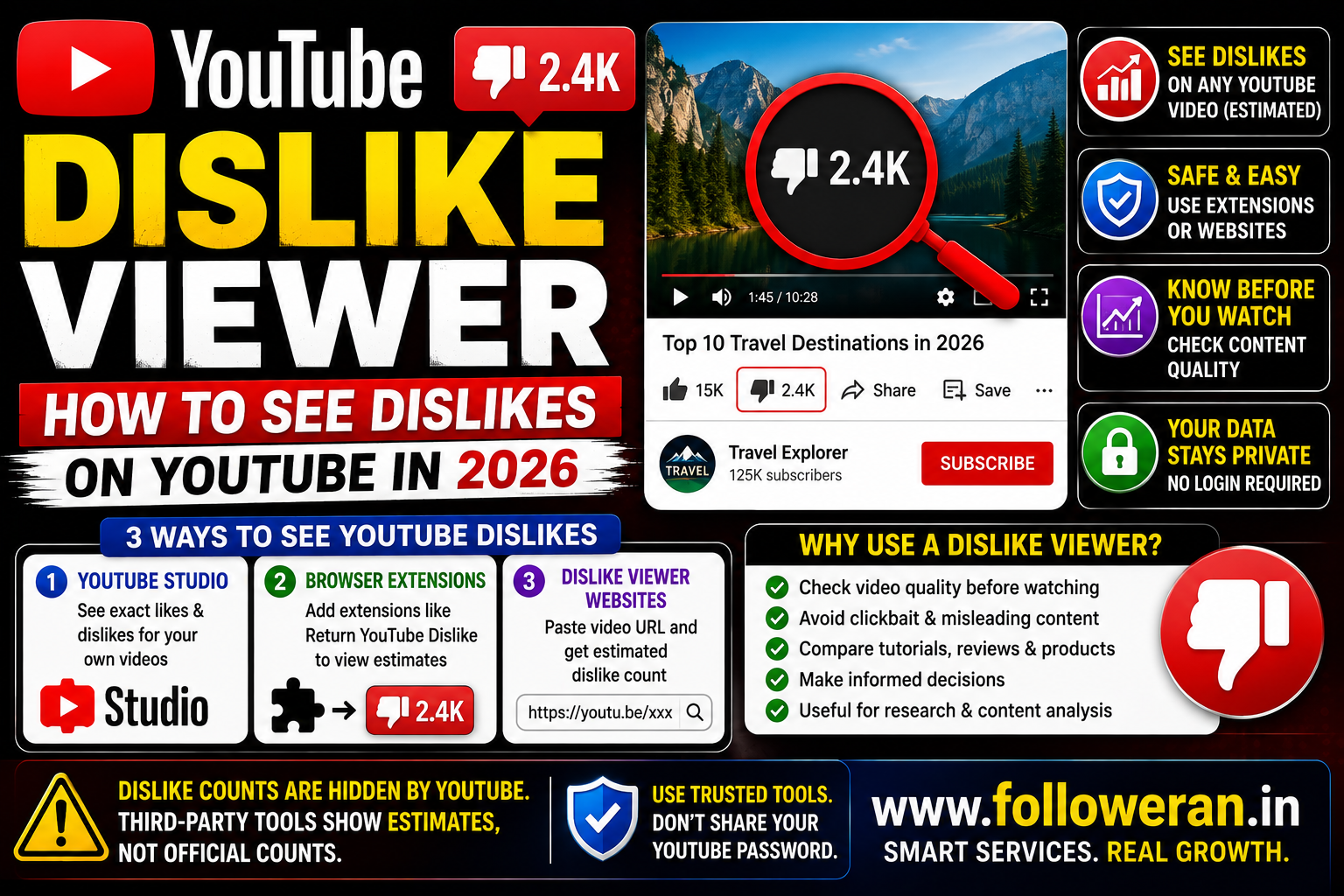
YouTube Dislike Viewer: How to See Dislikes on YouTube in 2026
If you're searching for a YouTube dislike viewer, you may be looking for a way to see the number of dislikes on a YouTube video after the platform stopped showing public dislike totals.
YouTube removed the public dislike count in 2021, although the dislike button itself remains available for eligible content. For your own videos, the exact dislike data is still available in YouTube Studio. For other people's videos, third-party tools can provide estimates, but they should not be treated as official or exact counts.
What Is a YouTube Dislike Viewer?
A YouTube dislike viewer is usually a browser extension, website or other third-party tool designed to display an estimated dislike count for a YouTube video.
Because YouTube no longer publishes the public dislike total, these tools generally rely on third-party data sources or archived information rather than an official public YouTube dislike count.
This distinction is important:
YouTube Studio: exact dislike data for your own videos.
Third-party dislike viewer: estimated data for videos you don't own.
Why Did YouTube Hide Dislike Counts?
YouTube made public dislike counts private in 2021.
The platform said the change was intended to reduce coordinated dislike attacks and harassment while keeping the dislike button available as feedback.
That means viewers can still provide negative feedback, but the public total is no longer displayed underneath the video.
Can You Still See YouTube Dislikes?
Yes, but the method depends on whose video you're checking.
Your Own YouTube Videos
Creators can see the exact number of dislikes for their own videos through YouTube Studio's analytics.
YouTube's Studio analytics includes a Likes (vs dislikes) report.
Someone Else's Videos
There is no official public dislike total.
Third-party extensions and websites can display an estimate, often based on archived dislike information and data contributed through their systems.
How to See Dislikes on Your Own YouTube Video
For your own channel, use YouTube Studio instead of a third-party viewer.
A typical route is:
- Open YouTube Studio.
- Select the relevant video.
- Open Analytics.
- Go to the Engagement section.
- Find the Likes (vs dislikes) report.
This is the preferred source because you're looking at your channel's own analytics rather than an outside estimate.
How Do YouTube Dislike Viewer Extensions Work?
Some browser extensions automatically add an estimated dislike count to YouTube's interface.
Current browser-store listings show extensions that connect to third-party APIs, including the Return YouTube Dislike API, and insert an estimated count into the YouTube page.
A typical process is:
Install extension → Open YouTube → Open video → Extension retrieves estimate → Count appears
Availability and accuracy can vary between extensions.
What Is Return YouTube Dislike?
Return YouTube Dislike is a well-known third-party project designed to restore an estimated dislike count to YouTube videos.
Current guides describe it as using an archive and user-contributed data rather than an official YouTube dislike API.
This means the displayed number should be treated as an estimate, not as an official YouTube figure.
Is a YouTube Dislike Viewer Accurate?
Not necessarily.
This is one of the most important points to understand before using a dislike viewer.
For videos you don't own, a third-party tool may be estimating the dislike count rather than reading an official public number.
Accuracy can therefore depend on:
- Archived data
- User participation
- Sampling
- API availability
- The video's age
- The amount of available data
Recent guides specifically warn that third-party dislike numbers are estimates rather than exact public counts.
YouTube Dislike Viewer vs YouTube Studio
| Feature | YouTube Studio | Third-Party Dislike Viewer |
|---|---|---|
| Your own videos | Exact data | May also show an estimate |
| Other creators' videos | No public exact count | Estimate may be available |
| Official YouTube source | Yes | No |
| Accuracy | Highest for your own channel | Varies |
| Installation required | No extension needed | Often yes |
| Best use | Creator analytics | Public-video estimates |
If you're analysing your own channel, YouTube Studio is the better choice.
Why Would You Want to See YouTube Dislikes?
Dislike information can be useful for evaluating content.
For example, you might use it to compare:
- Tutorials
- Product reviews
- Software demonstrations
- News videos
- Educational content
- Opinion videos
A high dislike ratio may suggest that a topic or presentation style is generating negative viewer feedback.
However, dislikes should be analysed alongside other metrics.
Likes vs Dislikes on YouTube
Suppose a video has:
10,000 likes
500 dislikes
The positive-response percentage would be:
10,000 ÷ (10,000 + 500) × 100 = 95.24%
This can provide a useful comparison, but it doesn't tell you everything about the video's performance.
Also consider:
- Views
- Watch time
- Retention
- Comments
- Shares
- Subscribers gained
Does a YouTube Dislike Hurt a Video?
A dislike does not automatically mean a video will stop being recommended.
YouTube's recommendation system considers many signals, including viewer behaviour and satisfaction.
So one video with a relatively high dislike ratio isn't necessarily a failed video.
Context matters.
Should You Judge a Video by Its Dislike Ratio?
Not by itself.
For example:
Video A
100,000 views
5,000 likes
500 dislikes
Video B
10,000 views
800 likes
20 dislikes
The second video may have a better positive-response ratio, but the first has significantly more overall reach.
Look at the complete picture.
YouTube Dislike Viewer for Product Research
A dislike estimate can sometimes help when researching:
- Software tutorials
- Product demonstrations
- Online courses
- Troubleshooting videos
- Reviews
For example, if a tutorial has unusually negative feedback, you may want to read the comments before deciding whether to follow its advice.
However, don't treat a third-party estimate as a definitive measurement.
YouTube Dislike Viewer for Creators
Creators can use third-party estimates for competitive research, but your own YouTube Studio data is much more useful for decision-making.
Study:
- Which topics gain subscribers
- Which videos retain viewers
- Which videos attract comments
- Which formats get shared
- Which videos generate negative feedback
Then improve future content accordingly.
YouTube Dislikes on Shorts
YouTube introduced a significant change to Shorts in 2026.
In June 2026, TeamYouTube announced that the Dislike button was being retired from the Shorts player and replaced with other feedback options. It also stated that historical dislike data would remain available while Shorts dislike counts stopped updating.
The same announcement said dislikes continue to be reported for long-form videos and Live.
This means older articles explaining how to view a live-updating Shorts dislike count may now be outdated.
Can You See Exact Dislikes on Someone Else's YouTube Video?
No.
YouTube doesn't provide the public exact dislike number for videos you don't own.
A third-party viewer can provide an estimate, but that estimate shouldn't be presented as the official count.
Are YouTube Dislike Viewer Websites Safe?
Safety depends on the individual website.
Be cautious with sites that:
- Ask for your Google password
- Ask for YouTube login credentials
- Require suspicious downloads
- Redirect through unrelated domains
- Promise “official” hidden YouTube data
- Ask for unnecessary permissions
A simple public-video lookup should not require you to hand over your Google account credentials.
Are YouTube Dislike Extensions Safe?
Some extensions are legitimate, while others may have different privacy practices.
Before installing an extension, check:
- Developer identity
- User reviews
- Permissions
- Privacy policy
- Update history
- Website information
Current Chrome Web Store listings show multiple dislike-related extensions with different developers and feature sets, so users should evaluate each extension independently.
YouTube Dislike Viewer Without Extension
Some websites allow you to paste a public YouTube video URL and receive a dislike estimate.
This can be convenient if you don't want to install a browser extension.
However, the same limitation applies:
The number is an estimate, not an official YouTube public count.
One current example markets a web-based dislike viewer that reads data from the Return YouTube Dislike archive.
How to Use a YouTube Dislike Viewer
If you're using a third-party web tool:
- Copy the public YouTube video URL.
- Open the dislike-viewer website.
- Paste the URL.
- Submit the video.
- Review the estimated dislike data.
Never enter your Google password simply to check a public video's estimated dislikes.
Common YouTube Dislike Viewer Mistakes
Avoid:
- Treating estimates as official counts
- Using outdated information about Shorts
- Giving extensions excessive permissions
- Installing unknown software
- Sharing Google credentials
- Judging video quality from dislikes alone
- Ignoring watch time and retention
- Assuming a high dislike count automatically hurts rankings
What Should You Use Instead of a YouTube Dislike Viewer?
If you're the creator, use YouTube Studio.
If you're researching someone else's video, use third-party dislike estimates only as one additional signal.
Combine that information with:
- Comments
- Views
- Like ratio
- Video quality
- Upload date
- Engagement
- Viewer retention where available
Explore YouTube and Social-Media Marketing Resources
If you're comparing YouTube views, subscribers, likes and other social-media marketing resources, you can explore:
Review the current services, pricing, delivery information, requirements and terms before using any third-party service.
Frequently Asked Questions
What is a YouTube dislike viewer?
It is usually a website or browser extension that displays an estimated dislike count for YouTube videos whose public dislike count is hidden.
Can I see dislikes on YouTube in 2026?
Yes, but there is an important distinction: exact dislikes are available to creators for their own videos in YouTube Studio, while third-party tools can provide estimates for public videos.
Is the YouTube dislike viewer count exact?
Usually not. Third-party tools generally provide estimates based on archived or contributed data.
Can I see exact dislikes on someone else's video?
No official public exact count is available. Third-party tools can only provide estimates.
How do I see dislikes on my own YouTube video?
Use YouTube Studio and open the Likes (vs dislikes) analytics report.
Does the dislike button still exist on YouTube?
For eligible long-form videos and Live, yes. YouTube retired the Dislike button from the Shorts player in 2026.
Can I use a dislike viewer on mobile?
Some third-party websites and apps may provide estimates, but available functionality varies. Be cautious about installing unofficial apps or giving them account permissions.
Is Return YouTube Dislike official?
No. It is a third-party project and its displayed dislike figures are estimates rather than official YouTube public counts.
Final Thoughts
A YouTube dislike viewer can be useful when you want an estimate of the dislike activity on a public video, but it is important to understand the limitation: YouTube no longer exposes an official public dislike count, so third-party numbers should not be treated as exact.
For your own videos, YouTube Studio remains the most reliable source for exact dislike data. For other videos, use third-party estimates only as one research signal and combine them with comments, views, engagement and the quality of the content.
For more YouTube and social-media marketing resources, visit www.followeran.in
