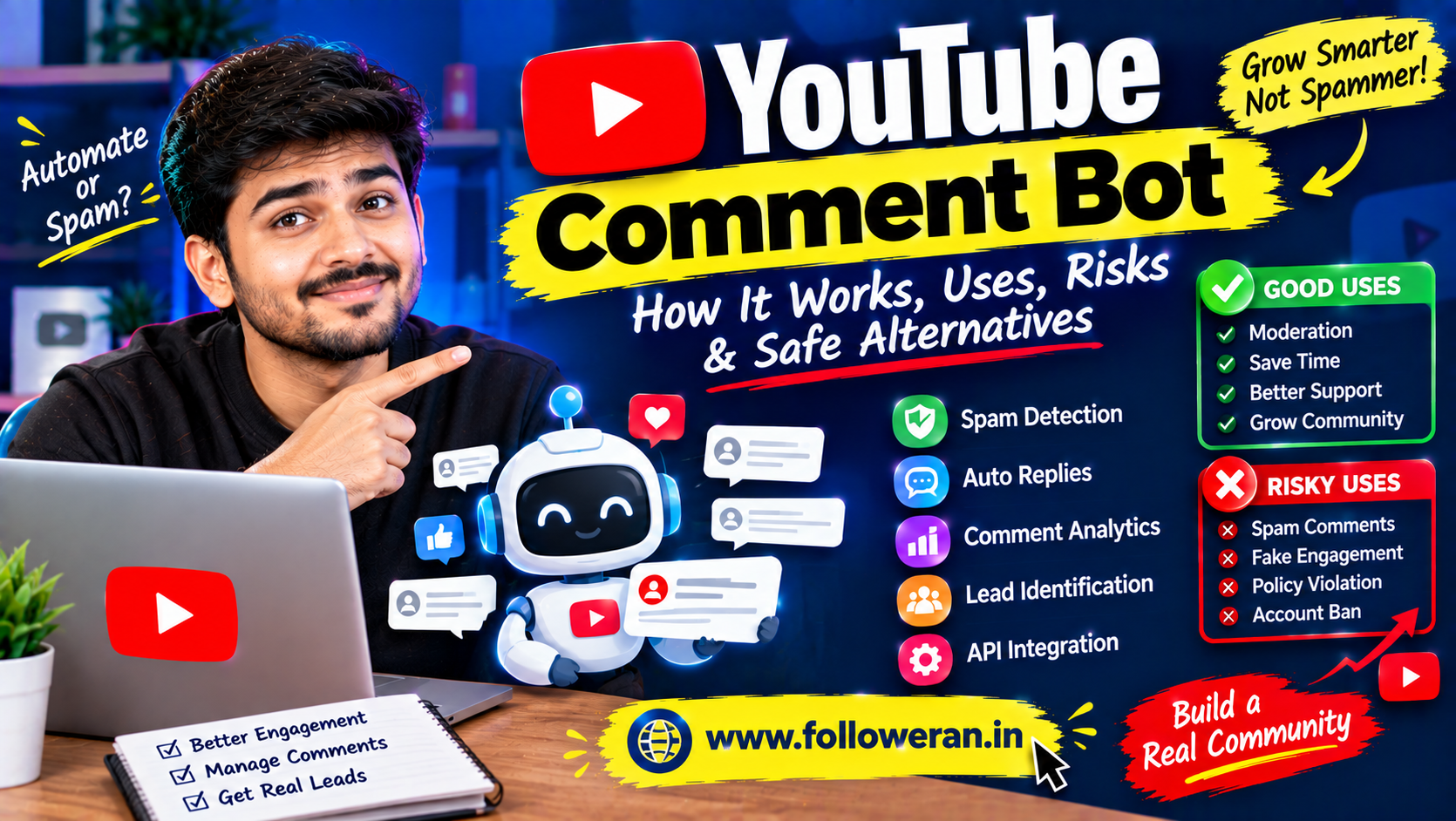
YouTube Comment Bot: How It Works, Uses, Risks and Safe Alternatives
A YouTube comment bot is software designed to automate some activity involving comments on YouTube. Depending on its purpose, a bot might monitor comments, filter spam, organise messages, respond to selected queries, or publish comments through an authorised API workflow.
The important distinction is between useful automation and spam automation.
A moderation bot that helps a creator identify suspicious comments can save hours of work.
A bot that posts hundreds of repetitive promotional comments across unrelated videos can create spam, damage a channel's reputation and violate YouTube's policies. YouTube specifically prohibits high-volume, repetitive or deceptive comments and artificial engagement tactics.
This guide explains how YouTube comment bots work, what they can legitimately do, where the risks begin and how creators can use automation more responsibly.
What Is a YouTube Comment Bot?
A YouTube comment bot is an automated software system that interacts with comment-related data or actions.
Depending on its design, it can perform tasks such as:
Monitor new comments
Detect keywords
Flag potential spam
Organise comments
Send authorised replies
Moderate comments
Collect comment analytics
Notify channel owners
Create comments through authorised API access
Not every bot performs all of these functions.
The purpose of the bot matters.
How Does a YouTube Comment Bot Work?
A simplified workflow looks like this:
YouTube Channel
↓
Comment Data
↓
Bot Logic
↓
Decision
↓
Action
For example:
New comment
↓
Bot detects a prohibited keyword
↓
Comment is flagged
↓
Channel owner reviews it
This is a very different use case from automatically posting the same promotional message under thousands of videos.
YouTube Comment Bots vs Comment Moderation Bots
These terms are often mixed together.
Comment Bot
Usually refers to software that performs actions involving comments.
Comment Moderation Bot
Focuses on identifying, filtering or managing unwanted comments.
For many creators, moderation is one of the most useful applications of automation.
YouTube itself automatically detects likely spam and provides creators with a Held area in YouTube Studio where comments can be reviewed, approved, removed or reported.
What Can a YouTube Comment Bot Legally or Responsibly Do?
Automation can be useful when it supports genuine channel management.
Examples include:
Spam Detection
Identify repetitive or suspicious comments.
Keyword Monitoring
Alert the creator when certain words appear.
Comment Reporting
Collect information about comments requiring human review.
Analytics
Track discussion themes and frequently asked questions.
Moderation Assistance
Help organise comments before a channel owner makes the final decision.
Customer Support Triage
Identify comments that appear to contain questions about a product or service.
The bot should assist the creator rather than flood YouTube with unsolicited content.
Can a YouTube Bot Automatically Post Comments?
The YouTube Data API provides authorised mechanisms for creating comments and replies. For example, commentThreads.insert is used to create a top-level comment, while comments.insert can create a reply to an existing comment. These actions require appropriate authorisation.
However, having a technical API method does not mean every automated use is acceptable.
Automation that creates repetitive, deceptive or high-volume promotional comments can fall under YouTube's spam policies.
YouTube Comment Bot API
Developers building legitimate comment-management software commonly interact with the YouTube Data API.
The API provides methods for:
Listing comments
Listing comment threads
Creating top-level comments
Creating replies
Updating comments
Deleting comments
Changing moderation status
YouTube's official API documentation describes these functions and the authorisation requirements associated with them.
Example Comment API Workflow
A legitimate application could use this general process:
YouTube API
    ↓
Retrieve comment threads
    ↓
Analyse text
    ↓
Classify comment
    ├── Helpful
    ├── Question
    ├── Potential spam
    └── Needs review
    ↓
Human or authorised action
For sensitive moderation decisions, keeping a human in the loop is often a better approach than automatically deleting everything that matches a keyword.
Example of an Authorised API Request
The API uses authenticated requests.
A simplified conceptual example for retrieving comments might look like:
GET https://www.googleapis.com/youtube/v3/commentThreads
    ?part=snippet
    &videoId=VIDEO_ID
    &maxResults=50
Your application must use the appropriate Google API credentials and comply with the API's requirements.
For creating a top-level comment, the official API uses commentThreads.insert.
What Is a Spam Comment Bot?
A spam comment bot is designed primarily to distribute unwanted or repetitive messages.
Typical behaviours can include:
Copy-paste comments
Repeated promotional links
Mass commenting
Unrelated replies
Artificial engagement
Deceptive messages
YouTube specifically identifies high-volume, repetitive or deceptive comments as comment spam. One example given by YouTube is posting identical or similar promotional messages across hundreds of videos.
Why YouTube Comment Spam Is Risky
Spam can create several problems.
Channel Reputation
Viewers may see your account as promotional or untrustworthy.
Comment Removal
YouTube can filter or remove comments identified as spam.
Account Enforcement
Policy violations can result in restrictions or stronger enforcement.
Poor Engagement
Automated comments rarely create meaningful conversations.
Brand Damage
Businesses can appear careless when their accounts repeatedly post irrelevant comments.
Fake Engagement and Comment Bots
Comment automation becomes especially risky when its goal is to manufacture engagement.
YouTube's fake-engagement policy does not allow systems designed to artificially increase views, likes, comments or other metrics. It also says that channels can be affected when a hired third party uses prohibited methods.
That means a creator cannot assume:
“The bot did it, so my channel is safe.”
The channel can still be affected by what the bot is doing.
YouTube Comment Bot for Marketing
There are legitimate ways to use automation in marketing.
For example, a brand could build software that:
Finds comments mentioning the brand
↓
Groups them
↓
Alerts the marketing team
↓
Human reviews the comments
↓
Team responds appropriately
This saves time while preserving human judgement.
Automated Replies vs Human Replies
Automation can be tempting because replying to hundreds of comments takes time.
However, generic replies such as:
“Thanks!”
“Check our website!”
or:
“Subscribe now!”
can become repetitive.
A better system can identify:
Product question
→ Send to support team
Technical question
→ Send to product expert
Positive feedback
→ Suggest a suitable human response
This turns automation into an assistant instead of a spam machine.
YouTube Comment Bot for Customer Support
A business with a large YouTube audience may receive common questions repeatedly.
For example:
“What is the price?”
“Where can I buy it?”
“Which version should I choose?”
A bot can help categorise these questions.
The support team can then respond faster.
YouTube Comment Bot for Lead Management
A bot could identify comments containing buying intent.
Examples:
“How can I get a quote?”
“Do you provide this service in Mumbai?”
“Can someone contact me?”
The software can place these comments into a review queue.
A human can then handle the actual lead.
This is more useful than automatically posting sales pitches.
YouTube Comment Bot for Education Channels
Educational creators can use automation to classify student questions.
For example:
Topic: Algebra
→ Collect maths questions
Topic: Excel
→ Collect formula questions
Topic: Digital Marketing
→ Collect SEO questions
This can make it easier to identify future video topics.
YouTube Comment Bot for Gaming Channels
Gaming creators may receive large volumes of comments during popular uploads.
Automation can help identify:
Frequently asked questions
Bug reports
Game requests
Repeated issues
Community suggestions
This can help creators understand their audience without manually reading every message.
YouTube Comment Bot for News Channels
News channels may receive rapidly changing discussions.
A comment-analysis system can classify comments by themes such as:
Question
Opinion
Correction
Spam
Topic suggestion
This can assist editorial teams.
YouTube Comment Bot for Brands
Brands can monitor comments for:
Product complaints
Praise
Support requests
Feature requests
Buying questions
This can turn the comment section into a useful customer-feedback source.
How to Build a Safe YouTube Comment Bot
A responsible design should include several safeguards.
Rate Limits
Prevent excessive actions.
Duplicate Detection
Do not repeatedly publish identical messages.
Human Approval
Require approval for sensitive actions.
Logging
Record what the bot did and when.
Error Handling
Avoid uncontrolled retries.
Authentication
Protect API credentials.
Keyword Rules
Use carefully designed moderation logic.
Opt-In Workflows
Make sure automation is used only where authorised.
Store API Credentials Securely
Never place sensitive API credentials in public client-side code.
A safer structure is:
Your Website
    ↓
Your Secure Backend
    ↓
Private API Credentials
    ↓
YouTube API
Do not expose secret credentials inside:
Public JavaScript
HTML
Browser-visible configuration
Public Git repositories
Use OAuth Where Required
YouTube API actions that modify comments or moderation status require appropriate authorisation. For example, the official API documentation specifies authorised OAuth access for comment insertion and moderation operations.
A properly designed application should request only the permissions it genuinely needs.
YouTube Comment Bot Rate Management
Automation should include sensible limits.
For example:
New Comment
    ↓
Check whether action is necessary
    ↓
Check duplicate history
    ↓
Check rate limit
    ↓
Perform authorised action
    ↓
Log result
This reduces accidental bursts of activity.
Duplicate Comment Protection
Suppose a bot receives the same event twice.
Without protection:
Reply A
Reply A again
Reply A again
This can create spam-like behaviour.
Store unique identifiers and maintain a record of processed actions.
For example:
{
  "commentId": "COMMENT_ID",
  "action": "reviewed",
  "timestamp": "2026-09-15T10:00:00Z"
}
The exact implementation depends on your application architecture.
Keyword-Based Moderation
One simple moderation technique is keyword matching.
For example:
Comment
   ↓
Contains prohibited phrase?
   ├── Yes → Hold for review
   └── No  → Continue
But keyword matching alone is imperfect.
A legitimate comment can contain a flagged word.
That is why context and human review can improve moderation accuracy.
AI + YouTube Comment Moderation
A more advanced system can use natural-language classification to identify:
Spam
Question
Complaint
Praise
Lead
Suggestion
The AI should ideally provide a recommendation rather than automatically taking irreversible actions for every case.
YouTube Comment Bot vs YouTube's Built-In Moderation
| Bot/System | YouTube Built-In Tools |
|---|---|
| Custom logic | Platform-provided controls |
| Can integrate with other systems | Integrated into YouTube |
| Can create custom categories | Standard moderation options |
| Requires development | Ready to use |
| Requires maintenance | Managed by YouTube |
| Can automate workflows | Native moderation features |
For many small channels, YouTube Studio's built-in tools may already provide enough functionality.
YouTube currently combines Held for review and Likely spam comments in its moderation experience.
Can a YouTube Comment Bot Delete Comments?
Using the YouTube API, authorised applications can delete comments and change moderation status where permitted.
But automatic deletion should be used carefully.
A better workflow can be:
Detect → Classify → Hold → Review → Action
rather than:
Detect → Automatically Delete Everything
Can a Bot Reply to YouTube Comments?
Yes, authorised API functionality supports replies to existing comments. The comments.insert method is designed for replies and requires the appropriate parent comment identifier and authorisation.
However, the reply should provide genuine value.
A bot that responds to every comment with the same sentence can quickly become repetitive.
Can a Bot Post Top-Level YouTube Comments?
The YouTube Data API provides commentThreads.insert for creating a new top-level comment. The request must use appropriate authorisation and the required comment-thread structure.
Again, technical capability does not override YouTube's spam rules.
What You Should Not Use a YouTube Comment Bot For
Avoid using automated commenting to:
Flood unrelated videos
Post repetitive advertisements
Promote external links indiscriminately
Generate fake engagement
Manipulate comment counts
Run sub-for-sub campaigns
Mislead viewers
Evade platform detection
YouTube explicitly prohibits repetitive comment spam and engagement manipulation.
YouTube Comment Bot and SMM Services
Some SMM services advertise automated comments or comment packages.
Before using any such service, ask:
Are the comments relevant?
Are they genuinely useful?
Are they automated?
Are they repeated?
Could they violate YouTube policies?
For creators and businesses, a small number of meaningful comments is generally more valuable than a large volume of generic ones.
YouTube Comment Bot for SMM Resellers
An SMM reseller may encounter comment-related services in a provider catalogue.
If you operate a reseller website, do not assume that a provider's availability means the service is safe for every use case.
Review:
Service description
Comment quality
Delivery method
Repetition
Targeting
Platform rules
Also avoid advertising prohibited engagement manipulation as guaranteed or risk-free.
How to Build a YouTube Comment Management Tool Instead
A safer business opportunity is to create software that helps creators manage real comments.
Features could include:
Dashboard
View comments in one place.
Filters
Sort by keywords, sentiment or topic.
Spam detection
Identify suspicious messages.
Smart replies
Suggest responses for human approval.
Lead detection
Identify potential customer questions.
Analytics
Measure discussion themes.
Notifications
Alert teams to important comments.
This solves a genuine productivity problem.
Example Comment Management Dashboard
A useful dashboard might contain:
| Comment | Category | Sentiment | Action |
|---|---|---|---|
| “How much does this cost?” | Lead | Positive | Reply |
| “Where can I learn this?” | Question | Neutral | Reply |
| “Great tutorial!” | Feedback | Positive | Thank |
| Repeated promotional link | Spam | Negative | Review |
| Product complaint | Support | Negative | Escalate |
This is much more useful than simply counting comments.
Measure Comment Quality
Do not measure only:
Number of comments
Track:
Relevant comments
Questions answered
Leads generated
Support issues resolved
Spam prevented
Response time
These metrics provide more useful information.
Comment Bot Analytics
A professional system can report:
Total comments
Spam detected
Comments requiring review
Average response time
Questions answered
Potential leads
Top discussion topics
This turns the comment section into a source of business intelligence.
YouTube Comment Bot and Sentiment Analysis
A sentiment classifier can divide comments into:
Positive
Neutral
Negative
For example:
“Amazing tutorial!”
→ Positive
“What microphone do you use?”
→ Neutral/question
“The product stopped working.”
→ Negative/support
This can help support teams prioritise important comments.
Detecting Potential Leads
Certain phrases can indicate buying intent.
Examples:
“How much?”
“Where can I order?”
“Do you provide this service?”
“Can someone contact me?”
A bot can flag those comments for human follow-up.
Detecting Spam
Signals can include:
Repeated links
Repetitive text
Excessive promotional language
Unrelated offers
High-frequency posting
Suspicious patterns
YouTube itself analyses comment text and commenter behaviour when identifying spam.
Human-in-the-Loop Moderation
One of the safest designs is:
Automation finds
↓
Human decides
For example:
Bot: “This comment may be spam.”
Moderator: “Approve / Remove / Report.”
This gives you the speed of automation without making every decision irreversible.
Why Comment Moderation Matters for Large Channels
As a channel grows, comment volume can grow dramatically.
A creator may receive:
20 comments per video
then:
2,000
then:
20,000
Manual moderation becomes increasingly difficult.
Automation can help organise the workload.
YouTube Comment Bot for Multiple Channels
An agency managing multiple channels may use a central dashboard.
For example:
Agency Dashboard
     ↓
Channel A
Channel B
Channel C
Channel D
     ↓
Comment Queue
     ↓
Moderation / Response
Access controls become important when multiple people use the system.
Role-Based Access
Possible roles include:
Admin
Moderator
Support
Analyst
Viewer
This can reduce the risk of someone accidentally performing actions they should not have permission to perform.
Audit Logs
A professional moderation system should record:
Who took the action
What was changed
When it happened
Which comment was affected
This creates accountability.
Privacy Considerations
Comment data can contain:
Names
Usernames
Messages
Customer questions
Potentially sensitive information
A comment-management application should therefore avoid collecting unnecessary information and should protect stored data.
YouTube Comment Bot Security Checklist
Before deploying:
Protect API credentials
Use authorised access
Encrypt sensitive data
Limit permissions
Use rate limits
Log actions
Prevent duplicate actions
Review error handling
Provide manual overrides
Monitor unusual activity
Security should be part of the design, not an afterthought.
A Safe YouTube Comment Automation Workflow
A strong practical architecture is:
Comment arrives
↓
API retrieves comment
↓
Bot classifies it
↓
Spam?
→ Hold for review
Question?
→ Suggest reply
Lead?
→ Notify sales team
Praise?
→ Suggest thank-you reply
Human approves action
↓
API performs authorised action
↓
Log result
This combines automation with human judgement.
Common YouTube Comment Bot Mistakes
Posting the same comment everywhere
This can become spam.
Automating too aggressively
High-volume activity can create policy and reputation risks.
Using bots to manufacture engagement
Artificial engagement is prohibited.
Ignoring API limits
Poorly designed automation can cause failures.
Giving the bot excessive permissions
Use only the access you actually need.
Automatically deleting everything
False positives can remove legitimate comments.
No audit logs
You may not know what happened when something goes wrong.
No duplicate protection
The bot may accidentally perform the same action multiple times.
Frequently Asked Questions
What is a YouTube comment bot?
A YouTube comment bot is software that automates tasks involving YouTube comments, such as monitoring, classification, moderation, analytics or authorised replies.
Can a YouTube comment bot post comments?
The YouTube Data API provides authorised methods for creating top-level comments and replies. However, using automation to post repetitive, deceptive or high-volume spam can violate YouTube's policies.
Can a YouTube bot automatically reply to comments?
Yes, authorised API functionality supports replies to existing comments. A responsible implementation should avoid repetitive or deceptive replies.
Is using a YouTube comment bot safe?
It depends on what the bot does. Moderation and workflow automation can be useful, while mass-commenting, spam and artificial engagement can create policy and account risks.
Can a comment bot increase YouTube engagement?
A bot can technically create comment activity, but using automation to artificially inflate engagement is against YouTube's fake-engagement policy.
Can YouTube detect comment spam?
YouTube says it detects spam based on comment text and behaviour from commenters, and comments identified as likely spam can be held for review.
Can a bot delete YouTube comments?
Authorised applications can use the YouTube Data API to delete comments or update moderation status where the appropriate permissions are available.
What API is used for YouTube comments?
The YouTube Data API provides comment and comment-thread resources and methods for listing, creating, updating, deleting and moderating comments.
Can I build my own YouTube comment bot?
Yes. A developer can build comment-management software using authorised YouTube APIs, provided the application follows the API requirements and YouTube policies.
What is a better alternative to a spam comment bot?
Build a comment-management system that detects spam, categorises questions, suggests replies, identifies leads and leaves important decisions to a human moderator.
Can an SMM panel provide YouTube comments?
Some SMM panels advertise comment-related services, but repetitive or artificial engagement can create policy risks. Evaluate the service and YouTube's current rules before using or reselling it.
How can I automatically manage thousands of YouTube comments?
Use the YouTube Data API to retrieve comments, classify them, prioritise important messages and send them into a moderation workflow. Keep sensitive or irreversible actions under appropriate human control.
Can AI be used for YouTube comment moderation?
Yes. AI can help classify comments by categories such as spam, questions, complaints and positive feedback, but human review can help reduce false positives and inappropriate automated actions.
What should a professional YouTube comment bot include?
Useful features include spam detection, comment classification, analytics, secure API authentication, rate limiting, duplicate protection, audit logs, notifications and human approval workflows.
Final Thoughts
A YouTube comment bot can be useful when it solves a real workflow problem.
The best applications are not about flooding YouTube with comments.
They are about helping creators and businesses manage the comments they already receive.
A responsible comment-automation system can help with:
Spam detection
Comment organisation
Question identification
Lead detection
Moderation
Analytics
Reply suggestions
The YouTube Data API provides authorised comment and moderation functions, but technical API access does not override YouTube's platform policies.
Avoid using bots to generate repetitive promotional comments, manufacture engagement or manipulate comment counts. YouTube specifically prohibits high-volume comment spam and artificial engagement.
For creators, agencies and developers, the smarter approach is:
Automate repetitive work → protect API credentials → use sensible limits → keep humans involved in important decisions → measure real audience value.
A bot should make your YouTube workflow more efficient, not make your channel look automated.
