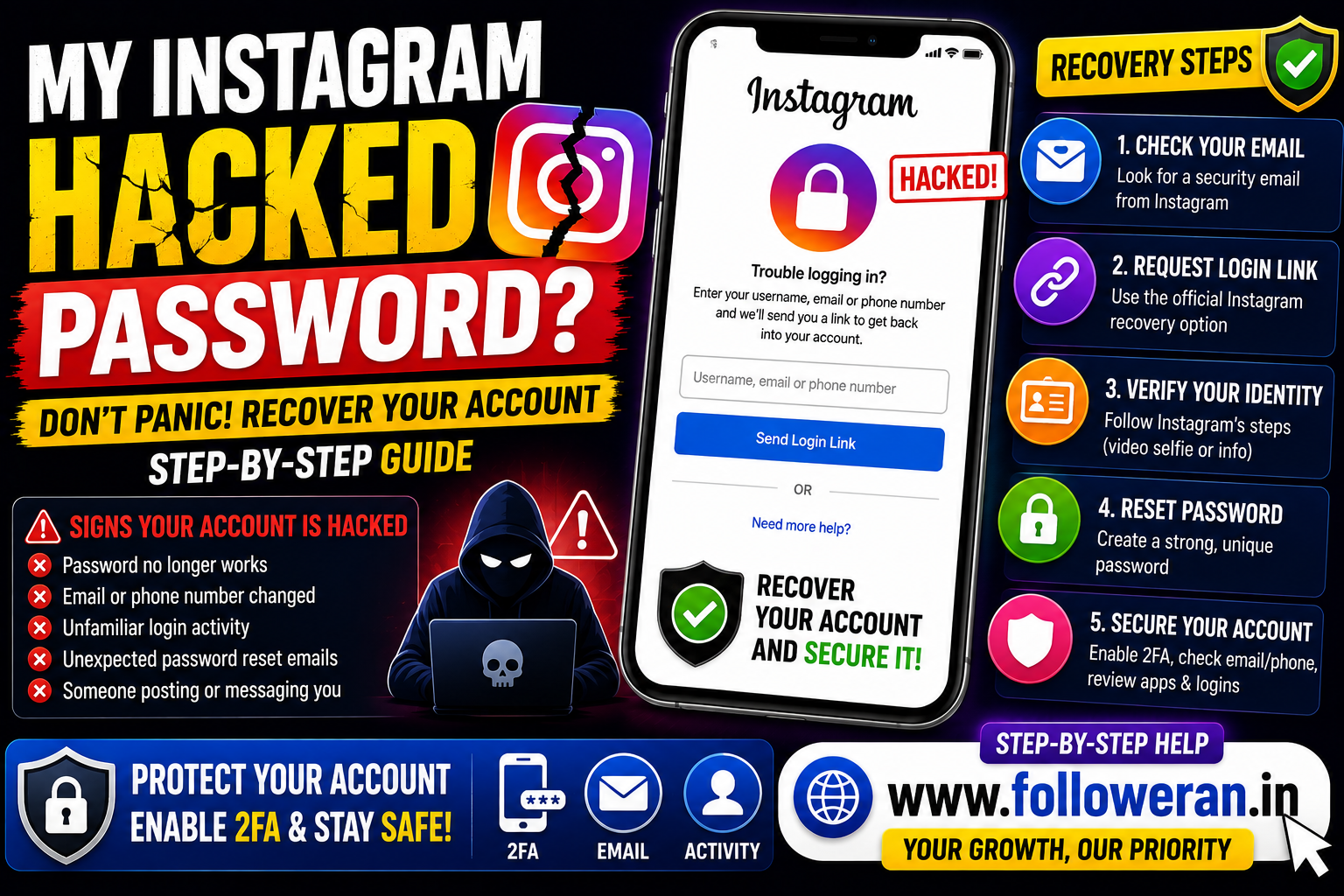
My Instagram Hacked Password: How to Recover a Hacked Instagram Account
If you're searching for my Instagram hacked password, you may be dealing with a situation where someone changed your Instagram password, email address, phone number or other account details.
Don't try to guess the hacker's password or use third-party “Instagram recovery” services. Instagram provides an official recovery process for accounts that have been hacked or taken over, including options for a login link, security code, support request and identity verification.
What Does “My Instagram Hacked Password” Mean?
This search usually describes a situation where:
- You suddenly can't log in.
- Your password no longer works.
- Someone changed your email address.
- Your phone number was changed.
- You receive unexpected password-reset messages.
- Someone is posting or sending messages from your account.
- You notice unfamiliar login activity.
These are possible signs that your account has been compromised.
First: Don't Panic
If your Instagram password was changed, act quickly but use only official Instagram recovery channels.
Avoid people or websites promising:
- Hacked-password recovery
- Guaranteed account access
- Instant account restoration
- “Secret” Instagram tools
- Password cracking
- Paid recovery through private messages
Never give another person your Instagram password, security code or recovery code.
Check Your Email for an Instagram Security Message
If someone changed the email address associated with your Instagram account, Instagram says it may send a message from [email protected] to the previous email address.
If you did not make the change, that message may contain an option to Secure my account and reverse the email change.
This is one of the first things to check after discovering that your account has been compromised.
How to Recover a Hacked Instagram Account
Instagram's official recovery process can include several options depending on what happened to your account.
Step 1: Open Instagram's Login Screen
Use the official Instagram app or website.
Step 2: Select the Password-Recovery Option
Choose Forgot password? or the corresponding recovery option shown on your current login screen.
Step 3: Identify Your Account
Instagram may ask for your:
- Username
- Email address
- Phone number
Use information associated with the account.
Step 4: Request a Login Link
Instagram may send a login link to an available email address or phone number.
Complete any security check requested by Instagram and follow the instructions in the message.
What If the Hacker Changed My Email and Password?
This is a common reason normal password-reset instructions don't work.
Instagram says that when an email address has been changed, you may be able to reverse that change from the security email sent to your original email address. If additional information, such as your password, was also changed, Instagram may direct you to request a login link, security code or additional support.
What If I Can't Access My Email or Phone?
If the normal login-link method doesn't work, Instagram says you may be able to request support through a mobile device.
You should provide a secure email address that only you can access so Instagram can communicate with you during the recovery process.
The recovery options shown can vary depending on the account and the situation.
Instagram Identity Verification
In some hacked-account cases, Instagram may ask you to verify that you're the account owner.
For accounts that contain photos of the person requesting recovery, Instagram may ask for a video selfie showing the person turning their head in different directions. Instagram says the video is used to confirm that the person is real and verify identity.
Instagram says the submitted video selfie is not displayed on Instagram and is deleted within 30 days.
For accounts without photos of the person, Instagram may ask for other information associated with the account, such as the original email or phone number and the type of device used when the account was created.
What If You're Still Logged In?
If you can still access your Instagram account even though you suspect someone has attempted to compromise it, secure it immediately.
Instagram recommends:
- Change your password.
- Turn on two-factor authentication.
- Confirm your email address and phone number.
- Check Accounts Centre for unfamiliar linked accounts.
- Remove suspicious third-party apps.
Do these steps before logging out of a trusted device.
Change Your Instagram Password After Recovery
Once you've regained access, create a new password that is:
- Unique
- Long
- Difficult to guess
- Not reused on other websites
- Not based on easily available personal information
Don't reuse an old compromised password.
It's also a good idea to change the password of the email account connected to Instagram if you suspect the email account may have been compromised.
Turn On Two-Factor Authentication
Two-factor authentication adds an additional security layer.
Meta recommends using 2FA on Instagram and other security tools as part of protecting accounts. Current Meta guidance also highlights newer recovery and support features, including improved recovery flows and optional selfie-video verification for eligible cases.
Depending on your account and region, available authentication options can vary.
Check Your Instagram Email and Phone Number
After recovering the account, verify that the account still contains your correct:
- Email address
- Phone number
Instagram specifically recommends checking these details after a suspected compromise.
If a hacker changed them, correct the information and secure the associated email account as well.
Check Accounts Centre
If you use multiple Meta accounts, review Accounts Centre after recovery.
Instagram recommends removing linked accounts you don't recognise.
This can help prevent an attacker from maintaining access through an unfamiliar linked account.
Remove Suspicious Third-Party Apps
Review applications and services that have access to your Instagram account.
Instagram recommends revoking access to suspicious third-party applications after a suspected hack.
Don't reconnect an app simply because it promises free followers, likes or account recovery.
What If the Hacker Is Still Posting From My Account?
If you recover the account but someone continues taking actions, change the password immediately and review all connected accounts, applications and security settings.
Instagram also has dedicated recovery guidance for situations where a hacker continues taking actions on a professional account.
Beware of Instagram Recovery Scams
Hackers often target people who are already trying to recover an account.
Be suspicious of anyone who says:
“I can recover your account for a fee.”
“Send me your Instagram code.”
“Give me your password and I'll fix it.”
“Pay me and I'll contact Instagram for you.”
These are not legitimate reasons to share your security credentials.
Instagram has warned about malicious messages and scams designed to obtain sensitive information, including passwords. Meta says Instagram will not send you a DM asking for this kind of information.
How to Check Whether an Instagram Email Is Genuine
Be careful with emails that appear to come from Instagram.
Before clicking a link:
- Check the sender.
- Verify that the message relates to an action you actually took.
- Avoid entering credentials on suspicious pages.
- Use Instagram's official app or website when possible.
For a changed-email alert, Instagram specifically identifies [email protected] as the sender for the relevant security message.
What If I Forgot My Instagram Username Too?
Instagram's recovery process can use information such as your email address or phone number in addition to a username.
If you don't remember the username, use the official recovery options available from the login screen and follow Instagram's instructions.
What If I Don't Have the Original Email or Phone?
Recovery becomes more difficult when you no longer control the original recovery information.
Instagram's official guidance says that if you cannot use the normal login link, you may be able to request additional support from a mobile device and provide a secure email address where Instagram can contact you.
Don't replace official recovery with an unofficial “account hacker” service.
What If Instagram Asks for a Video Selfie?
A video-selfie request can be part of Instagram's identity-verification process for some hacked accounts.
Follow only the instructions presented through Instagram's official recovery flow. Instagram says the video is used to help verify that you're a real person and confirm that you're authorised to access the account.
How Long Does Instagram Account Recovery Take?
There isn't a single guaranteed recovery time.
The process depends on:
- Whether your email is still accessible
- Whether your phone number is still connected
- Whether your password was changed
- Whether your email was changed
- Whether additional verification is required
- Whether Instagram can confirm your identity
Meta said in March 2026 that it had improved account-recovery flows and that recovery success had increased by more than 30% in the US and Canada compared with the previous year.
That does not mean every account will be recovered immediately.
How to Protect Your Instagram After Recovery
Once the account is back under your control:
Use a Unique Password
Don't reuse your Instagram password elsewhere.
Enable 2FA
Use an available authentication method you trust.
Secure Your Email
Your email account may be critical for future recovery.
Review Connected Accounts
Remove unfamiliar linked Meta accounts.
Review Third-Party Access
Revoke suspicious applications.
Be Careful With Messages
Don't click unexpected password-reset links or send security codes to anyone.
Instagram Hacked Password Recovery Checklist
Check the email account connected to Instagram.
Look for a security email from Instagram.
Use the official Forgot password? recovery option.
Request a login link if available.
Request additional support if the login link doesn't work.
Complete identity verification if requested.
Change the password after recovery.
Turn on two-factor authentication.
Confirm the email address and phone number.
Review Accounts Centre.
Remove suspicious third-party apps.
Secure your email account.
Common Mistakes to Avoid
Avoid:
- Paying strangers to “hack back” your account
- Sharing Instagram verification codes
- Giving away your password
- Clicking suspicious recovery links
- Reusing your old password
- Ignoring a changed-email notification
- Leaving unfamiliar linked accounts connected
- Keeping suspicious third-party apps authorised
Explore Instagram and Social-Media Marketing Services
If you're comparing Instagram followers, likes, views and other social-media marketing services, you can explore:
Review the current services, pricing, requirements and terms before placing an order.
Frequently Asked Questions
What should I do if my Instagram password was hacked?
Use Instagram's official hacked-account recovery process. Check for a security email, request a login link and use additional support or identity verification if the normal recovery route doesn't work.
What if the hacker changed my Instagram email?
Check your original email for a message from [email protected]. Instagram says you may be able to reverse an unauthorised email change using the security link in that message.
Can I recover Instagram if the password and email were both changed?
Possibly. Instagram says that when a normal login link is insufficient, you may be able to request additional support and complete identity verification.
Does Instagram ask for a video selfie during recovery?
Some accounts may be asked for a video selfie as part of identity verification. Instagram says the process is designed to confirm that you're a real person and authorised to access the account.
Can someone recover my Instagram account for me?
Be extremely cautious with third parties. Use Instagram's official recovery process instead of giving another person your password or security codes.
How do I secure Instagram after recovering it?
Change your password, enable two-factor authentication, confirm your email and phone number, review Accounts Centre and revoke suspicious third-party access.
Final Thoughts
If you're searching for “my Instagram hacked password,” the safest response is to use Instagram's official recovery tools rather than trying to bypass its security.
Check for an email-change alert, request a login link, use Instagram's support and identity-verification options when necessary, and then secure the account with a new password, two-factor authentication and a review of connected accounts and apps.
For more Instagram and social-media marketing resources, visit www.followeran.in
