Member Panel: What It Is, How It Works & How to Choose the Best SMM Panel
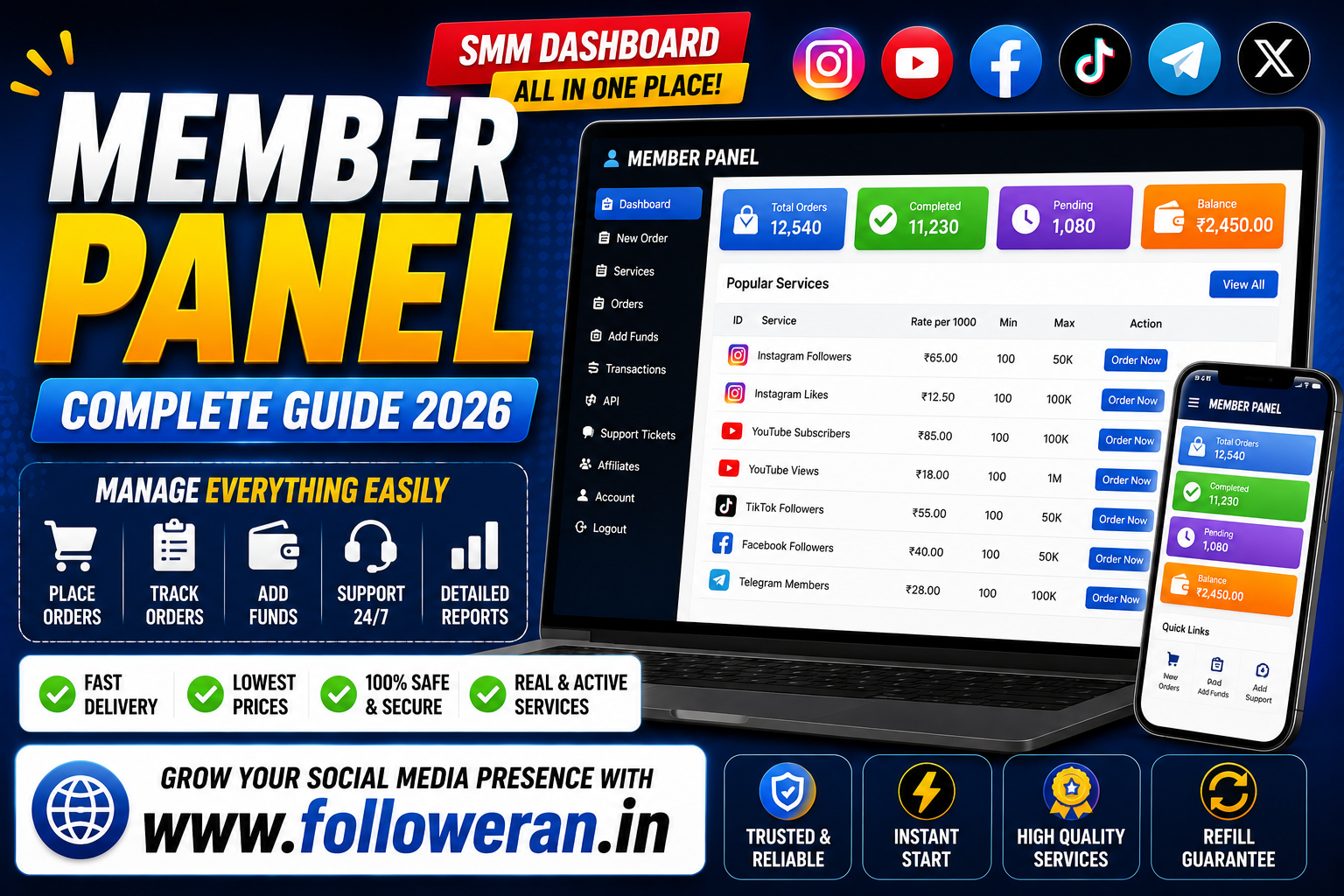
The term member panel can refer to different types of online dashboards, but in the social-media marketing industry it commonly describes the member or customer area of an SMM panel.
A member panel gives registered users a central place to manage their account, browse services, place orders, add funds, monitor order status and contact support.
For someone looking for an SMM panel, the member dashboard is an important part of the overall experience. A panel might advertise hundreds or thousands of services, but if the member area is confusing, difficult to use or lacking important information, managing campaigns can become unnecessarily complicated.
This guide explains what a member panel is, how it works, the features worth comparing, common mistakes to avoid and how to choose a reliable SMM dashboard.
What Is a Member Panel?
A member panel is a private dashboard available to registered users of an online service.
In the SMM industry, it is often the area where customers manage their social-media marketing orders.
Depending on the platform, the member panel may allow users to:
- Create and manage orders
- Browse social-media services
- Add account funds
- Check order status
- View order history
- Open support tickets
- Access API information
- Manage account settings
- Review billing information
The exact features depend on the provider.
What Is an SMM Member Panel?
An SMM member panel is the customer-facing dashboard of a Social Media Marketing platform.
It can act as a central workspace for promotional services related to platforms such as:
- YouTube
- TikTok
- Telegram
- X
- Other social-media platforms
Available services vary between providers.
Common categories may include:
- Followers
- Likes
- Views
- Subscribers
- Comments
- Engagement-related services
A member panel makes it easier to manage these services from one account rather than contacting a provider manually for every order.
How Does a Member Panel Work?
The process is generally straightforward.
Step 1: Register
Create an account with the SMM platform.
Step 2: Log In
Use your registered email, username or other credentials to access the member area.
Step 3: Add Funds
Some SMM panels require you to deposit a balance before placing orders.
Step 4: Browse Services
Select a platform and service category.
Step 5: Review the Service
Check details such as:
- Minimum order
- Maximum order
- Price
- Estimated delivery
- Refill terms
- Service description
Step 6: Place the Order
Enter the required public profile, post, Reel, video or other URL, depending on the service.
Step 7: Track Your Order
Use the member panel to monitor status and review your order history.
This creates a simple workflow:
Login → Add Funds → Select Service → Place Order → Track Order
Why Is the Member Panel Important?
The member area is more than just a login page.
It affects how easily you can manage your marketing activity.
A well-designed panel can help you:
Save Time
You can manage multiple orders from one dashboard.
Stay Organized
Order history makes it easier to track previous purchases.
Monitor Delivery
You can check current and completed orders.
Manage Spending
A balance and transaction history can make costs easier to track.
Contact Support
You can often submit questions without leaving the dashboard.
Features to Look for in a Good Member Panel
Not every member dashboard provides the same experience.
Here are the most important features to compare.
1. Simple Dashboard
The dashboard should be easy to understand.
A useful member panel should make important areas obvious, such as:
- New Order
- Services
- Orders
- Add Funds
- Support
- Account
You shouldn't need to search through multiple menus to find basic functions.
2. Service Search
A large SMM panel can contain hundreds or thousands of services.
A search function helps you quickly find what you need.
Useful filters may include:
- Platform
- Service type
- Category
- Search keyword
- Price
- Service ID
This becomes increasingly important as the number of services grows.
3. Detailed Service Information
A service page should explain what the service actually does.
Look for information about:
- Quantity
- Price
- Minimum order
- Maximum order
- Start time
- Delivery
- Refill
- Cancellation
- Restrictions
Avoid ordering services with descriptions that are too vague to understand.
4. Order Tracking
A good member panel should show order progress clearly.
Typical statuses may include:
Pending
Processing
In Progress
Completed
Partial
Cancelled
The exact labels depend on the panel.
5. Order History
Order history is especially useful for users managing multiple campaigns.
You may want to see:
- Order number
- Service
- Quantity
- Target URL
- Date
- Amount
- Status
A searchable order history makes account management much easier.
6. Balance Management
Many SMM dashboards include a balance system.
A useful member panel should clearly display:
- Current balance
- Deposit history
- Transaction records
- Payment status
Transparency is important when you're spending money on multiple services.
7. Multiple Payment Options
Depending on the provider and country, a panel may support different payment methods.
Potential options include:
- Cards
- Bank payments
- Digital wallets
- UPI
- Other online payment systems
Before adding money, check the provider's current payment options and refund conditions.
8. Support Tickets
A support ticket feature can be very useful when an order doesn't behave as expected.
For example, you may need help with:
- Delayed delivery
- Partial completion
- Incorrect order details
- Refund questions
- Refill requests
A ticket system also creates a record of the conversation.
9. API Access
Some advanced SMM panels provide API access.
API functionality can allow businesses or resellers to connect their own systems to the SMM panel.
This can be useful for:
- Reseller websites
- Automated order processing
- Custom dashboards
- Service marketplaces
- Internal marketing tools
API availability and functionality differ between providers.
10. Mobile-Friendly Design
Many users manage social-media campaigns from their phones.
A good member panel should therefore work properly on mobile devices.
Important areas should remain easy to use on smaller screens, including:
- Service search
- Order forms
- Balance
- Orders
- Support
Member Panel vs Admin Panel
These two dashboards serve different purposes.
| Feature | Member Panel | Admin Panel |
|---|---|---|
| Customer orders | Yes | Yes |
| Account balance | Yes | Usually visible to admin |
| Service browsing | Yes | Yes |
| Order management | Customer view | Full management |
| User management | Own account | All users |
| Pricing control | No | Usually yes |
| Service creation | No | Usually yes |
| Support | Submit tickets | Manage tickets |
| Analytics | Personal | Platform-wide |
The member panel is designed for customers.
The admin panel is designed for the people managing the platform.
Member Panel vs SMM Dashboard
These terms are often used interchangeably.
An SMM dashboard generally refers to the broader interface used to manage social-media marketing services.
A member panel usually emphasizes the customer or registered-user area.
In practice, a provider may call the same interface:
- Member panel
- User panel
- Customer dashboard
- SMM dashboard
- Client area
- Member area
The terminology isn't always standardized.
What Is a Member Login Panel?
A member login panel is the login gateway used to access a private customer area.
A typical login page may request:
- Email or username
- Password
- Verification information
After signing in, the user reaches the member dashboard.
For security, use a strong unique password and avoid sharing login credentials with other people.
How to Choose a Reliable Member Panel
Choosing an SMM platform should involve more than looking at the homepage.
Evaluate the actual member experience.
Check the Dashboard
Is it easy to navigate?
Check Service Descriptions
Can you understand what you're ordering?
Check Pricing
Are costs clearly displayed?
Check Support
Can you get help when something goes wrong?
Check Policies
Are refunds, refills and cancellations explained?
Check Security
Does the provider request unnecessary account credentials?
Check Payment Information
Are deposits and transactions clearly recorded?
These checks can help separate a usable platform from a difficult one.
Member Panel Pricing
Member panel pricing normally depends on the individual services you order rather than the dashboard itself.
For example, pricing can vary according to:
- Platform
- Service type
- Quantity
- Delivery characteristics
- Targeting
- Refill conditions
A panel may display a price per 1,000 units, a fixed package price or another pricing structure.
Always read the service's actual rate and minimum order before submitting payment.
Why the Cheapest Member Panel Isn't Always the Best
Price is important, but it should not be the only factor.
Suppose two providers offer apparently similar services.
Provider A
Lower price
Poor descriptions
Limited support
Unclear policies
Provider B
Slightly higher price
Clear descriptions
Responsive support
Transparent policies
Provider B may offer better overall value.
This is why it's useful to compare:
Price + Quality + Support + Delivery + Policies
instead of looking only at the cheapest rate.
How to Test a New Member Panel
Before making a large purchase, consider testing the platform.
Step 1: Create an Account
Explore the dashboard.
Step 2: Check Services
Review descriptions and prices.
Step 3: Check Support
See how the support system works.
Step 4: Make a Small Deposit
Avoid committing a large amount immediately.
Step 5: Place a Small Order
Use it as a test.
Step 6: Track Delivery
Compare the result with the stated service information.
Step 7: Review the Experience
Decide whether the service is suitable for your needs.
This process can reduce the risk of making a large commitment to an unfamiliar provider.
Member Panel Security
Security is extremely important for any online dashboard.
Use a Strong Password
Don't reuse the same password on multiple websites.
Enable Available Security Controls
Use additional account-protection features when the provider offers them.
Don't Share Login Details
Avoid giving your member-panel password to strangers.
Be Careful With Payment Information
Use secure payment methods and keep records of transactions.
Avoid Suspicious Login Pages
Check the domain carefully before entering your credentials.
Does an SMM Member Panel Need Your Instagram Password?
A service that only requires a public Instagram profile or post URL generally should not need your Instagram password simply to process that type of order.
Be extremely cautious if an unfamiliar provider asks for:
- Instagram password
- Email password
- Two-factor authentication codes
- Backup codes
- Recovery codes
Your social-media account should remain under your control.
What Can You Track in a Member Panel?
Depending on the provider, you may be able to monitor:
- Total orders
- Pending orders
- Completed orders
- Cancelled orders
- Spending
- Account balance
- Service usage
- Refill requests
This information can help you understand how you're using the platform.
Member Panel for Resellers
A member panel can also be useful for SMM resellers.
A reseller may use a panel to:
- Purchase services
- Connect an API
- Manage customer orders
- Track fulfilment
- Control margins
- Manage service categories
However, reseller requirements are usually more advanced than those of a normal customer.
Before choosing a panel for resale, check whether it actually supports:
- API integration
- Reseller pricing
- Order automation
- White-label functionality
- Service synchronization
- Customer management
What Is a White-Label Member Panel?
A white-label setup allows a business to offer services under its own branding while using an underlying service provider or infrastructure.
This can be useful for businesses building their own SMM service website.
A white-label arrangement may include:
- Custom branding
- Your own domain
- Customer login
- Service catalogue
- Order processing
- Payment integration
Availability depends entirely on the provider.
Member Panel for Agencies
Digital marketing agencies may manage many clients and campaigns.
For them, a good member panel can simplify:
- Order management
- Budget tracking
- Service selection
- Client campaign coordination
- Support requests
- Reporting
However, agencies should still maintain internal records rather than relying completely on a third-party dashboard.
Member Panel for Beginners
Beginners don't necessarily need a complicated platform.
A simple dashboard with:
- Clear service names
- Easy ordering
- Transparent pricing
- Order tracking
- Support
may be more useful than an overloaded interface containing features you'll never use.
Start with the basics and learn how each service works.
Member Panel for Businesses
Businesses should first define what they want to achieve.
Possible objectives include:
- Social visibility
- Audience growth
- Campaign support
- Content promotion
- Brand awareness
Follower or engagement numbers should not be treated as guaranteed business results.
For a business, relevant audience quality can be more important than simply increasing a visible metric.
How Member Panels Fit Into Social-Media Marketing
A member panel is a tool, not an entire marketing strategy.
A broader strategy can include:
Content creation
Instagram Reels
YouTube videos
Influencer partnerships
SEO
Paid advertising
Community engagement
Email marketing
Website optimization
The member panel can sit alongside these activities rather than replacing them.
Common Member Panel Mistakes
Choosing Only Based on Price
Low pricing doesn't guarantee good value.
Ordering Without Reading Service Details
You may misunderstand what is included.
Making a Large Deposit Immediately
Test the platform first.
Sharing Social-Media Passwords
Never provide unnecessary sensitive credentials.
Ignoring Refund Policies
Understand what happens if an order cannot be completed.
Assuming Every Service Works the Same Way
Different services can have very different delivery and retention conditions.
Focusing Only on Numbers
A larger follower count doesn't automatically mean stronger engagement or business performance.
Member Panel Comparison Checklist
Use this checklist when comparing platforms:
| Area | What to Check |
|---|---|
| Dashboard | Easy navigation |
| Services | Clear descriptions |
| Pricing | Transparent rates |
| Orders | Tracking available |
| Payments | Clear transaction history |
| Support | Accessible help |
| Refill | Conditions explained |
| Refunds | Policy available |
| Security | No unnecessary credentials |
| API | Available if needed |
| Mobile | Works well on phones |
| Reputation | Credible customer feedback |
Questions to Ask Before Joining a Member Panel
Before signing up, consider:
What services are available?
How are prices displayed?
What information is required to place an order?
How long does delivery normally take?
Is there a refill policy?
What happens if an order fails?
How do refunds work?
How can I contact support?
Is API access available?
Does the platform work well on mobile?
Getting clear answers makes the purchasing decision easier.
Is a Member Panel Worth Using?
That depends on your goals.
For someone managing multiple social-media promotional orders, a dashboard can save considerable time.
For someone running a single small campaign, a simpler service may be sufficient.
The important thing is to evaluate whether the platform actually solves your problem.
A good member panel should make social-media service management:
Simpler + clearer + more organized
—not more complicated.
Where to Explore an SMM Member Panel
If you're looking for social-media marketing and SMM services, you can explore www.followeran.in.
Review the member area, available services, pricing, delivery information, refund and refill policies and terms before placing an order.
A small test order can also be a practical way to understand how a service works before using it more extensively.
Frequently Asked Questions
What is a member panel?
A member panel is a private online dashboard where registered users can manage their account, services, payments, orders and support requests.
What is an SMM member panel?
An SMM member panel is the customer dashboard of a social-media marketing platform where users can browse and purchase promotional services.
What can I do from a member panel?
Depending on the platform, you may be able to place orders, add funds, track orders, view history, contact support and manage account settings.
Is a member panel the same as an SMM panel?
Not exactly. An SMM panel is the overall service platform, while the member panel usually refers to the customer-facing account area.
What is a member login panel?
It is the secure login page that gives registered users access to their private member dashboard.
What makes a good member panel?
Simple navigation, detailed service information, transparent pricing, order tracking, payment records, customer support and sensible security practices are all useful features.
Do member panels support mobile devices?
Many modern dashboards are designed to work on mobile devices, but the experience varies by provider.
Can I track my orders in a member panel?
Usually, yes. Many SMM dashboards provide an order-history and order-status section.
Can a member panel offer an API?
Some SMM platforms provide APIs, particularly for resellers and businesses that need automated order management.
Do I need my Instagram password to use an SMM member panel?
A service that works with a public Instagram profile or content URL generally should not need your Instagram password for that purpose. Avoid sharing passwords or authentication codes with unknown providers.
Are cheap member panels reliable?
Low pricing does not automatically indicate reliability or poor quality. Evaluate service descriptions, support, policies, delivery and security before choosing.
Should I make a large deposit into a new member panel?
Testing the platform with a smaller amount can be a sensible way to evaluate the service before committing more money.
Can businesses use member panels?
Yes. Businesses and agencies can use member dashboards to manage social-media promotional services, but the panel should be treated as one part of a broader marketing strategy.
What is a reseller member panel?
A reseller member panel is designed for users who purchase services from a provider and may resell them to their own customers, often using API or other management features.
Final Thoughts
A member panel is essentially the working area where customers manage their account and social-media service orders.
A well-designed member dashboard should make it easy to:
Find services
Place orders
Track progress
Manage payments
Contact support
Review account activity
When comparing member panels, don't choose solely on price.
Look at service clarity, dashboard usability, delivery information, support, payment transparency, refill and refund policies, API availability and security practices.
For anyone evaluating an SMM platform, starting with a small test and reading the service conditions carefully can provide a much better understanding of the actual experience.
And remember: an SMM member panel is a tool for managing promotional services—not a replacement for quality content, genuine audience engagement and a well-planned digital marketing strategy.
For social-media marketing and promotional services, visit www.followeran.in and review the current services, pricing, delivery details and policies before placing an order.
