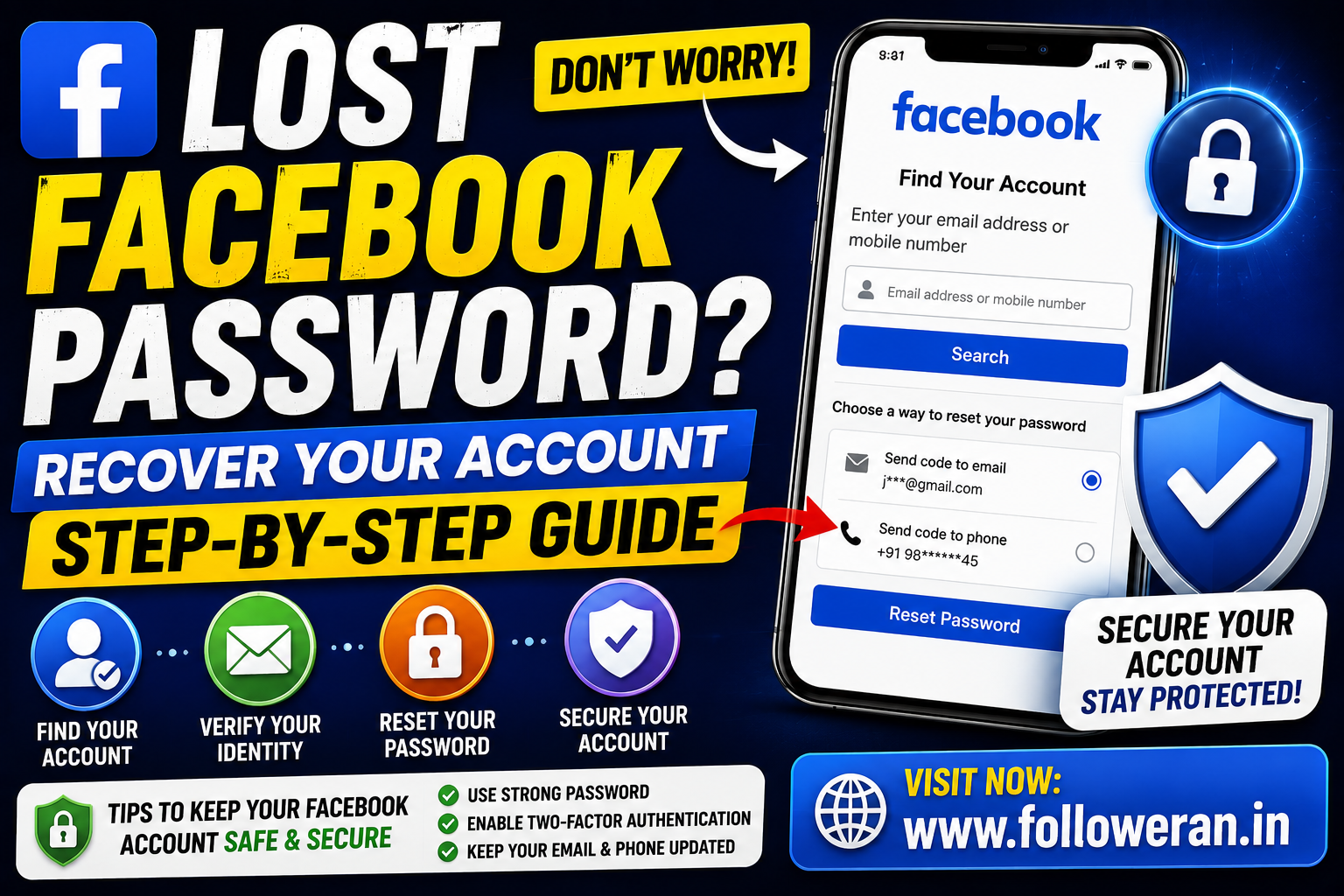
Lost Facebook Password: How to Recover Your Facebook Account
If you've lost your Facebook password, you don't necessarily need to remember the old password to regain access. Facebook provides an account-recovery process that can help you reset your password using information associated with your account. The current Facebook login interface includes an option for users who have forgotten their account information.
What to Do If You Lost Your Facebook Password
The simplest approach is to start from Facebook's login page and select the option for a forgotten account or password.
You may be asked to identify your account using information such as:
- Email address
- Mobile phone number
- Name
- Other account information
Facebook will then show the recovery options currently available for your account.
How to Reset a Lost Facebook Password
Follow these general steps:
Step 1: Open Facebook
Go to the official Facebook website or open the Facebook app.
Step 2: Select the Forgotten-Password Option
On the login screen, choose the option for a forgotten account or password.
Step 3: Find Your Account
Enter the email address, phone number or other information Facebook requests.
Step 4: Select a Recovery Method
Depending on your account, Facebook may provide an available email or phone-based recovery option.
Step 5: Verify Your Account
Complete the verification steps displayed by Facebook.
Step 6: Create a New Password
Choose a strong password that you haven't used on other websites.
Step 7: Log In Again
Use the new password to access your Facebook account.
The precise screens can change as Facebook updates its recovery system, so follow the instructions shown on the official Facebook site or app.
What If You Lost Both Your Facebook Password and Email?
This situation can be more difficult, but you should still start with Facebook's official recovery process.
Try identifying the account using:
- Your mobile number
- Your full name
- Your Facebook username
- An email address you may have previously used
- A device where you were previously logged in
You can also check old email messages from Facebook to determine which email address was previously associated with your account.
What If You Lost Access to Your Phone Number?
If your old phone number is no longer available, check whether Facebook offers another recovery method for your account.
You should also consider recovering the phone number itself through your mobile provider when possible.
Avoid websites that claim they can bypass Facebook's security checks.
What If You Lost Your Facebook Password and Your Account Was Hacked?
If you believe somebody changed your password without permission, this is different from an ordinary forgotten-password problem.
Start with Facebook's official account-recovery process rather than using an unofficial service.
Facebook's recovery infrastructure includes account-recovery pages, although availability can vary and repeated attempts can sometimes result in temporary restrictions.
After regaining access:
- Change your password.
- Check your email address and phone number.
- Review active sessions.
- Remove unfamiliar devices.
- Enable two-factor authentication.
- Review connected apps.
- Check recent account activity.
Can You Recover Facebook Without the Old Password?
Yes, the purpose of the password-recovery process is to help you regain access when you don't know the existing password.
You should use Facebook's official recovery process rather than attempting to bypass its login security.
How to Create a Strong New Facebook Password
Once you've recovered your account, create a password that is:
- Unique
- Long
- Difficult to guess
- Not based on obvious personal information
- Different from passwords used elsewhere
A password manager can help you create and store unique passwords.
What If Facebook Temporarily Blocks Recovery Attempts?
Facebook can temporarily restrict recovery-related features when it detects excessive or unusual activity. Current Facebook recovery pages can display temporary-block messages when a feature is used too quickly or too frequently.
If this happens, avoid repeatedly submitting recovery requests in a short period.
Instead, follow Facebook's on-screen instructions and try again later.
Check Your Saved Passwords
Before starting a full recovery process, check whether your browser or password manager saved your Facebook password.
Depending on your device, saved login information may be stored in:
- Chrome Password Manager
- Microsoft Edge Password Manager
- Apple Passwords
- Google Password Manager
- A third-party password manager
Only use your own device and account when checking saved credentials.
Secure Your Email Account
Your email account may be an important part of Facebook recovery.
If you believe your Facebook account was compromised, secure your email too.
Change the email password and enable two-factor authentication where available.
Also review your email account's recent sign-ins and recovery information.
Avoid Fake Facebook Password Recovery Services
People searching for a lost Facebook password are often targeted by scams.
Avoid anyone who claims they can:
- Hack your Facebook account back
- Bypass Facebook verification
- Recover your password instantly
- Guarantee account access
- Retrieve your old password from Facebook
- Recover the account for an upfront fee
Never give an unknown person your:
- Facebook password
- Email password
- Verification code
- Two-factor authentication code
- Backup codes
- Recovery codes
Use Facebook's official recovery process instead.
Can Someone Find My Facebook Password for Me?
Your original Facebook password should not be exposed through a legitimate recovery service.
The safe solution is to reset the password through Facebook rather than trying to discover or obtain the old password.
How to Prevent Losing Your Facebook Password Again
Use a Password Manager
A password manager can securely store your Facebook login.
Use a Unique Password
Don't reuse your Facebook password on other websites.
Enable Two-Factor Authentication
This adds another layer of protection if someone discovers your password.
Keep Recovery Information Updated
Make sure your email address and phone number are current.
Review Login Activity
Check your account for devices or sessions you don't recognise.
Lost Facebook Password Checklist
Before contacting anyone for help, try:
Check your browser's saved passwords.
Check your password manager.
Try your current email address.
Try your mobile number.
Check older Facebook emails.
Use Facebook's official password-recovery process.
Secure your email account.
Enable stronger security after recovery.
Frequently Asked Questions
What should I do if I lost my Facebook password?
Open Facebook's login page, select the forgotten-account or password option and follow the recovery instructions.
Can I reset my Facebook password without knowing the old one?
Yes. Facebook's account-recovery process is designed to help you regain access without entering the old password.
What if I forgot my Facebook password and email?
Try identifying your account with your name, phone number or other information Facebook provides as recovery options.
What if my Facebook account was hacked?
Use Facebook's official account-recovery process and then secure the account by changing the password, checking login sessions and enabling additional security.
What if Facebook temporarily blocks recovery?
Avoid repeatedly attempting recovery in a short period and follow the instructions shown by Facebook. Current Facebook recovery pages can display temporary restrictions.
Is it safe to give someone my Facebook recovery code?
No. Treat recovery and verification codes as confidential and never send them to someone who claims they can recover your account.
Final Thoughts
Losing your Facebook password can be stressful, but you can usually start recovery without knowing the old password.
Use Facebook's official recovery process, check your saved passwords and available recovery information, and secure your email and Facebook account after access is restored. Avoid unofficial password-recovery services and anyone asking for your login or verification codes.
For more social-media and digital-marketing resources, visit www.followeran.in.
