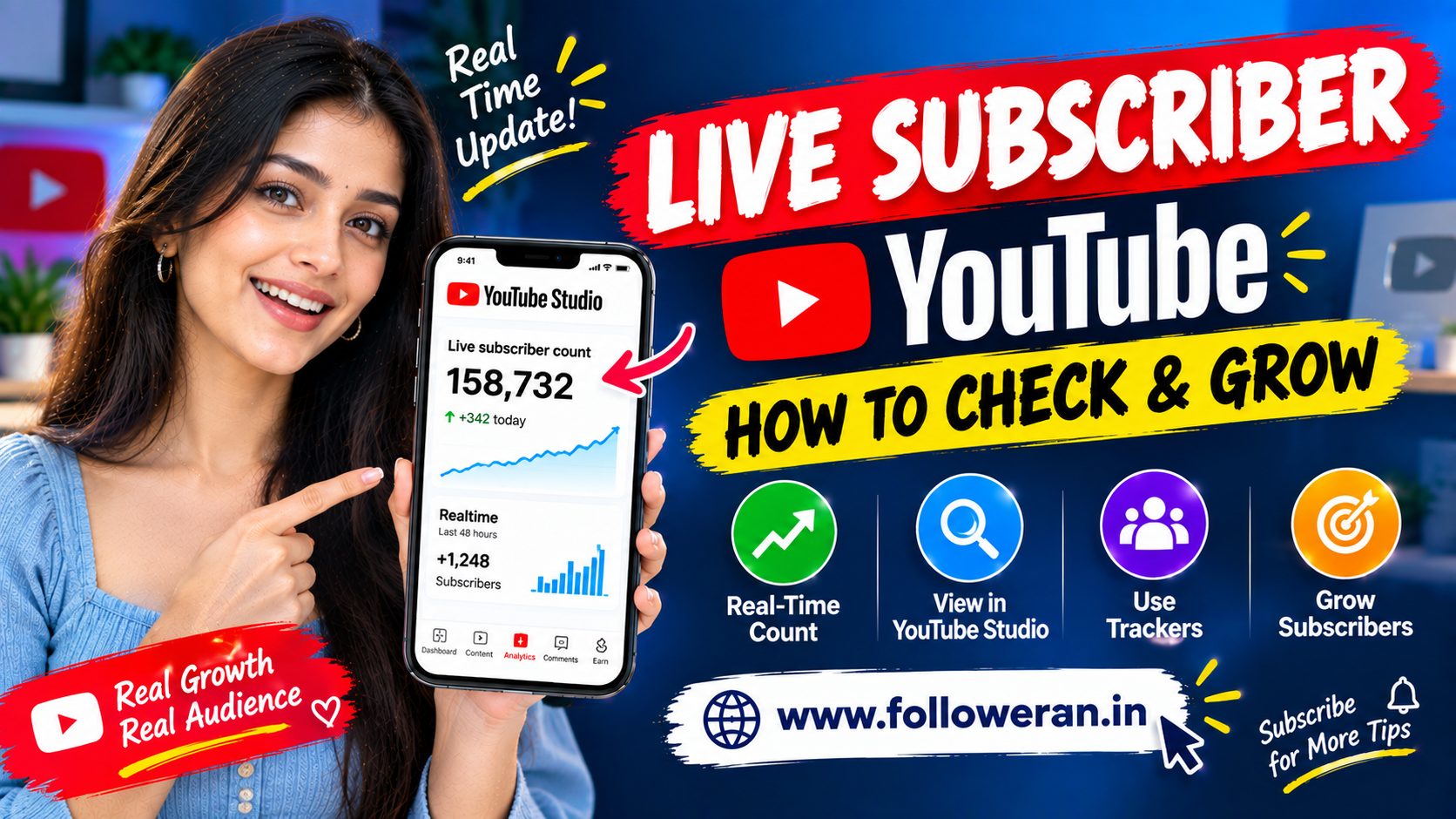
Live Subscriber YouTube: How to See Real-Time Subscribers and Grow Your Channel
The keyword “live subscriber YouTube” is commonly searched by creators, businesses, influencers, marketers, streamers, and anyone who wants to monitor a YouTube channel's subscriber growth in real time.
A live subscriber counter can be useful because subscriber numbers can change throughout the day. Watching a channel move from:
999 → 1,000 subscribers
or:
9,999 → 10,000 subscribers
can make important milestones much easier to monitor.
YouTube itself allows channel owners to view their subscriber count in real time through YouTube Studio. On desktop, the current process is to open YouTube Studio, go to Analytics, find the Realtime card on the Overview tab, and select SEE LIVE COUNT.
There is also an important distinction between the exact count available to the channel owner and the shortened subscriber number visible to the public.
For example, YouTube currently displays subscriber counts differently depending on channel size. A public count may update every new subscriber below 1,000, while channels with 1,000 or more subscribers are displayed in progressively larger increments.
This guide explains live subscriber YouTube meaning, how to see a real-time subscriber count, what live subscriber counters do, why public counts may look different from the exact number in Studio, how subscriber milestones work, how to track subscriber growth, and practical methods for growing a legitimate YouTube audience.
What Does Live Subscriber YouTube Mean?
The phrase live subscriber YouTube generally refers to watching a YouTube channel's subscriber count change in real time.
It may refer to:
Live YouTube subscriber count
Real-time subscriber tracker
YouTube subscriber counter
Live subscriber display
YouTube Studio Realtime analytics
YouTube live subscriber counter
Creators may use a live counter to monitor:
Subscriber increases
Subscriber decreases
Milestones
Campaign performance
Live-stream growth
Video-driven subscriptions
What Is a YouTube Live Subscriber Count?
A YouTube live subscriber count is a real-time view of your channel's subscriber total.
For the channel owner, YouTube Studio provides a way to see the subscriber count in real time and monitor growth over time.
A simple example might look like:
Current subscribers: 4,982
Then:
4,983
4,984
4,985
The exact pace depends entirely on how viewers interact with the channel.
How to See Live Subscribers on YouTube
For a channel owner using YouTube Studio on desktop:
Step 1: Sign in to YouTube Studio.
Step 2: Open Analytics.
Step 3: Stay on the Overview tab.
Step 4: Find the Realtime card.
Step 5: Select SEE LIVE COUNT.
YouTube identifies this as a way to view the subscriber count over time.
How to See Real-Time Subscribers on the YouTube Studio App
On Android, YouTube's current help documentation says creators can open the YouTube Studio app, select Analytics, open the Overview tab, and use the Realtime card for more detailed metrics.
The exact interface can change as YouTube rolls out updates.
Can You See Your Exact Subscriber Count?
Yes.
The channel owner can use YouTube Studio's live count to monitor the current subscriber total.
However, the public-facing subscriber count is shortened depending on channel size.
This creates an important distinction:
Creator view = detailed real-time count
Public channel view = shortened count
Why Does the YouTube Subscriber Count Look Different?
YouTube deliberately shortens public subscriber counts at larger channel sizes.
According to current YouTube documentation, the public display changes at thresholds such as:
| Subscriber range | Public count updates |
|---|---|
| Under 1,000 | Every 1 subscriber |
| 1,000–9,999 | Every 10 subscribers |
| 10,000–99,999 | Every 100 subscribers |
| 100,000–999,999 | Every 1,000 subscribers |
| 1,000,000–9,999,999 | Every 10,000 subscribers |
| 10,000,000–99,999,999 | Every 100,000 subscribers |
| 100,000,000–999,999,999 | Every 1,000,000 subscribers |
These thresholds are documented by YouTube and explain why a public counter may not show every single subscriber change.
Why Live Subscriber Counters Are Popular
A real-time subscriber display can help creators:
Watch milestones
Track campaigns
Monitor livestream growth
Understand subscriber momentum
Create milestone content
Celebrate channel progress
For a creator approaching 10,000 subscribers, watching:
9,950 → 9,975 → 10,000
can make the milestone easier to follow.
What Is a Live Subscriber Counter?
A live subscriber counter is a tool or display that shows subscriber-count changes as they happen.
Depending on the tool, it may appear as:
Browser dashboard
Website counter
Streaming overlay
OBS display
On-screen milestone widget
Mobile dashboard
Some third-party tools may use YouTube's available data interfaces to display channel information.
Live Subscriber Counter for YouTube Live Streams
Creators can use subscriber information alongside live-stream performance metrics.
YouTube's Live Control Room currently provides real-time analytics such as:
Concurrent viewers
Peak concurrent viewers
Likes
Views
Chat rate
and other stream metrics. After a stream ends, creators can also see new subscribers generated during the stream.
This makes subscriber growth particularly interesting during:
Product launches
Q&A streams
Gaming streams
Special events
Creator milestones
Announcements
Live Subscribers During a YouTube Stream
Suppose a channel begins a livestream with:
8,420 subscribers
During the stream:
8,425
8,431
8,447
The creator can track these changes while interacting with viewers.
However, subscriber growth is not guaranteed simply because a channel is livestreaming.
The stream still needs:
Relevant content
Audience interest
Discovery
Viewer retention
A clear reason to subscribe
Does YouTube Show New Subscribers in Real Time?
YouTube allows creators to view their subscriber count in real time in YouTube Studio.
At the same time, some analytics reports and data-processing systems can have delays or differences.
That is why creators should distinguish between:
Live count
and:
Historical analytics
Why Can YouTube Analytics and the Channel Count Differ?
YouTube explains that some subscriber figures are subject to additional verification and spam review.
Its fake-engagement documentation notes that the number shown in YouTube Analytics may differ from the subscriber number displayed on the channel, with Analytics potentially lagging as YouTube performs additional verification.
This means a short-term discrepancy does not automatically indicate an error.
Does YouTube Remove Fake Subscribers?
YouTube states that it regularly verifies the legitimacy of accounts and actions on channels.
It can remove:
Closed accounts
and:
Subscribers identified as spam
from subscriber totals.
This is important when interpreting sudden subscriber changes.
What Happens to Spam Subscribers?
YouTube says subscribers identified as spam do not count toward the channel's total subscriber number and do not appear in the subscriber list.
That means a channel's subscriber total can sometimes decrease even when the creator did not manually remove subscribers.
Why Did My YouTube Subscriber Count Drop?
Possible explanations include:
People unsubscribed
Closed accounts were removed
Spam subscribers were removed
YouTube corrected metrics
Analytics data was updated
YouTube specifically states that it performs checks for spam and closed accounts and may correct site metrics for consistency.
Live Subscriber Count vs. Subscriber Growth
A live count answers:
“How many subscribers do I have now?”
Growth analysis answers:
“How and why did my subscriber count change?”
Both are useful.
For growth analysis, track:
Starting subscribers
New subscribers
Lost subscribers
Net growth
How to Calculate Net Subscriber Growth
Use:
New Subscribers − Lost Subscribers = Net Growth
For example:
850 new subscribers
minus:
250 unsubscribes
equals:
600 net subscriber growth
This is an illustrative calculation.
How to Calculate Subscriber Growth Rate
Use:
Net New Subscribers ÷ Starting Subscribers × 100
Example:
600 net new subscribers
from:
10,000 starting subscribers
equals:
6% growth
This is an internal planning metric.
How to Calculate Subscriber Conversion From Views
A simple internal calculation is:
Subscribers Gained ÷ Views × 100
For example:
300 subscribers
from:
30,000 views
equals:
1% subscriber conversion
This is an illustrative calculation rather than a universal YouTube benchmark.
Why Subscriber Conversion Matters
Two videos can receive the same number of views but generate different subscriber growth.
For example:
| Video | Views | New Subscribers |
|---|---|---|
| Video A | 50,000 | 250 |
| Video B | 50,000 | 1,000 |
These are illustrative figures.
Video B generated four times as many subscribers from the same number of views.
This can help identify content that converts viewers into subscribers.
How to Calculate Subscribers Per 1,000 Views
Use:
Subscribers Gained ÷ Views × 1,000
Example:
500 subscribers
from:
50,000 views
equals:
10 subscribers per 1,000 views
This is an internal comparison metric.
Why Some Videos Generate More Subscribers
Possible reasons include:
Strong topic relevance
Clear niche
High viewer satisfaction
Useful information
Strong storytelling
Series-based content
Clear channel positioning
Effective subscription CTA
Usually, several factors work together.
Create a Reason to Subscribe
A viewer should understand:
“What will I get if I subscribe?”
Examples:
Weekly tutorials
Daily Shorts
New technology reviews
Travel guides every weekend
Social-media marketing lessons
A clear content promise can help viewers decide whether to subscribe.
Use a Strong Subscribe CTA
Examples:
Subscribe for weekly Instagram growth tutorials.
Subscribe for new technology guides every week.
Subscribe for practical digital-marketing tips.
The CTA should communicate future value.
Don't Beg for Subscribers
Repeatedly saying:
“Please subscribe”
without explaining why can be less useful.
Instead, connect the subscription to content:
“Subscribe if you want the next tutorial in this series.”
Create Content Series
Series are useful because viewers have a reason to return.
Examples:
Part 1: Instagram Profile Setup
Part 2: Instagram Content Strategy
Part 3: Instagram Analytics
A viewer interested in the first video has a reason to subscribe for the next one.
Use YouTube Shorts
Shorts can introduce your channel to viewers who have not previously watched your content.
Potential topics include:
Quick tips
Mini tutorials
Fast explanations
Before-and-after
Short reviews
Interesting facts
The content should still connect with your wider channel.
Convert Shorts Viewers Into Subscribers
A Shorts strategy becomes stronger when there is a clear connection:
Short
↓
Channel Visit
↓
Long-form Video
↓
Subscribe
Create related long-form content rather than unrelated videos.
Use Long-Form Videos
Long-form videos can provide:
Detailed tutorials
Reviews
Case studies
Walkthroughs
Comparisons
Interviews
These can build deeper audience relationships.
Use Playlists
Organize related videos into:
Beginner
Intermediate
Advanced
or topic-specific playlists.
For example:
Instagram Growth Playlist
YouTube SEO Playlist
Digital Marketing Playlist
This can help viewers continue watching related material.
Use End Screens
Where available and appropriate, use end-screen elements to encourage viewers to continue watching or subscribe.
The goal is to create a path from one piece of content to another.
Use Cards Where Appropriate
Relevant in-video links can guide viewers to related content.
Do not overload videos with unrelated recommendations.
Use Channel Sections
Organize your channel around:
Popular videos
Latest uploads
Series
Playlists
Shorts
This helps new visitors understand your content.
Optimize Your Channel Banner
Your banner can explain:
Channel topic
Publishing schedule
Main benefit
For example:
Weekly YouTube Growth & Creator Tips
This tells visitors what to expect.
Create a Clear Channel Description
Explain:
What the channel covers
Who it is for
How often you publish
Keep the description concise and useful.
Create Strong Video Titles
Instead of:
“My New Video”
try:
“How to Check Your YouTube Live Subscriber Count”
The second title communicates clear search intent.
Use Search-Friendly YouTube Topics
For this keyword cluster, related topics include:
live subscriber YouTube
YouTube live subscriber count
YouTube subscriber counter
real-time YouTube subscribers
how to see live subscribers on YouTube
YouTube subscriber tracker
Each topic can become a separate video or supporting article.
Use Keywords Naturally
The main keyword can appear in:
Title
Description
Spoken introduction
On-screen text
Chapters
Use natural language rather than repeating the keyword excessively.
Create a Video Around “Live Subscriber YouTube”
A useful video structure could be:
What live subscriber count means
↓
Where to find it in YouTube Studio
↓
Why public counts look different
↓
How to monitor growth
↓
How to improve subscriber conversion
This directly matches search intent.
Create an Article Around “Live Subscriber YouTube”
A supporting website article can cover:
Live subscriber count
YouTube Studio
Subscriber trackers
Public count differences
Subscriber milestones
Growth calculations
Organic growth
This creates topical depth.
Use Internal Links
Related articles can include:
YouTube Free Subscribers
YouTube Watch Time
YouTube Views
YouTube Likes
YouTube Comments
YouTube Monetization
These pages can form a connected YouTube-growth content cluster.
Create a YouTube SEO Cluster
A broader cluster could include:
Live Subscriber YouTube
YouTube Subscriber Counter
YouTube Views Count
YouTube Watch Time Increase
YouTube Free Subscribers
YouTube Likes Free
YouTube Comments
This gives your site coverage across multiple search intents.
Track Where Subscribers Come From
YouTube Analytics provides a Subscription source report that can show where viewers subscribed, including sources such as the YouTube watch page, channel page, YouTube home, search, posts, external sources, and other locations.
This is useful because it tells you which parts of your YouTube presence are converting viewers into subscribers.
Analyze Subscription Sources
For example, you may discover subscriptions are coming from:
YouTube Search
Shorts
Watch pages
External websites
Posts
Live streams
Compare the sources with your content strategy.
Track Subscribers From Search
If Search contributes a large portion of subscriptions, consider creating more:
Search-focused tutorials
How-to videos
FAQ videos
Problem-solving content
YouTube's subscription-source report can also show search-related subscription information when sufficient data is available.
Track Subscribers From Shorts
Shorts can attract new viewers quickly.
Measure:
Shorts Views
Subscribers gained
Channel visits
Long-form follow-on viewing
This helps determine whether Shorts are contributing to broader channel growth.
Track Subscribers From Live Streams
YouTube's post-stream metrics include New Subscribers, which indicates how many users subscribed during a livestream.
This makes live streaming useful for measuring subscriber acquisition during events.
Track Subscribers From External Traffic
External sources can include:
Website
Social media
Communities
Embedded videos
YouTube's subscription-source reporting includes External as a source category.
Use Your Website to Generate Subscribers
Your website can direct relevant readers to YouTube.
Add YouTube links to:
Blog posts
About page
Footer
Contact page
Tutorial articles
Use Blog-to-YouTube Content Funnels
For example:
Google Search
↓
Blog article
↓
YouTube tutorial
↓
Subscribe
This can create a cross-platform content journey.
Use YouTube-to-Website Funnels
The reverse also works:
YouTube video
↓
Website guide
↓
Additional resources
This can increase the depth of your audience relationship.
Use Instagram to Promote YouTube
Instagram can introduce viewers to your channel through:
Reels
Stories
Carousels
Profile link
For example:
Instagram Reel
↓
Full YouTube tutorial
↓
Subscribe
Use Facebook to Promote YouTube
You can share:
Video previews
Educational clips
New-upload announcements
with relevant Facebook audiences.
Use LinkedIn to Promote Professional YouTube Content
For business or professional channels, share:
Case studies
Industry tutorials
How-to videos
Expert discussions
with appropriate LinkedIn audiences.
Use WhatsApp Carefully
For people who have opted into your updates, you can share relevant YouTube videos.
Avoid sending repetitive unsolicited links.
Use Email Marketing
Your newsletter can promote:
Latest video
Weekly video roundup
New series
Tutorials
This lets an existing audience discover your YouTube channel.
Use Communities Carefully
Relevant communities can help your videos reach interested viewers.
Contribute useful information rather than posting repetitive promotional messages.
Don't Spam YouTube Links
Avoid repeatedly posting:
“Subscribe to my channel”
without useful context.
Focus on:
Why the video is useful
What viewers will learn
Who should watch
What Is a Live Subscriber Tracker?
A live subscriber tracker is a dashboard or application that monitors changes in a channel's subscriber count.
Depending on the service, it may provide:
Real-time number
Historical growth
Milestones
Charts
Alerts
Multiple-channel monitoring
Capabilities vary by tool.
Are Third-Party Live Subscriber Counters Accurate?
Accuracy depends on:
Data source
Update frequency
API availability
Provider implementation
YouTube's own reporting
For the most authoritative account-level view, creators should compare third-party displays with their own YouTube Studio data.
Can a Third-Party Counter Show Every Subscriber?
Not necessarily.
Public subscriber counts are shortened as channel size increases.
A third-party tool may also display data differently depending on the data it can access.
YouTube Subscriber Counter API
Developers can create tools that use YouTube's available APIs to retrieve channel information.
A generic workflow might be:
Channel ID
↓
API request
↓
Subscriber data
↓
Dashboard
However, available fields, quotas, authentication requirements, and update behavior depend on YouTube's API documentation and account setup.
YouTube Subscriber Tracker for Multiple Channels
Agencies and creators managing several channels may want a dashboard showing:
Channel
Subscribers
Views
Videos
Growth
Latest upload
A multi-channel dashboard can simplify reporting.
Live Subscriber Counter for OBS
Creators who livestream may display subscriber information as an overlay.
A basic workflow could be:
Subscriber data
↓
Counter widget
↓
Browser source
↓
OBS
↓
Live stream
The exact setup depends on the chosen software or service.
Live Subscriber Milestone Stream
Creators can build livestreams around milestones such as:
1K subscribers
5K subscribers
10K subscribers
50K subscribers
100K subscribers
A milestone stream can include:
Countdown
Subscriber goal
Q&A
Behind-the-scenes
Community celebration
Can YouTube Subscribers Increase During a Live Stream?
Yes.
YouTube provides post-stream analytics showing New Subscribers gained during a live stream.
The actual number depends on the stream, audience, topic, and promotion.
How to Get More Subscribers During a Live Stream
Focus on:
Strong topic
Useful information
Viewer interaction
Clear introduction
Engaging discussion
Natural subscribe CTA
Start the Stream With a Clear Promise
Instead of:
“Welcome to today's livestream.”
try:
“Today we're going to build a complete Instagram content strategy from scratch.”
The viewer immediately knows what they will receive.
Interact With Viewers
Use:
Questions
Polls
Q&A
Live demonstrations
Viewer suggestions
Interaction can strengthen the community experience.
Remind Viewers What the Channel Covers
New viewers may discover you during a livestream.
Explain:
Who the channel is for
What you normally publish
When the next video will appear
Create a Live Subscriber Goal
For example:
Goal: 10,000 subscribers
Then display:
Current: 9,742
The goal can make progress easier for viewers to understand.
Use the exact current count from an appropriate live-data source.
Don't Artificially Inflate Subscriber Counts
YouTube explicitly addresses artificial engagement.
Its policies identify spam subscribers and other artificial activity as subject to removal, and YouTube says artificial activity may not count toward channel metrics.
This matters when evaluating services promising rapid subscriber increases.
What Are Fake Subscribers?
Fake subscribers can include:
Artificial accounts
Spam accounts
Mass-created profiles
Incentivized accounts
Accounts that have no genuine interest in the channel
A subscriber count can rise temporarily without creating a real audience.
What Is a Free YouTube Subscriber Service?
A free subscriber service may advertise:
Free subscribers
Subscriber trials
Credit-based subscribers
Follow exchanges
Promotional campaigns
Understand what the service actually provides.
Are Free YouTube Subscriber Services Safe?
Not automatically.
Be cautious with services requesting:
Google password
YouTube password
OTP
Two-factor authentication code
Recovery code
Backup codes
Unknown software
Never Share Your Google Password
YouTube is connected to a Google account.
Avoid giving unfamiliar subscriber services direct access to your account credentials.
Never Share Google Verification Codes
Do not give third-party services:
OTP
Verification codes
Backup codes
Recovery information
Account security comes first.
Be Careful With Fake Google Login Pages
Before entering account details, check:
Domain
Authentication flow
Application identity
Permissions
A familiar-looking login page is not automatically legitimate.
Review Connected Applications
Periodically review applications connected to your Google or YouTube account.
Remove access you no longer need.
Can Purchased Subscribers Stay Permanently?
No subscriber service should be treated as a guarantee of permanent subscribers.
Subscribers can:
Unsubscribe
Become inactive
Be removed as spam
Be part of closed accounts
YouTube explicitly states that spam and closed accounts may be removed from subscriber totals.
Can Paid Subscribers Watch Videos?
Not automatically.
A subscriber does not have to watch every video.
This is why:
Subscriber count
and:
Views
should be measured separately.
Can More Subscribers Guarantee More Views?
No.
YouTube traffic can come from:
Home
Search
Suggested content
Subscriptions feed
External sources
and other sources.
Subscriber count alone does not guarantee views.
Can More Subscribers Guarantee Watch Time?
No.
Watch time depends on:
Views
Viewing duration
Content length
Viewer behavior
Returning viewers
Can More Subscribers Guarantee Monetization?
Subscriber count is only one part of the YouTube Partner Program eligibility framework and is not itself a guarantee of monetization.
Do not treat a subscriber milestone alone as proof of eligibility.
Why Subscriber Quality Matters
Consider two channels:
Channel A
20,000 subscribers
1,000 typical views
Channel B
8,000 subscribers
7,000 typical views
These are illustrative figures.
Channel B has fewer subscribers but substantially more typical viewing activity in this example.
Track Returning Viewers
A healthy channel strategy should consider whether people return.
Useful measurements include:
Returning viewers
Average view duration
Views
Subscribers
Engagement
Subscriber count is one component of a larger audience picture.
Create Content That Converts Viewers
A practical sequence is:
Useful topic
↓
Strong title
↓
Good thumbnail
↓
Viewer watches
↓
Viewer sees value
↓
Viewer subscribes
The subscription happens after the viewer understands the channel's value.
Create Better YouTube Thumbnails
A thumbnail should communicate:
Main topic
Visual subject
Benefit
Avoid overwhelming the design with too much text.
Use Strong Video Hooks
The opening can immediately establish:
Problem
Promise
Result
For example:
“In this video, I'll show you where to find your live YouTube subscriber count and explain why your public count may look different.”
Avoid Long Intros
Viewers generally need the main topic quickly.
Move into the actual content rather than spending a large portion of the video on introductions.
Create Chaptered Tutorials
Long videos can be organized into:
Introduction
Live subscriber count
Public count
Subscriber tracker
Growth tips
FAQ
This can improve navigation.
Create FAQ Videos
Questions around this keyword include:
How do I see live subscribers on YouTube?
Why does my public subscriber count look different?
What is a live subscriber counter?
Can I track YouTube subscribers in real time?
Why did my subscriber count drop?
These can become individual videos.
Create Shorts From FAQ Answers
For example:
Question: “Can I see my exact subscriber count?”
↓
Short: “Yes—here's where to find it in YouTube Studio.”
This creates additional discovery content.
Create a Content Series Around YouTube Subscribers
Examples:
How YouTube Subscribers Work
How to Check Live Subscribers
How to Track Subscriber Growth
How to Increase Subscriber Conversion
How to Analyze Subscriber Sources
This creates topical depth.
Use YouTube Analytics for Subscriber Growth
YouTube Analytics provides subscriber-related data and a Realtime report.
YouTube's current Analytics documentation says the Realtime report provides early insights into recent content performance and includes subscriber count information.
Monitor 60-Minute and 48-Hour Performance
YouTube's current Realtime analytics can be expanded to compare recent performance over 60 minutes and 48 hours.
This can help you identify whether a recent upload is gaining momentum.
Track Subscribers by Content Type
Review:
Videos
Shorts
Live streams
Posts
YouTube's subscription-source reporting can break down subscriber activity across different content and source types.
Compare Shorts and Long-Form Subscribers
You might find:
Shorts → high reach
Long-form → stronger subscriber conversion
or:
Shorts → strong subscriber growth
Long-form → stronger watch time
The actual pattern depends on your channel.
Track Subscribers From Posts
If your channel uses YouTube Posts, subscription-source information can help identify whether Posts contribute to subscriber activity.
Build a Subscriber Growth Spreadsheet
A simple tracker can contain:
| Date | Starting Subscribers | New Subscribers | Lost Subscribers | Net Growth | Top Content |
|---|---|---|---|---|---|
| Day 1 | 4,000 | 45 | 8 | 37 | Reel Tutorial |
| Day 2 | 4,037 | 62 | 9 | 53 | Long Video |
| Day 3 | 4,090 | 40 | 6 | 34 | Short |
These figures are illustrative.
Track Subscribers Per Video
Record:
Video
Views
Subscribers gained
Subscriber conversion
This helps identify content that produces channel growth.
Track Subscribers Per 1,000 Views
Use:
Subscribers Gained ÷ Views × 1,000
Example:
800 subscribers
from:
100,000 views
equals:
8 subscribers per 1,000 views
Again, this is an internal comparison.
Track Subscriber Loss
Do not only track gains.
Record:
New subscribers
Unsubscribes
Net growth
This provides a clearer view of audience movement.
Analyze Subscriber Spikes
If your live counter suddenly moves from:
4,500 → 5,200
look at:
Which video was published?
Which external source sent traffic?
Was there a collaboration?
Did a Short take off?
Was there a live stream?
Was there media coverage?
Use Analytics to identify the cause.
Don't Assume a Spike Is Always Organic
A sudden change can have many explanations.
It may come from:
Viral content
External promotion
Collaborations
Events
Search traffic
Artificial activity
Review actual data before drawing conclusions.
YouTube Spam Verification
YouTube says its systems review subscriber activity and may remove subscribers identified as spam or closed accounts.
This can affect a live counter or historical subscriber record.
Why Subscriber Counts Can Move Backward
Imagine:
10,000 subscribers
then:
9,980 subscribers
This does not necessarily mean 20 genuine people suddenly unsubscribed.
It could include:
Unsubscribes
Spam removal
Closed-account removal
Metric correction
YouTube explicitly documents these possibilities.
How to Reach Subscriber Milestones Naturally
Instead of trying to manufacture a number, build content around:
Audience needs
Search intent
Viewer satisfaction
Consistency
Community
First 100 Subscribers Strategy
Focus on:
Clear niche
Strong channel branding
Useful videos
Shorts
Personal network
Relevant communities
Consistent publishing
First 1,000 Subscribers Strategy
Build:
Search-friendly videos
Content series
Shorts
Long-form tutorials
Audience engagement
Cross-platform promotion
At this stage, focus on learning which content converts viewers into subscribers.
1K to 10K Subscriber Strategy
At this stage:
Analyze top videos
Double down on successful topics
Build recurring series
Improve thumbnails
Improve hooks
Collaborate
Track subscriber conversion
10K to 100K Subscriber Strategy
Focus increasingly on:
Audience retention
Content systems
Collaboration
Brand identity
Repeatable formats
Analytics
100K+ Subscriber Strategy
As your channel grows, pay more attention to:
Audience segmentation
Returning viewers
Content consistency
Brand partnerships
Community
Multiple content formats
Use YouTube Community Features
Where available, use:
Posts
Polls
Questions
Updates
These can keep subscribers engaged between uploads.
Create Polls
Examples:
Which video next?
Shorts or long videos?
Which topic should I explain?
Polls can also provide content ideas.
Ask Viewers What They Want
Use:
Comments
Community posts
Live chat
Questions
Then turn audience requests into videos.
Turn Comments Into Videos
Example:
Comment: “Can you explain this for beginners?”
↓
New video: Beginner tutorial
This gives your audience a direct role in content planning.
Create Subscriber-Only Value Where Appropriate
Depending on channel features and eligibility, creators may have access to additional community or membership features.
The basic principle remains:
Give your audience a reason to keep watching.
Use Consistent Branding
Your:
Thumbnails
Titles
Intro
Banner
Colors
Topic
should be recognizable without becoming repetitive.
Create a Recognizable Thumbnail Style
Use:
Clear subject
Short headline
Strong hierarchy
Consistent branding
Make every thumbnail easy to understand at small sizes.
Create Different Thumbnail Formats
Test:
Face + headline
Product + headline
Screenshot + headline
Before/after
Numbered list
Compare performance using your own Analytics.
Test Titles and Thumbnails
Where YouTube's available experimentation features support it, test:
Different headlines
Different thumbnail concepts
Then compare:
Click-through behavior
Views
Watch time
Subscribers gained
Subscriber Growth Is Not Just About Clicks
A high click-through rate does not guarantee subscriber growth.
The viewer still needs to:
Watch
Find value
Trust the channel
Want more content
Subscribe
Improve Viewer Retention
Useful methods include:
Strong opening
Clear structure
Fast delivery
Visual changes
Examples
Storytelling
Relevant pacing
Create Problem-Solving Videos
People often search YouTube because they need an answer.
Examples:
How to check live YouTube subscribers
How to add a subscriber counter
How to improve YouTube thumbnails
How to increase watch time
How to create Shorts
Problem-solving videos can capture search intent.
Create Beginner-Friendly Tutorials
Structure:
What it is
↓
Why it matters
↓
How to do it
↓
Common mistakes
↓
Next step
This works well for instructional content.
Use Clear Video Descriptions
Include:
Summary
Relevant terms
Chapters
Important links
Related content
Avoid stuffing keywords.
Create Search-Focused Playlists
Examples:
YouTube Growth Guide
YouTube SEO Tutorials
YouTube Analytics
YouTube Shorts
YouTube Monetization
This helps build topical depth.
Use External Promotion
Promote videos through:
Website
Relevant communities
The key is bringing the right people rather than simply increasing clicks.
Avoid Low-Quality Traffic
A large number of irrelevant clicks may not help the channel.
Focus on:
Relevant viewers
Useful content
Strong retention
Subscriber conversion
Live Subscriber YouTube for Businesses
Businesses can use YouTube to:
Educate customers
Demonstrate products
Publish tutorials
Answer FAQs
Show projects
Explain services
Subscriber growth is useful when it supports a wider marketing objective.
Live Subscriber YouTube for Influencers
Influencers can create:
Vlogs
Reviews
Tutorials
Live streams
Behind-the-scenes
Q&A
A consistent content identity helps viewers know what to expect.
Live Subscriber YouTube for Educators
Educators can publish:
Lessons
Study tutorials
Skill guides
Exam preparation
Concept explanations
Clear series can help students know what to watch next.
Live Subscriber YouTube for Gaming Creators
Gaming channels can use:
Gameplay
Live streams
Guides
Reviews
Highlights
Challenges
The subscriber counter can add excitement around milestone streams.
Live Subscriber YouTube for Tech Creators
Tech creators can publish:
Reviews
How-to videos
Comparisons
App tutorials
Troubleshooting
Technology news
Live Subscriber YouTube for Digital Marketers
Create:
SEO tutorials
Social-media tutorials
Analytics guides
Marketing strategies
Case studies
Live Subscriber YouTube for SMM Agencies
Agencies can use YouTube for:
Client education
Marketing tutorials
Case studies
Social-media tips
Platform guides
Live Subscriber YouTube for SMM Resellers
SMM resellers may be interested in:
Subscriber services
YouTube growth services
Live subscriber counters
Provider APIs
Service testing
Keep a clear distinction between genuine audience growth and third-party engagement delivery.
How SMM Resellers Can Test Subscriber Services
Use a small controlled test where appropriate.
Record:
Starting subscriber count
Order quantity
Delivery time
Final count
Retention
Refill
Support
API
This provides actual provider data.
What Is YouTube Subscriber Retention?
For a third-party service test, you can calculate:
Retained Subscribers ÷ Delivered Subscribers × 100
For example:
900 retained
from:
1,000 delivered
equals:
90% retention
These are illustrative figures.
What Is a YouTube Subscriber Refill?
A refill generally refers to a provider replacing eligible lost subscribers during a stated period.
Terms vary by provider.
Read the actual conditions carefully.
What Does “Non-Drop Subscribers” Mean?
“Non-drop” is a third-party service term generally used to describe subscribers that a provider expects to remain stable for a specified period.
It should not automatically be interpreted as:
Permanent subscribers
What Are Targeted YouTube Subscribers?
Targeted subscribers may be advertised according to:
Country
Language
Interest
Niche
Location
The exact meaning varies by provider.
What Are Indian YouTube Subscribers?
Indian subscriber services generally refer to followers that a provider claims are based in or targeted toward India.
For an India-focused creator, audience relevance is important.
How to Get Indian YouTube Subscribers Organically
Create:
Hindi videos
Marathi tutorials
Indian travel content
Indian food content
Indian business guides
Indian technology reviews
Indian educational content
Use Indian Regional Languages
Depending on the audience, consider:
Hindi
Marathi
Tamil
Telugu
Bengali
Kannada
Malayalam
Gujarati
Punjabi
and other regional languages.
Create India-Focused YouTube Topics
Examples include:
Best places to visit in India
Instagram tips for Indian creators
Digital marketing for Indian businesses
Indian tech reviews
Local business tutorials
Build City-Specific YouTube Content
Examples:
Pune travel guide
Mumbai food guide
Delhi business tips
Bengaluru technology guide
City-specific topics can attract highly relevant audiences.
Use Indian YouTube Shorts
Ideas include:
Quick Indian travel tips
Marketing tips
Food recommendations
Technology tips
Educational explanations
Track Indian Audience Data
Where available, review:
Audience geography
Views
Watch time
Subscribers
Traffic sources
This can help determine whether Indian-focused content is reaching the intended audience.
Live Subscriber YouTube and Audience Location
For a country-specific channel, compare subscriber growth with audience geography.
For example:
Target: India
Actual audience: India + other markets
This can help you refine future content.
How to Build a Real-Time Subscriber Dashboard
A simple dashboard could contain:
Current subscribers
Daily growth
Weekly growth
Monthly growth
Top videos
Subscriber conversion
Top subscriber sources
Dashboard Formula Examples
Daily Net Growth
New subscribers − unsubscribes
Monthly Growth Rate
Net monthly growth ÷ starting subscribers × 100
Subscriber Conversion
Subscribers gained ÷ views × 100
Subscribers Per 1,000 Views
Subscribers gained ÷ views × 1,000
These calculations can be implemented in a spreadsheet.
Example Subscriber Dashboard
| Metric | Value |
|---|---|
| Current Subscribers | 8,540 |
| New This Week | 420 |
| Lost This Week | 75 |
| Net Growth | 345 |
| Average Views/Video | 9,500 |
| Subscribers/1K Views | 36 |
| Top Source | YouTube Search |
These numbers are illustrative.
How to Monitor Subscriber Milestones
Set milestones at:
100
500
1,000
2,500
5,000
10,000
25,000
50,000
100,000
Create content around meaningful milestones without making the number the only purpose of the channel.
Create a Live Subscriber Countdown
Suppose:
9,850 subscribers
Target:
10,000
Remaining:
150 subscribers
The counter can display:
150 to go
This can add structure to a milestone campaign.
Calculate Subscribers Remaining to a Goal
Use:
Target Subscribers − Current Subscribers
Example:
10,000 − 9,850 = 150
This is a simple planning calculation.
Calculate Average Daily Growth Needed
Suppose:
150 subscribers remaining
and your planning horizon is:
30 days
Then:
150 ÷ 30 = 5 subscribers per day
This is a planning target, not a guaranteed growth rate.
Don't Treat Growth Targets as Guarantees
Subscriber growth can vary significantly.
One day may produce:
5 subscribers
while another may produce:
500
Content distribution and audience response are not perfectly predictable.
Create a Weekly Subscriber Review
Every week, review:
Starting subscribers
New subscribers
Lost subscribers
Net growth
Top videos
Top Shorts
Top subscriber sources
Average views
Audience retention
Then identify what changed.
Monthly Subscriber Review
At the end of each month, compare:
Subscribers
Views
Watch time
Returning viewers
Top content
Subscriber conversion
Traffic sources
This gives a fuller picture.
Identify Your Best Subscriber-Generating Videos
Sort videos by:
Subscribers gained
Then review:
Topic
Title
Thumbnail
Video length
Traffic source
Audience
Look for repeatable patterns.
Create More Videos Around Winning Topics
Suppose:
YouTube SEO tutorials
generate significantly more subscribers than unrelated content.
Create:
Keyword research tutorial
YouTube title guide
Thumbnail guide
Analytics guide
YouTube description guide
Build topic depth.
Avoid Random Content After Growth
A channel about:
Digital marketing
that suddenly starts publishing unrelated:
Cooking videos
may confuse its audience.
Content variety is possible, but the underlying audience promise should remain clear.
Create a Consistent Publishing System
An example schedule might be:
Monday: Long-form tutorial
Wednesday: Short
Friday: Long-form video
Sunday: Community post
This is only an example.
Choose a schedule you can sustain.
Don't Copy Competitors
Study:
Topics
Formats
Hooks
Thumbnails
Then create original content.
Create Original Examples
Instead of copying another channel's:
“10 YouTube Tips”
create:
“10 YouTube Mistakes New Creators Make”
with your own examples and explanations.
Use Audience Feedback
Ask:
Which topic next?
Was this tutorial helpful?
What should I explain in Part 2?
Use answers to guide future content.
Build a Subscriber Community
A subscriber is more valuable when they become a returning audience member.
Build community through:
Consistent topics
Comments
Posts
Live streams
Q&A
Audience participation
Respond to Comments
Meaningful replies can turn one-time viewers into recurring viewers.
Use comments to identify:
Questions
Problems
Requests
Feedback
Create Follow-Up Videos
If viewers repeatedly ask about a subject, turn it into:
Part 2
Advanced tutorial
FAQ
Case study
This gives your audience a reason to keep watching.
Use Live Streams as Community Events
A live stream can include:
Q&A
Tutorial
Product demo
Announcement
Milestone
Interview
Measure subscriber growth during the event using available YouTube analytics.
Subscriber Goals for Live Streams
Examples:
Road to 1K
Road to 10K
Road to 50K
The goal is to create a community milestone rather than a promise of a specific result.
Live Subscriber YouTube for Gaming Streams
Gaming creators can use:
Subscriber goal overlay
Milestone alerts
Live chat
Q&A
Community games
This can make the stream more interactive.
Live Subscriber YouTube for Educational Streams
Educators can use:
Live lessons
Exam Q&A
Study sessions
Tutorials
Doubt clearing
Live Subscriber YouTube for Businesses
Businesses can use:
Product demos
Customer Q&A
Expert panels
Training sessions
Webinars
Live Subscriber YouTube for Agencies
Agencies can stream:
SEO tutorials
Marketing Q&A
Social-media workshops
Case-study discussions
How to Create a YouTube Subscriber Counter Graphic
For a video or thumbnail, use:
Current count
Target
Progress bar
Subscriber icon
Keep the information easy to read.
Use a Subscriber Goal Bar
Example:
8,500 / 10,000
A simple progress bar can make the target immediately visible.
Don't Fake a Subscriber Counter
If you publish a “live” counter, make sure the number is actually connected to current data or clearly labeled as an example.
Avoid misleading viewers with fabricated real-time claims.
How to Create a YouTube Live Subscriber Widget
A generic widget can display:
Channel name
Subscriber count
<