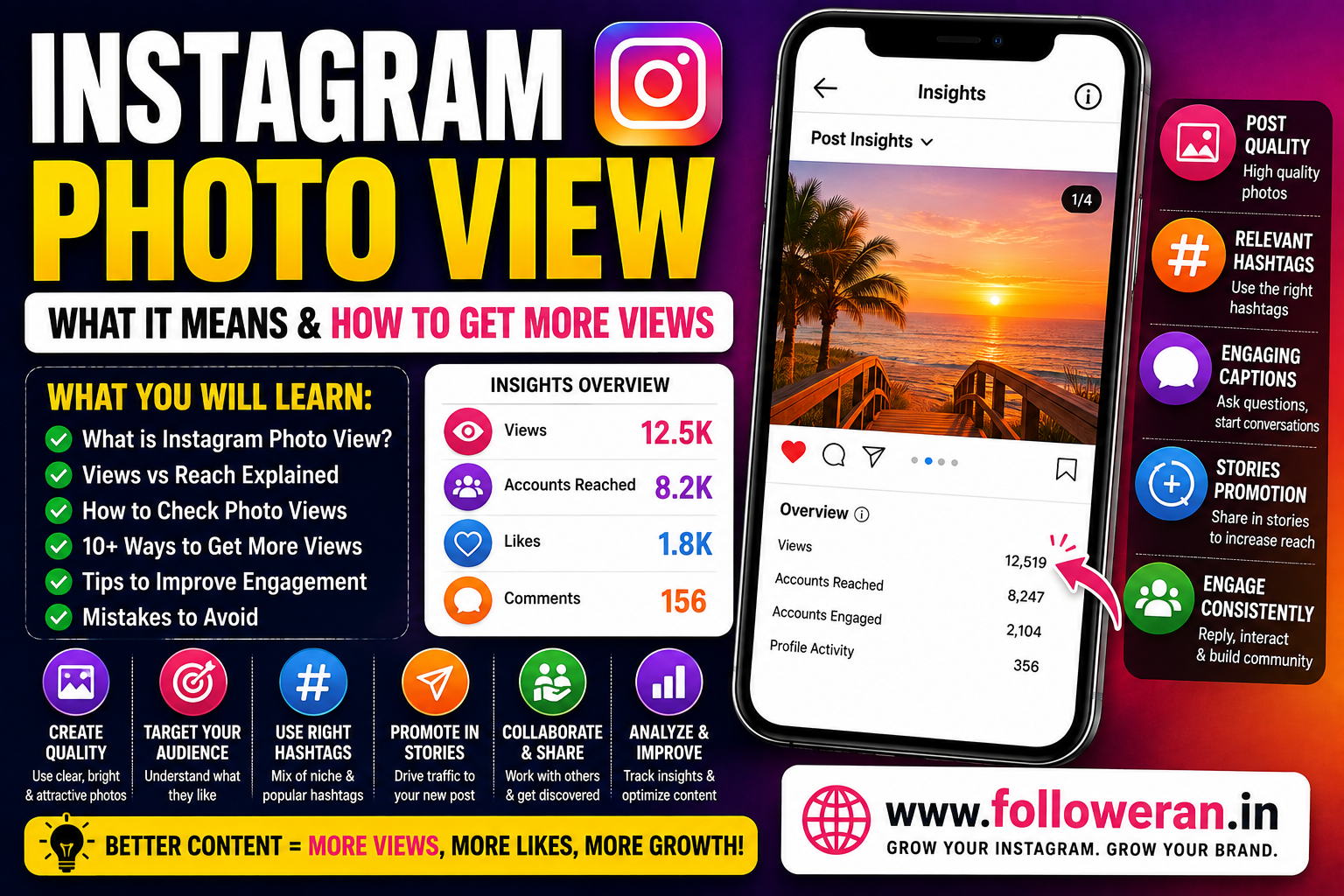
Instagram Photo View: What It Means and How to Get More Views
If you're searching for Instagram photo view, you may want to understand how Instagram measures views on photo posts, where to find the metric, or how to increase the number of people seeing your photos.
Instagram's current Insights system includes Views for content such as posts, Stories, Reels and live videos. Instagram defines Views as the number of times content was played or displayed, while Accounts reached measures the number of unique accounts that saw the content on screen at least once.
What Is an Instagram Photo View?
An Instagram photo view generally refers to a view or display of an Instagram photo post.
For professional accounts, Instagram's Insights can show the performance of individual posts, including Views, Accounts reached, Interactions and Accounts engaged.
This is important because views and reach are different metrics.
For example:
Views: The total number of times the content was displayed.
Accounts reached: The number of unique accounts that saw it.
This means repeated exposure to the same content can make views higher than unique reach.
Instagram Photo Views vs Accounts Reached
| Metric | What It Means |
|---|---|
| Views | Number of times content was displayed |
| Accounts reached | Number of unique accounts that saw it |
| Interactions | Actions such as likes, comments, saves and shares |
| Accounts engaged | Unique accounts that interacted with the content |
Instagram's own documentation explains that these metrics are available through Insights for professional accounts.
Does Instagram Show Photo Views Publicly?
The way Instagram displays metrics depends on the content format and account interface.
For professional accounts, the safest way to evaluate a photo post's performance is through View insights rather than assuming that every photo will have a public view counter.
Instagram's current Insights system provides post-level metrics including Views and Accounts reached.
How to Check Instagram Photo Views
If you have a business or creator account, you can use Instagram Insights to review content performance. Instagram says Insights are available for business and creator accounts and can be accessed from your profile, with individual post Insights available for content you've created.
A typical process is:
- Open your Instagram profile.
- Select the photo post.
- Tap View insights.
- Review Views, Accounts reached, Interactions and other available metrics.
The exact interface can change as Instagram updates the app.
Why Instagram Photo Views Matter
Views can help you understand how much exposure your content receives.
However, views shouldn't be treated as the only measure of success.
For example, a photo with:
10,000 views + 20 likes
may be less useful for your business than:
3,000 views + 150 likes + 40 saves + 10 enquiries
Look at the complete performance picture.
How to Get More Instagram Photo Views
1. Create Better Photos
Strong visuals can help people stop scrolling.
Focus on:
- Good lighting
- Clear composition
- Sharp images
- Attractive framing
- Consistent branding
- Mobile-friendly design
The photo should communicate its subject quickly.
2. Choose Topics Your Audience Cares About
A high-quality image can still receive low reach if the topic isn't relevant.
Create photos around:
- Products
- Travel
- Food
- Fashion
- Interior design
- Fitness
- Events
- Education
- Business
- Lifestyle
Match your content to your audience's actual interests.
3. Write Useful Captions
A caption can add context to an image and encourage interaction.
You can:
- Explain the photo
- Tell a short story
- Share a useful tip
- Ask a relevant question
- Add background information
For example:
“Which design would you choose for your next project?”
A specific question can give viewers a reason to respond.
4. Use Relevant Keywords
Make the subject of the photo clear through natural language in your caption and profile.
For example, an interior-design account could naturally mention:
interior design, home renovation, modular kitchen, living room design
Avoid repetitive keyword stuffing.
5. Use Relevant Hashtags
Choose hashtags that match the actual photo and audience.
They can include:
- Niche hashtags
- Industry hashtags
- Topic hashtags
- Location hashtags
- Community hashtags
Don't use unrelated hashtags simply because they have a large following.
6. Share Photos to Stories
Stories can help existing followers discover a new photo post.
Instead of simply writing:
“New post.”
try:
“Which one would you choose?”
or
“See the full transformation in our latest post.”
This creates context and gives people a reason to visit the post.
7. Use Reels to Support Photo Content
Reels can introduce new people to your account while photos provide additional detail.
For example:
Reel: Before-and-after transformation
Photo: Final project
This creates multiple entry points into the same topic.
8. Create Carousel Posts
Instead of publishing one image, consider using a carousel where multiple images genuinely add value.
Examples:
- Step-by-step guides
- Before-and-after sequences
- Product features
- Photo collections
- Educational slides
- Comparisons
A carousel can keep people interacting with the post for longer.
9. Encourage Saves and Shares
Likes are only one form of engagement.
Create photo posts that people may want to:
- Save
- Share
- Send to friends
- Revisit later
Examples include:
Checklist graphics
Design ideas
Quick tips
Reference images
Before-and-after examples
10. Collaborate With Relevant Accounts
Collaborations can expose content to another relevant audience.
Possible formats include:
- Brand collaborations
- Creator partnerships
- Joint posts
- Product features
- Local-business collaborations
Choose partners based on audience relevance rather than follower count alone.
Why Are My Instagram Photo Views Low?
Several factors can contribute to low views.
Low Reach
If fewer people see your post, fewer views are possible.
Weak Topic
The subject may not be interesting to your target audience.
Poor Visual Quality
A weak image can reduce attention.
Inconsistent Posting
Long gaps create fewer opportunities for discovery.
Audience Mismatch
Followers who aren't interested in your niche may engage less.
Limited Distribution
A post may perform differently depending on how it is discovered and shared.
Instagram Photo Views and Engagement
Instagram also reports Interactions, which can include likes, comments, saves and shares. It reports Accounts engaged, which measures unique accounts that interacted with the content.
This means a useful analysis should look at:
Views → Reach → Engagement → Profile activity → Follows
Rather than simply asking:
“How many views did my photo receive?”
ask:
“What did those views produce?”
Instagram Photo Views vs Likes
| Metric | Purpose |
| Views | Measures content exposure/display |
| Likes | Measures a quick positive interaction |
| Comments | Shows conversation |
| Saves | Can indicate usefulness |
| Shares | Shows distribution |
| Follows | Shows audience conversion |
A photo can have many views without producing strong engagement.
Can You Buy Instagram Photo Views?
Some third-party providers advertise Instagram views or engagement services.
Before using any service, understand exactly what is being offered.
Check:
- Service description
- Delivery information
- Pricing
- Refund terms
- Retention terms
- Security requirements
Never give an unfamiliar provider your:
- Instagram password
- Email password
- Two-factor authentication code
- Backup codes
- Recovery codes
A larger visible number doesn't automatically mean a larger genuine audience.
Free Instagram Photo Views vs Paid Promotion
| Factor | Organic Views | Paid Promotion |
| Direct cost | Can be free | Paid |
| Targeting | Depends on content/discovery | More controllable |
| Speed | Usually gradual | Potentially faster |
| Audience quality | Can be highly relevant | Depends on targeting |
| Long-term value | Strong potential | Depends on strategy |
Paid promotion and organic content can be used together, depending on your goals.
How to Increase Instagram Photo Views Free
Try this process:
Research → Create → Publish → Promote → Engage → Analyse → Improve
Research
Find topics your audience cares about.
Create
Publish strong photos and useful captions.
Publish
Use relevant keywords and hashtags.
Promote
Share the post through Stories and appropriate channels.
Engage
Respond to genuine comments and messages.
Analyse
Review Views, Accounts reached and interactions.
Improve
Create more content around topics that perform well.
Track More Than Instagram Photo Views
For creators and businesses, also monitor:
- Accounts reached
- Likes
- Comments
- Saves
- Shares
- Profile visits
- Follows
- Website clicks
- Messages
- Leads
- Sales
Instagram's own Insights provides several of these performance categories for professional accounts.
Instagram Photo Views for Businesses
Businesses can use photo posts for:
- Product showcases
- Completed projects
- Customer results
- Before-and-after images
- Team photos
- Events
- Educational graphics
- Offers
The goal should be to connect attention with a business outcome.
For example:
Photo → Profile visit → Website visit → Enquiry → Customer
Instagram Photo Views for Creators
Creators can test different photo formats:
- Portraits
- Product photography
- Lifestyle images
- Travel photos
- Educational graphics
- Behind-the-scenes content
- Infographics
Compare which formats generate the strongest combination of views, saves, shares and follows.
Common Instagram Photo View Mistakes
Avoid:
- Posting low-quality images
- Using unrelated hashtags
- Writing misleading captions
- Publishing inconsistently
- Focusing only on views
- Buying views without researching the provider
- Sharing account credentials with third parties
- Ignoring saves and shares
Explore Instagram and Social-Media Marketing Services
If you're comparing Instagram followers, likes, views and other social-media marketing services, you can explore:
Review the current services, pricing, delivery information, requirements and terms before placing an order.
Frequently Asked Questions
What does Instagram photo view mean?
It generally refers to the number of times Instagram displays or records a view of your photo content. For professional accounts, Instagram's current Insights system provides a Views metric for posts along with Accounts reached and engagement metrics.
How can I check views on an Instagram photo?
On a professional account, open the photo post and select View insights to see available performance metrics.
What's the difference between views and reach?
Views measure content display/view activity, while Accounts reached measures unique accounts that saw the content.
Can I increase Instagram photo views for free?
Yes. Better photos, relevant topics, captions, hashtags, Stories promotion, collaborations and consistent publishing can help increase organic visibility.
Can I buy Instagram photo views?
Some third-party services sell views, but increased view counts don't automatically produce genuine engagement or customers. Research providers carefully and never share your passwords or security codes.
Are Instagram photo views more important than likes?
Not necessarily. Views measure exposure, while likes, comments, saves, shares and follows indicate different types of audience response.
Final Thoughts
If you're searching for Instagram photo view, the most useful thing to understand is the difference between Views and Accounts reached. Instagram's current Insights system uses Views to measure how often content is displayed, while Accounts reached focuses on unique accounts.
To increase photo views organically, focus on strong visuals, relevant topics, useful captions, appropriate hashtags, Stories promotion, collaborations and consistent content.
Don't focus only on the view counter. The strongest Instagram strategy turns views into engagement, relevant followers, website traffic and measurable business results.
For more Instagram and social-media marketing resources, visit www.followeran.in
