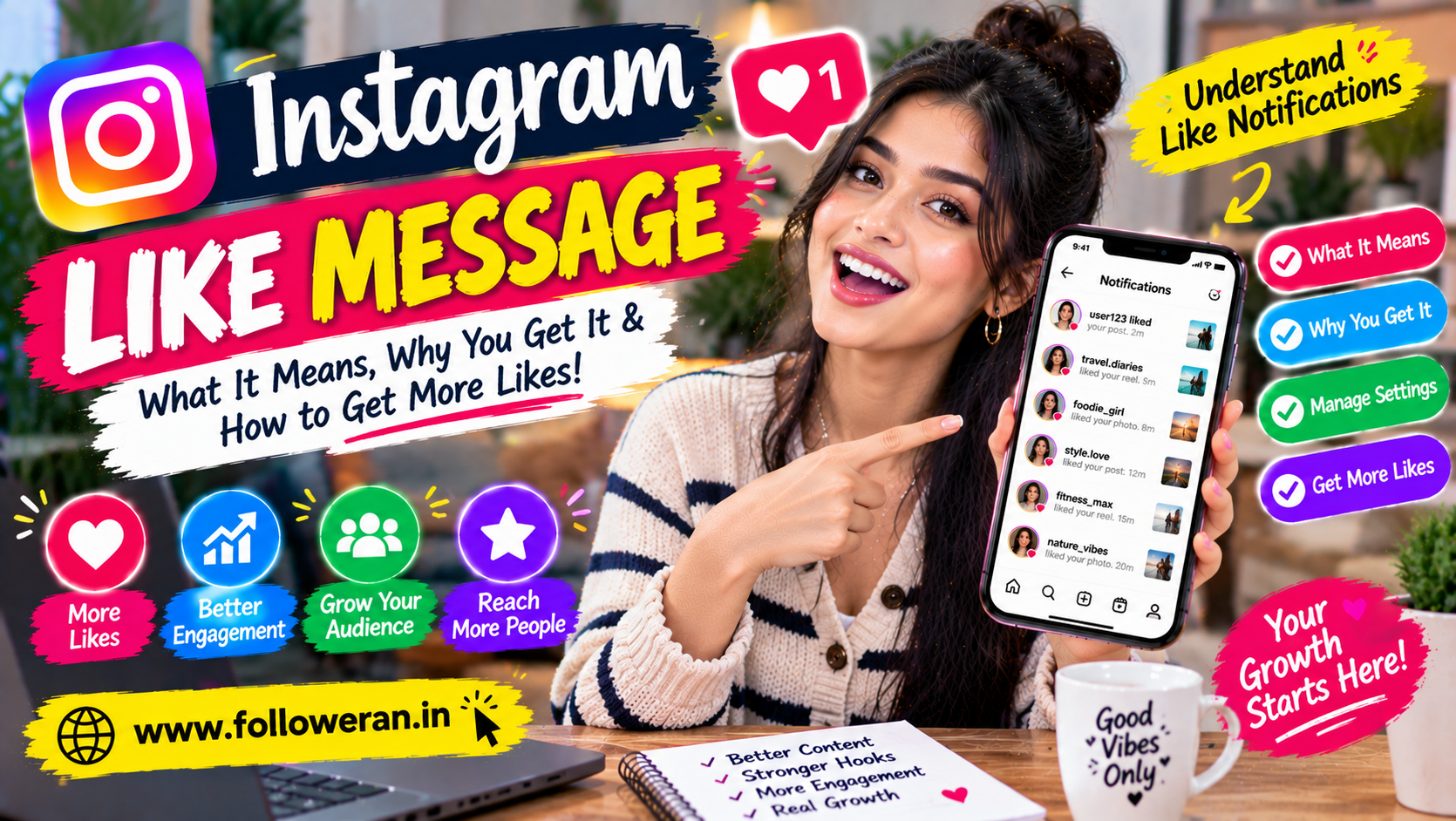
Instagram Like Message: Everything You Need to Know
An Instagram like message usually refers to a notification, Direct Message interaction or alert connected to someone liking your Instagram content.
When someone likes your post, Reel or other eligible content, Instagram can show activity related to that interaction. Depending on the situation, you may see a notification indicating who liked your content, or you may encounter likes while checking a post directly.
For creators, businesses and everyday users, understanding these notifications can help make Instagram easier to manage.
This guide explains what an Instagram like message means, how like notifications work, why they sometimes appear differently and how you can encourage more genuine likes on your own content.
What Is an Instagram Like Message?
The phrase Instagram like message can refer to different things depending on context.
It may mean:
A notification that someone liked your post
A notification about activity involving your content
A message sent through Instagram that mentions a like
A question about whether someone can see that you liked something
A notification received when someone interacts with your content
The exact wording displayed by Instagram can change as the app interface is updated.
What Happens When Someone Likes Your Instagram Post?
When someone likes your post, Instagram records the interaction and can display it through the platform's activity and notification systems.
For example, you might receive an alert indicating that:
Someone liked your photo.
You can also see the like count directly on the post where applicable.
Likes are one of several ways users interact with Instagram content.
Other interactions include:
Comments
Shares
Saves
Story replies
Profile visits
Follows
What Does an Instagram Like Notification Mean?
An Instagram like notification simply tells you that someone has interacted positively with your content by liking it.
For example:
Sarah liked your post.
This means Sarah interacted with that specific piece of content.
A notification doesn't necessarily mean that the person viewed your entire profile or wants to communicate with you.
It's simply an engagement signal.
Why Did I Receive an Instagram Like Message?
You may receive an Instagram like-related notification because:
Someone liked a new post
Someone liked an older post
Someone interacted with content you manage
Instagram grouped several activity notifications
Your notification settings allow like-related alerts
The appearance of notifications can vary based on Instagram's current interface.
Can You See Who Liked Your Instagram Post?
For your own content, Instagram generally lets you view the accounts associated with the likes on the post, subject to the platform's current interface and privacy features.
You can open the post and check the available like information.
For other people's posts, what you can see may depend on their settings and Instagram's current display options.
Can Someone See That You Liked Their Post?
Typically, a like is an interaction associated with the post and can be visible to the account owner and potentially others who can access that engagement information.
This is why you should treat Instagram likes as visible social interactions rather than completely private actions.
Can You Remove an Instagram Like?
Yes.
If you accidentally liked a post, you can generally tap the like button again to remove your like.
The interaction will then be removed from the post.
However, depending on notification timing, the other person may already have seen a notification.
Removing a like doesn't guarantee that an earlier notification has never been noticed.
Does Instagram Send a Message When You Unlike?
Instagram's notification behaviour can vary.
If you like a post and immediately unlike it, the like may disappear from the post, but a notification may already have been generated.
Don't rely on unliking as a way to guarantee that the other person never noticed the interaction.
Why Am I Not Receiving Instagram Like Notifications?
There are several possible reasons.
Notifications Are Disabled
Your device or Instagram notification settings may have like-related alerts turned off.
Notification Preferences Changed
Instagram can change how notifications are grouped or displayed.
Too Many Notifications
Activity may be grouped or prioritised instead of producing an individual alert for every interaction.
App Issues
A temporary app problem can prevent notifications from appearing normally.
Device Settings
Your phone may restrict Instagram notifications.
How to Check Instagram Notification Settings
The exact menu names can vary, but you can generally review Instagram's notification settings from your account settings.
Look for options related to:
Likes
Comments
Followers
Messages
Live and Reels
Posts and Stories
Also check your phone's notification permissions for Instagram.
Why Are Instagram Like Notifications Delayed?
A notification may arrive later than the actual interaction because of:
Connection problems
Background app restrictions
Notification processing
Device settings
Temporary service issues
If likes appear on the post but notifications arrive late, the interaction itself may still be working normally.
Why Did My Instagram Like Count Change?
Like counts can change for several reasons.
For example:
Someone liked the post
Someone removed their like
An account became unavailable
Instagram removed inauthentic activity
A post's engagement changed
A decrease doesn't necessarily mean that a large number of genuine followers suddenly left.
What Is an Instagram Like Message in Direct Messages?
Sometimes people use the phrase "Instagram like message" when talking about a message or conversation where someone mentions liking a post.
For example:
"I liked your latest Reel."
That's a normal Direct Message and is different from an automatic Instagram notification.
This distinction is important because:
Notification ≠ Direct Message
A notification is generated by Instagram.
A Direct Message is sent by another Instagram user.
Can You Send Someone a Message About Liking Their Post?
Yes.
You can send a normal Instagram Direct Message saying that you liked someone's post or discussing the content.
For example:
"I really liked your latest Reel. The editing was great."
This is a personal conversation rather than an automatic like notification.
How to Write a Good Instagram Like Message
If you're sending someone a message because you enjoyed their content, be specific.
Instead of:
"Nice post."
try:
"I really liked your latest Reel—the before-and-after section was especially useful."
A specific message feels more genuine and can create a better conversation.
Instagram Like Message Examples
Friendly
Loved your latest post! 🔥
Professional
I really liked your latest post. The presentation was clear and informative.
Creator-to-Creator
Great Reel! The hook in the first few seconds worked really well.
Business
We enjoyed your recent post. The product presentation was excellent.
Collaboration-Oriented
Your latest Reel caught my attention. I especially liked the way you explained the topic.
A meaningful compliment is usually more useful than a generic message.
How to Get More Likes on Instagram
If you're searching for an Instagram like message because you want more people interacting with your posts, focus on the content itself.
1. Create Useful Content
Give your audience something worth consuming.
Examples:
Tutorials
Tips
Checklists
Reviews
Guides
Before-and-after content
2. Use Strong Hooks
Make the first line or first few seconds interesting.
For example:
"Your Instagram bio may be costing you followers."
3. Use Reels
Short-form video can help your content reach people beyond your existing followers.
4. Create Shareable Posts
Useful or relatable posts are more likely to be shared.
5. Create Save-Worthy Content
Checklists and tutorials can encourage people to save the post.
6. Ask Relevant Questions
Questions can generate comments and discussion.
7. Use Stories
Stories can help keep your existing audience engaged.
8. Engage With Followers
Reply to comments and build genuine conversations.
9. Collaborate
Work with creators or businesses that have a relevant audience.
10. Analyse Your Content
Find out which topics receive the strongest engagement.
How to Get More Instagram Likes for Free
You don't necessarily need a paid service.
Try this formula:
Relevant Topic → Strong Hook → Useful Content → Engagement → Consistency
For example:
Topic: Instagram profile optimisation
Hook: "5 things you should fix in your Instagram bio today."
Content: Explain each improvement.
CTA: "Which one are you fixing first?"
This gives your audience multiple reasons to engage.
Do More Likes Automatically Mean More Followers?
No.
Likes are one engagement metric.
A post can receive lots of likes without generating many followers.
For example:
Post A:
2,000 likes
20 new followers
Post B:
800 likes
100 new followers
Post B generated more follower growth despite receiving fewer likes.
That's why you should track:
Likes
Comments
Shares
Saves
Profile visits
Follows
Instagram Like Message vs Instagram Comment
These are different interactions.
Like
A quick reaction to content.
Comment
A written response.
Comments can provide more detailed audience feedback.
For example:
Like: ❤️
Comment:
"Can you explain how you created this?"
The comment tells you more about what the person wants.
Instagram Like Message vs Instagram DM
Like Notification
Generated automatically by Instagram when someone likes your content.
Instagram DM
Written and sent directly by another user.
The two can sometimes be confused because both appear in your broader Instagram activity, but they are different systems.
Can Instagram Like Notifications Be Turned Off?
Instagram provides notification controls that allow users to customise which activity they receive alerts about.
You can review your notification preferences and adjust them based on what you want to see.
Your phone's operating-system notification permissions can also affect whether alerts appear.
How to Reduce Instagram Like Notifications
If you're receiving too many alerts, review your Instagram notification settings.
Depending on the current app version, you may be able to adjust notifications associated with:
Likes
Comments
Followers
Messages
Live activity
Other interactions
You can also use your phone's notification settings to reduce interruptions.
Why Do I Receive Likes From Unknown Accounts?
Your content may be reaching people outside your immediate follower base.
This can happen through:
Recommendations
Shares
Search
Explore-style discovery
Reels distribution
Hashtags
Profile discovery
An unfamiliar account liking your post isn't automatically suspicious.
However, if you suddenly receive a very large amount of low-quality engagement, it's worth reviewing where the activity came from.
What If I Receive Suspicious Instagram Messages?
Be cautious with messages containing:
Strange links
Urgent requests
Claims about account problems
Requests for login codes
Requests for passwords
Unusual offers
Never send your Instagram password or security codes through Direct Messages.
Can You Buy Instagram Likes?
Third-party services may sell Instagram likes, but the quality and long-term value can vary.
Artificial engagement may increase the visible number without creating:
Genuine followers
Meaningful comments
Shares
Saves
Customer enquiries
If you're evaluating a likes service, protect your account and understand exactly what you're receiving.
Are Free Instagram Like Services Safe?
Not necessarily.
Be cautious with websites that ask for:
Instagram password
Login verification code
Two-factor authentication code
Email password
Unnecessary permissions
A free likes offer isn't worth risking your account.
How to Increase Genuine Instagram Likes
Focus on audience relevance.
Understand Your Audience
Know what your followers care about.
Create Better Visuals
Use clear and attractive images or videos.
Make Your Captions Useful
Add information rather than relying on generic requests.
Use Strong Openings
Capture attention quickly.
Encourage Sharing
Create content worth sending to others.
Stay Consistent
Give your audience a reason to keep returning.
15 Practical Instagram Like Growth Ideas
1. Create a Content Series
Give followers a reason to return.
2. Answer Common Questions
Use audience questions as content ideas.
3. Create Before-and-After Posts
These can be visually engaging.
4. Publish Tutorials
Teach a specific skill.
5. Use Polls in Stories
Learn what your audience prefers.
6. Share Behind-the-Scenes Content
Show how your work is created.
7. Use Carousels
Break complex topics into simple slides.
8. Experiment With Reels
Test different hooks and topics.
9. Collaborate
Reach related audiences.
10. Share Customer Stories
Show real experiences where appropriate.
11. Use Clear Captions
Make your message easy to understand.
12. Ask for Opinions
Give people something specific to respond to.
13. Repurpose Strong Ideas
Turn one successful topic into different formats.
14. Review Analytics
Identify what performs best.
15. Improve Your Profile
Make visitors understand why they should follow.
How to Turn Instagram Likes Into Followers
Use this simple funnel:
Content → Like → Profile Visit → Follow
Your profile should contain:
A clear profile picture
A useful bio
Relevant content
Organised Highlights
A clear niche
Someone who likes your post should immediately understand what they'll receive if they follow.
How Businesses Can Get More Instagram Likes
Businesses should create content around customer needs.
For example:
Digital Marketing Business
5 SEO mistakes small businesses should avoid
Interior Design Business
7 small living room ideas
Restaurant
5 dishes our customers love
Fitness Business
5 beginner workout mistakes
When content solves a real problem, people have a stronger reason to engage.
How Creators Can Get More Instagram Likes
Creators can combine:
Education
Entertainment
Personality
Storytelling
Community interaction
Try creating content that reflects your individual style instead of copying every trending format.
How to Handle Low Instagram Likes
Don't panic after one underperforming post.
Look at:
Topic
Was the subject relevant?
Hook
Was the opening strong?
Visual
Was it easy to notice?
Timing
Was your audience active?
Engagement
Did people comment, save or share?
One low-performing post doesn't necessarily mean your account is failing.
Should You Delete Posts With Few Likes?
Not necessarily.
A post with low likes may still receive:
Saves
Shares
Profile visits
Website clicks
Valuable comments
Judge the content using multiple metrics rather than deleting it simply because the like count is lower than expected.
How to Track Instagram Like Performance
Use a simple table:
| Post | Reach | Likes | Comments | Saves | Shares |
|---|---|---|---|---|---|
| Post A | 5,000 | 350 | 20 | 80 | 25 |
| Post B | 3,500 | 280 | 55 | 120 | 40 |
| Post C | 8,000 | 500 | 30 | 90 | 65 |
This helps you understand which content creates different types of engagement.
A 30-Day Instagram Engagement Plan
Week 1: Optimise
Improve your:
Profile
Bio
Visual identity
Content categories
Week 2: Publish
Create:
Reels
Carousels
Photos
Stories
Week 3: Engage
Reply to comments.
Ask questions.
Start conversations.
Collaborate with relevant accounts.
Week 4: Analyse
Review:
Likes
Comments
Shares
Saves
Reach
Profile visits
Followers gained
Then improve your strategy based on what you learned.
Instagram Like Message Checklist
When you receive an Instagram like notification:
☑ Check whether the account is familiar
☑ Look at the post that received the interaction
☑ Review your notification settings if alerts are excessive
☑ Don't share passwords or security codes
☑ Be cautious with suspicious DMs
☑ Track engagement trends rather than one notification
When creating content:
☑ Use a strong hook
☑ Provide value
☑ Make the post relevant
☑ Encourage genuine interaction
☑ Use relevant hashtags or keywords
☑ Review your analytics
Common Instagram Like Mistakes
Chasing Likes Alone
Likes are only one metric.
Asking for Likes Constantly
Give people a reason to interact.
Buying Generic Engagement
Artificial activity doesn't create a real community.
Ignoring Comments
Comments can provide useful insights.
Posting Random Topics
A clear niche helps build the right audience.
Using Misleading Content
Don't sacrifice trust for a temporary engagement spike.
Sharing Credentials
Never give passwords or security codes to unknown services.
Frequently Asked Questions
What does Instagram like message mean?
It generally refers to a notification or message associated with someone liking your Instagram content.
Can I see who liked my Instagram post?
For your own content, Instagram generally provides ways to see the accounts associated with post likes, subject to current platform features and settings.
Can someone see that I liked their post?
A like is an interaction associated with the post and may be visible to the account owner and others who can access that engagement information.
Can I remove an Instagram like?
Yes. Tap the like control again to remove your like from a post.
Will someone know if I unlike their post?
A notification may already have been generated before you removed the like, so unliking doesn't guarantee that the interaction was never noticed.
Why am I not getting Instagram like notifications?
Check Instagram's notification settings, your phone's notification permissions, your internet connection and whether the app is working correctly.
Why are Instagram like notifications delayed?
Temporary connection issues, background restrictions, device settings or Instagram-side processing can contribute to notification delays.
Can I turn off Instagram like notifications?
You can customise Instagram's notification preferences to reduce or disable certain types of activity alerts, depending on the current app options.
What is the difference between an Instagram like message and a DM?
A like notification is generated by Instagram in response to a like, while a DM is a direct message written and sent by another Instagram user.
How can I write a good Instagram like message?
Be specific and genuine. Mention what you actually liked about the person's content instead of sending a generic phrase.
Can I get more Instagram likes for free?
Yes. You can increase genuine engagement through better content, Reels, Stories, strong hooks, audience interaction, collaborations and consistent publishing.
Should I buy Instagram likes?
Be cautious. Purchased engagement can increase a visible number without producing genuine audience interest or business results.
Are free Instagram like websites safe?
Safety varies. Avoid services requesting passwords, login codes, security codes or unnecessary account permissions.
How do I get more genuine Instagram likes?
Create content that is useful, entertaining or relatable to a clearly defined audience, then encourage natural interaction.
Are Instagram likes more important than comments?
They measure different types of engagement. Comments can provide deeper audience feedback, while likes are a quick reaction.
Final Thoughts
An Instagram like message is generally connected to activity around likes on Instagram content. Understanding how these notifications work can help you manage your account and distinguish between automatic activity alerts and actual Direct Messages.
When your goal is to receive more like notifications, focus on creating content people genuinely want to interact with. Use strong hooks, useful information, engaging visuals, Reels, Stories and audience conversations.
Avoid relying completely on artificial engagement or suspicious third-party services, especially those that request sensitive account information.
Don't chase notifications—create content that gives people a genuine reason to like, comment, save and share.
