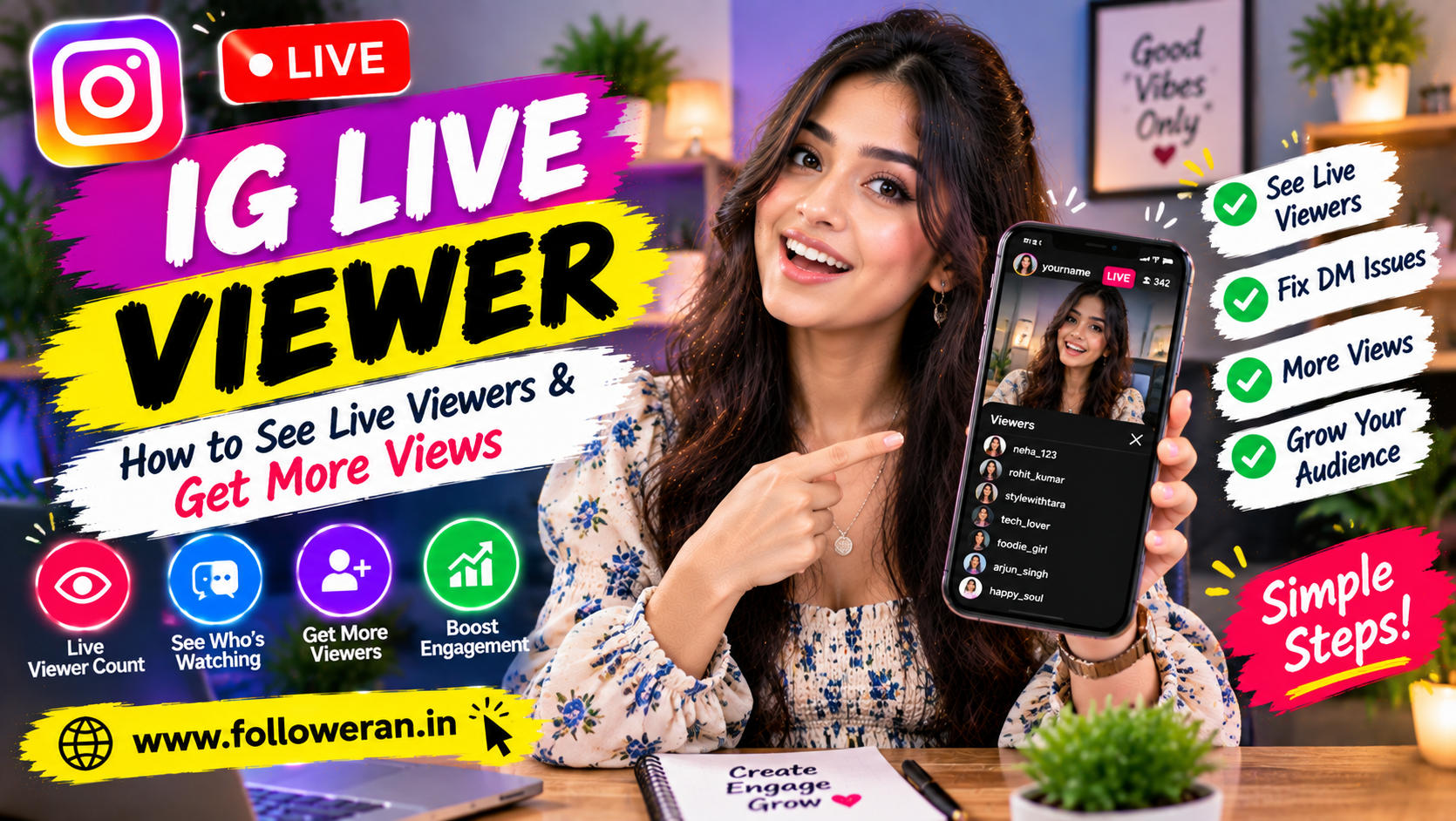
IG Live Viewer: Complete Guide to Instagram Live Viewers
An IG Live viewer is someone who joins an Instagram Live broadcast while it is happening. Unlike ordinary Instagram posts and Reels, Live broadcasts are designed for real-time interaction, so the host can see who is currently watching during the broadcast.
That makes Instagram Live different from many other forms of Instagram content. A regular post can collect views without revealing the names of people who simply viewed it, while Live allows the broadcaster to see viewers participating in real time. Recent 2026 guides describing the current Instagram Live experience also report that hosts can see the usernames of people watching during a live broadcast.
For creators and businesses, understanding the IG Live viewer experience is useful because the viewer count can help you judge how well a broadcast is attracting and retaining an audience.
What Is an IG Live Viewer?
An IG Live viewer is a person who joins an Instagram Live broadcast and watches it while the stream is active.
For example, if you start a Live and 25 people are watching, you have:
25 current IG Live viewers
The number can increase and decrease as people join or leave.
A Live viewer can generally:
Watch the broadcast
Read comments
Send comments
React during the Live
Interact with features offered by the host
Request to join when that option is available
The experience is interactive rather than simply watching a static video.
Can the Host See Who Is Watching Instagram Live?
Yes, during the Live broadcast, the host can see viewers joining the session.
Current 2026 reporting on Instagram Live says hosts can see the usernames of accounts currently watching, with the viewer list updating as people join and leave.
This is an important difference between:
Instagram Live
and
Instagram posts or Reels
For ordinary posts and Reels, Instagram provides view or engagement information without giving the creator a complete named list of everyone who simply watched.
Can Other Viewers See Who Joined an Instagram Live?
Depending on Instagram's interface and the size of the broadcast, people joining may be visible through the Live experience, including join notices in some circumstances.
A recent 2026 explanation of Instagram Live says join notifications can appear in the comment stream, although these may be less noticeable in larger broadcasts.
Because Instagram regularly changes its interface, the exact presentation can vary.
Does Instagram Show a Live Viewer Count?
Yes. During a broadcast, the host can see the current viewer count.
For example:
5 viewers → 12 viewers → 27 viewers → 18 viewers
The number changes as people enter and leave.
This is a useful real-time indicator of how many people are watching at a given moment.
Are Instagram Live Viewers the Same as Total Views?
No.
Current viewers are people watching at that moment.
Total views refer to the broader number of viewing activity associated with the broadcast or its replay, depending on the metric being shown.
A Live could therefore have:
25 current viewers
and eventually generate substantially more total viewing activity over the course of the broadcast and afterwards.
Don't treat the current viewer count as a unique total audience number.
Can People See That You Watched Their Instagram Live?
Yes, during the active broadcast, your account can be visible to the host as a current viewer.
Recent 2026 reports on Instagram Live specifically describe the host seeing viewer usernames while the broadcast is happening.
This is why Instagram Live isn't an anonymous viewing environment.
Is There an Anonymous IG Live Viewer Mode?
Instagram does not provide a standard anonymous mode for joining a Live while hiding your account identity from the host.
Be careful with websites claiming:
"Watch any Instagram Live completely anonymously."
Such services may not provide the access they advertise and can create privacy or security risks.
Can You Watch an Instagram Live Without an Account?
The experience can be limited when you aren't signed in, and Instagram can require account access for Live interactions.
If you want to participate normally as a viewer, signing into the official Instagram app or website provides the intended experience.
Avoid third-party services promising secret access to restricted or private Lives.
How to Find an Instagram Live
Instagram can surface Live broadcasts in several places depending on the account and current app experience.
You may find Live content through:
The Stories area
A creator's profile
Notifications
Search or discovery features
Other areas where Instagram recommends content
Recent 2026 guides report that active Lives can appear in the Stories area and may also be discoverable through profiles, search and other Instagram surfaces.
How to Join an Instagram Live
When a followed account starts a Live, Instagram may display a LIVE indicator around the profile image.
A typical process is:
Step 1
Open Instagram.
Step 2
Look for an active Live indicator.
Step 3
Tap the profile or Live session.
Step 4
Watch the broadcast.
Once you enter, you become an IG Live viewer.
Can an IG Live Viewer Comment?
Yes. Viewers can participate through comments when the host has comments enabled.
Comments can be useful because they turn passive viewing into conversation.
For example:
"Where are you watching from?"
can produce comments from viewers around the world.
Hosts can also respond to questions during the broadcast.
Can an IG Live Viewer Request to Join?
Instagram Live can support guest participation, depending on the current feature setup and host settings.
A viewer may be able to request to join the broadcast, while the host decides whether to accept the request.
This turns the Live into a more interactive conversation.
Can an IG Live Viewer Send Reactions?
Instagram Live supports real-time reactions and interactions, although the exact interface can change.
A viewer may use available reaction features while watching.
These interactions can help the host understand audience response.
Why Do Instagram Live Viewer Numbers Matter?
The number of viewers can help you understand the immediate interest generated by your broadcast.
For example:
| Live | Peak Viewers | Comments | Follows |
|---|---|---|---|
| Live A | 80 | 35 | 12 |
| Live B | 150 | 90 | 28 |
| Live C | 110 | 140 | 35 |
Live C has fewer peak viewers than Live B but generated more comments and followers.
That demonstrates why viewer count shouldn't be your only metric.
What Is a Good Instagram Live Viewer Count?
There isn't one universal "good" number.
A good viewer count depends on:
Followers
Niche
Audience location
Account size
Topic
Promotion
Time of day
Content quality
For a small account, 30 engaged viewers can be excellent.
For a large creator, thousands may be expected.
More important than the absolute number is whether the audience is relevant and engaged.
How to Get More IG Live Viewers
If you're trying to attract more IG Live viewers, promote the broadcast before it begins.
1. Announce the Live
Tell followers when you're going live.
Example:
Live tonight at 8 PM — Instagram Growth Q&A
2. Use Stories
Create reminders leading up to the broadcast.
3. Choose a Useful Topic
Give people a reason to attend.
4. Invite a Guest
A relevant guest can add additional value and potentially introduce the Live to another audience.
5. Start With a Strong Hook
Don't spend the first five minutes saying:
"Is anyone there?"
Begin with the main subject.
Promote Your Live Before It Starts
A simple promotion schedule can work well.
One Day Before
Announce the topic.
A Few Hours Before
Remind your audience.
Shortly Before Going Live
Post a final reminder.
For example:
Tonight at 8 PM
5 Instagram Growth Mistakes
Live Q&A
Bring your questions!
This gives people a clear reason to join.
Choose a Topic That Solves a Problem
Generic Lives can be difficult to promote.
Compare:
"Chat With Me"
with:
"How to Increase Instagram Engagement in 30 Days"
The second gives potential viewers a much stronger reason to attend.
Other ideas include:
Instagram growth Q&A
SEO questions
Business marketing advice
Product demonstrations
Industry updates
Behind-the-scenes sessions
Use Questions to Keep IG Live Viewers Engaged
Don't talk continuously without interaction.
Ask:
"Where are you joining from?"
"What is your biggest Instagram problem?"
"Should I cover Reels or Stories next?"
This encourages viewers to participate.
Answer Viewer Questions
One major advantage of Live is real-time feedback.
If someone asks:
"How often should I post Reels?"
answer it directly.
Then ask:
"Does anyone else have the same problem?"
This can turn one question into a broader conversation.
Invite a Relevant Guest
A guest can make a Live more interesting.
Possible guests include:
Industry experts
Creators
Business owners
Customers
Partners
Specialists
Choose someone whose audience overlaps with yours.
Use a Strong Opening
The first few moments can determine whether people stay.
Instead of:
"Hello everyone, we'll wait for some people to join..."
try:
"Today I'm going to show you five reasons your Instagram account isn't converting profile visits into followers."
Then begin.
You can welcome viewers as they arrive without delaying the main content.
Keep Your Instagram Live Focused
A 30-minute Live doesn't need 30 minutes of unrelated conversation.
Create a simple structure:
Introduction → Main topic → Questions → Summary → CTA
This makes it easier for viewers to follow.
How Long Should an Instagram Live Be?
There is no universal ideal duration.
A short 15-minute session can work well for a focused Q&A.
A detailed interview might need considerably longer.
The important thing is to provide enough value without adding unnecessary filler.
How to Increase IG Live Viewer Retention
Getting viewers into the Live is only the first step.
To keep them watching:
Deliver Value Quickly
Don't delay the main subject.
Change the Format
Move from explanation to demonstration to questions.
Ask Viewers Questions
Create participation.
Acknowledge Comments
Make viewers feel noticed.
Use Visual Demonstrations
Show rather than only tell.
Use a Pinned Comment
Where Instagram's current controls allow, a host can use a pinned comment to keep an important message visible.
For example:
Topic today: How to grow Instagram followers organically
This can help new viewers understand what the session is about.
Current Instagram Live guides also describe pinned comments as a useful way to keep a question or important information visible during a broadcast.
Can an IG Live Viewer Screenshot the Broadcast?
Recent 2026 reporting says Instagram doesn't generally send a screenshot notification for Live broadcasts.
That's different from certain disappearing-media experiences in Direct Messages, which have historically had different screenshot behaviour.
Because app features can change, don't treat third-party claims about screenshot notifications as permanently reliable.
What Happens When Instagram Live Ends?
The real-time viewer environment ends when the broadcast ends.
The host may have options to preserve or repurpose the content, depending on Instagram's current features.
For example, current 2026 guides discuss saving or sharing Live replays and turning content into additional formats.
The detailed live viewer experience itself is tied to the active broadcast.
Can You See the Names of People Who Watched After the Live?
The important distinction is between:
Live viewing during the broadcast
and
Post-broadcast aggregate metrics
Current 2026 sources report that the host can see viewers during the Live, while after the broadcast the detailed real-time viewer list is no longer available in the same way.
So don't assume that the post-Live replay gives you a permanent named list of everyone who watched.
IG Live Viewer vs Instagram Profile Viewer
These are completely different concepts.
IG Live Viewer
A person watching an active Live can be visible to the host.
Profile Viewer
Instagram does not provide a general feature that gives users a named list of everyone who visited their profile.
Current 2026 coverage continues to distinguish Live viewers from anonymous profile visits.
That's why an app claiming to reveal all your profile visitors should be treated cautiously.
Can an IG Live Viewer Be a Follower?
Yes.
Someone watching your Live may already follow you, or they may have discovered the broadcast through other parts of Instagram.
A useful Live can therefore help you reach both existing followers and potential new audience members.
How to Convert IG Live Viewers Into Followers
Try this structure:
Attention → Value → Trust → Follow
Give Value
Teach something useful.
Build Connection
Respond to viewers and questions.
Establish Expertise
Demonstrate knowledge rather than simply promoting yourself.
Give a Reason to Follow
For example:
"Follow for weekly Instagram growth tutorials."
The reason should match your actual content.
How Businesses Can Use IG Live Viewers
Businesses can use Live sessions to:
Answer customer questions
Demonstrate products
Introduce team members
Explain services
Show behind the scenes
Collect feedback
Discuss industry topics
For example, an interior design business could host:
Live Q&A: How to Plan a Home Renovation Budget
That gives potential customers a reason to attend.
How Creators Can Use Instagram Live
Creators can use Live for:
Q&A sessions
Tutorials
Interviews
Product reviews
Behind-the-scenes content
Community discussions
Launches
The strongest Lives usually have a clear purpose.
IG Live Viewer Growth Strategy
A practical formula is:
Topic → Promotion → Live → Interaction → Follow-up Content
Topic
Choose something people care about.
Promotion
Tell your audience when you're going live.
Live
Deliver useful content and interact.
Follow-Up
Turn questions and highlights into future posts or videos.
This allows one Live to become several content opportunities.
How to Analyse Your IG Live Performance
After each broadcast, compare:
Peak viewer count
Total audience activity
Comments
Follows
Questions
Shares or other available interactions
Replay performance where available
Then ask:
Which topic attracted the strongest audience?
When did viewers leave?
Which questions generated the most discussion?
This can help improve your next broadcast.
Example Instagram Live Content Plan
Suppose you're a digital marketing creator.
Monday
Announce:
"Friday Live: 7 Instagram Growth Mistakes."
Wednesday
Post a short Reel about one mistake.
Friday
Go Live and explain all seven.
During Live
Ask viewers for their biggest Instagram challenge.
After Live
Create posts answering the most common questions.
One Live can therefore become the source of an entire content series.
Should You Buy IG Live Viewers?
Be cautious about services selling artificial Live viewers.
A large viewer number doesn't guarantee:
Comments
Questions
Shares
Followers
Customers
Genuine community participation
A Live with 30 genuinely interested viewers can be more valuable than a broadcast displaying a much larger but inactive audience.
What About Free IG Live Viewer Services?
You may find websites promising:
Free Instagram Live viewers
Instant Live viewers
Anonymous IG Live viewers
Be careful.
Especially avoid anything requesting:
Instagram password
Login codes
Two-factor authentication codes
Suspicious app installations
Unnecessary permissions
Your account security is more valuable than an inflated viewer count.
Common IG Live Viewer Mistakes
Watching Without Understanding Privacy
Remember that Live viewing can be visible to the host.
Using Suspicious Viewer Websites
They may not provide what they promise.
Focusing Only on Viewer Count
Engagement quality matters too.
Starting a Live Without Promotion
People need a reason and opportunity to attend.
Talking Without Interaction
Live works best as a conversation.
Ignoring Viewer Questions
Questions are one of the best sources of audience insight.
IG Live Viewer Checklist for Hosts
Before going live:
☑ Choose a clear topic
☑ Promote the Live
☑ Prepare talking points
☑ Test your internet connection
☑ Check audio and lighting
☑ Prepare questions for the audience
☑ Have a clear CTA
☑ Know what you want viewers to do afterward
During the Live:
☑ Welcome viewers
☑ Start with value
☑ Ask questions
☑ Answer comments
☑ Keep the discussion focused
☑ Remind viewers why they should follow
Frequently Asked Questions
What is an IG Live viewer?
An IG Live viewer is someone who watches an Instagram Live broadcast while it is happening.
Can the host see who is watching Instagram Live?
Yes. Current 2026 reporting indicates that the host can see usernames of viewers during an active Live broadcast.
Can other people see that I joined an Instagram Live?
Join activity can sometimes be visible within the Live interface, although the exact presentation can vary with Instagram's current design and broadcast size.
Does Instagram show a Live viewer count?
Yes. The host can see the current number of people watching during the broadcast.
Can I watch an Instagram Live anonymously?
Instagram doesn't provide a standard anonymous mode for joining a Live while hiding your identity from the host.
Can an IG Live viewer comment?
Yes, when comments are enabled, viewers can participate in the discussion.
Can viewers join an Instagram Live?
Depending on the current feature and host settings, viewers may be able to request to join the broadcast.
What is a good Instagram Live viewer count?
There is no universal number. A useful viewer count depends on your account size, niche, topic and audience engagement.
How can I get more IG Live viewers?
Promote your broadcast, choose a useful topic, start strongly, interact with viewers, use relevant guests and create content around audience questions.
Can I see who watched my Live after it ends?
The real-time named viewer experience is tied to the active broadcast. Current 2026 sources report that the detailed viewer list isn't available in the same way after the Live ends.
Can Instagram Live viewers see my username?
Yes. When you join a Live, the host can see your account as a current viewer.
Should I buy Instagram Live viewers?
Be cautious. Artificial viewers may increase a number without producing genuine engagement, followers or business results.
Is there a free IG Live viewer tool?
Third-party sites may advertise this, but be careful with services that request passwords, verification codes or suspicious downloads.
Final Thoughts
An IG Live viewer is more than a number on a screen. During an active broadcast, the viewer can become part of a real-time conversation, and the host can see who is currently watching.
For creators and businesses, the most useful strategy is to focus on relevant viewers and meaningful interaction rather than simply trying to make the viewer number as large as possible.
Promote your Live beforehand, choose a topic that solves a real problem, start with value, answer questions and give viewers a reason to follow you.
The best Instagram Live isn't the one with the biggest number—it’s the one where the right viewers stay, interact and remember you.
