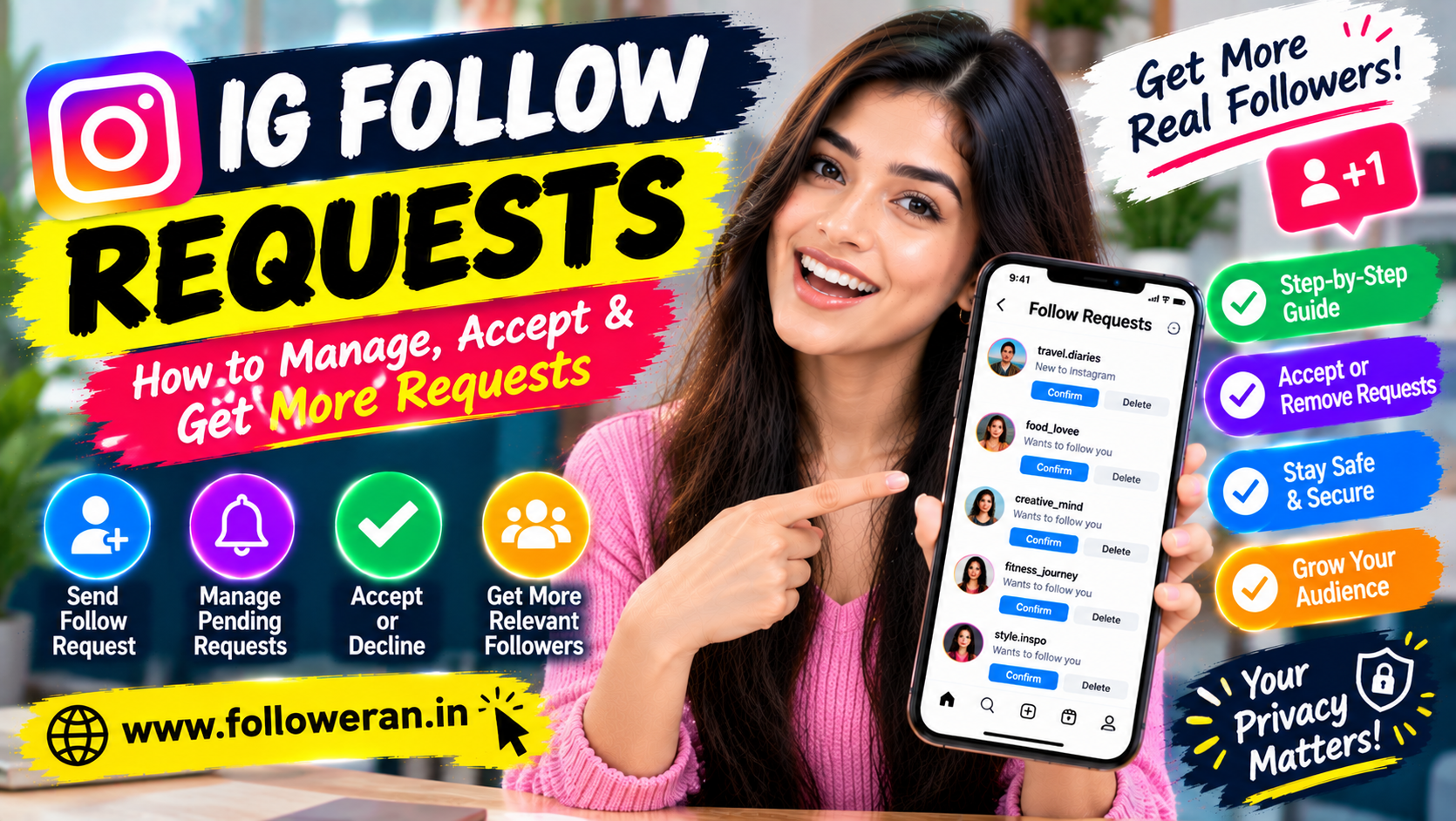
IG Follow Requests: Complete Guide to Instagram Follow Requests
IG follow requests are an important part of Instagram, especially when you're interacting with private accounts. Unlike public accounts, private profiles require people to send a follow request before they can access the account's posts and other restricted content.
Whether you want to understand how Instagram follow requests work, find your pending requests or learn how to attract more genuine followers, this guide covers the basics and practical strategies you can use.
What Are IG Follow Requests?
An IG follow request is a request sent to a private Instagram account asking for permission to follow it.
When someone has a private account, they control who can follow them. Instead of automatically becoming a follower, another user sends a request that the account owner can accept or decline.
The process is simple:
User sends request → Account owner receives request → Owner accepts or declines → Access is granted or denied
For public accounts, people generally don't need approval to follow.
How Do Instagram Follow Requests Work?
When you visit a private Instagram profile, you may see a Follow button.
After tapping it, the button can change to indicate that your request is pending.
The account owner can then decide what to do with the request.
Accept
The person becomes a follower.
Decline or Remove
The request is not accepted.
Leave Pending
The request remains waiting for a decision.
This gives private-account owners more control over who can access their content.
Public Account vs Private Account
Understanding the difference makes IG follow requests easier to understand.
| Feature | Public Account | Private Account |
|---|---|---|
| Anyone can follow | Generally yes | No, approval required |
| Follow request needed | Usually no | Yes |
| Owner approves followers | No | Yes |
| Content visibility | Wider public access | More restricted |
| Follower control | Lower | Higher |
A private account is therefore the main reason follow requests exist.
How to Send an IG Follow Request
Sending a follow request is straightforward when the account is private.
Step 1: Open Instagram
Launch Instagram and search for the account.
Step 2: Open the Profile
Visit the profile you want to follow.
Step 3: Tap Follow
If the account is private, your request will be sent to the account owner.
Step 4: Wait for Approval
The account owner can accept or decline your request.
You won't automatically gain access to private content simply because you've requested to follow.
How to See Pending Follow Requests You Sent
You may occasionally forget which accounts you've requested to follow.
Instagram's interface can change, and the exact location of pending-request information may vary by app version and account type.
A practical approach is to visit a private profile you remember requesting to follow and check whether the Follow button still indicates a pending request.
For larger lists of sent requests, Instagram may provide account-information or privacy-related tools, depending on the current app experience.
How to Accept IG Follow Requests
When someone requests to follow your private account, Instagram provides an option to review the request.
You can generally:
Open Instagram.
Go to your notifications or follow-request area.
Review the person requesting access.
Select the appropriate action.
Before accepting a request, you may want to check:
Their profile
Their recent content
Mutual connections
Whether the account appears genuine
Whether the profile fits your audience
For personal accounts, this can also be an important privacy decision.
How to Decline an Instagram Follow Request
If you don't want someone following your private account, you can decline the request.
Declining means the person doesn't become an approved follower.
You don't need to accept every request you receive.
Your Instagram account belongs to you, and choosing who can access your private content is part of managing your account.
Can Someone Know That You Declined Their Request?
Instagram doesn't generally send a simple notification saying:
"Your follow request was declined."
However, the person may eventually notice that they aren't following the account or that the follow request is no longer pending.
The exact experience can vary as Instagram updates its interface.
How Long Do Instagram Follow Requests Stay Pending?
A request can remain pending until the account owner makes a decision or the request is otherwise cancelled or removed.
There isn't a universal rule that every request disappears after a fixed number of days.
If someone has not accepted your request, it may continue to appear as pending.
Can You Cancel an IG Follow Request?
Yes, you can cancel a follow request you previously sent by returning to the relevant profile and cancelling the pending request, provided the option is available.
This can be useful when:
You sent the request by mistake
You no longer want to follow the account
You realise the account isn't relevant
You want to clean up old requests
Why Are My Instagram Follow Requests Not Being Accepted?
There can be many reasons.
The User Doesn't Recognise You
A private account owner may avoid accepting unfamiliar accounts.
Your Profile Is Incomplete
A profile with no profile picture, bio or content may look less trustworthy.
Your Username Is Unclear
People may hesitate to accept accounts they don't recognise.
You Have Little Activity
An inactive profile may not give the owner confidence.
The User Isn't Active
They may simply not be checking their requests.
The Account Receives Many Requests
Your request may be one of many.
Don't assume that every unaccepted request is personal.
How to Get More IG Follow Requests
When people talk about getting more Instagram follow requests, they are often referring to attracting more people who want to follow a private or public account.
The best way to create that interest is to make your profile appealing.
1. Improve Your Profile Picture
Use a clear, recognisable image.
For businesses, use a professional logo or brand image where appropriate.
2. Write a Clear Bio
Your bio should tell visitors:
Who you are
What you do
What type of content you post
Why they should follow
3. Create Useful Content
People are more likely to follow accounts that consistently provide value.
Try:
Tutorials
Tips
Educational posts
Reels
Reviews
Behind-the-scenes content
4. Choose a Clear Niche
A focused profile makes it easier for visitors to understand what they'll get by following.
5. Stay Active
Regular content gives visitors a reason to return.
How to Get More Requests for a Private Instagram Account
Private accounts have an extra advantage: curiosity.
People who discover your profile can see your basic profile information but may need to request access to your restricted content.
Make sure your public-facing profile information is strong enough to communicate your value.
For example:
Digital Marketing Tips 🚀
SEO | Instagram | Google Ads
Practical strategies for small businesses
A clear bio can make the account more appealing even when the posts aren't publicly visible.
How to Get More Instagram Followers Without Buying Them
Organic growth begins with creating a reason for people to follow.
Use Reels
Short-form video can help reach new audiences.
Create Shareable Posts
Useful or relatable content can reach people through shares.
Ask Questions
Questions can encourage conversations.
Use Stories
Stories help keep existing followers engaged.
Collaborate
Partner with relevant creators or businesses.
Improve Your Content
Better content creates a stronger reason to follow.
Should You Buy Instagram Followers?
Be cautious about services promising large numbers of followers instantly.
A high follower count doesn't automatically mean:
Strong engagement
Genuine interest
More customers
More comments
More sales
An account with fewer but highly relevant followers can be more valuable than an account with thousands of inactive or irrelevant followers.
Why Profile Quality Matters for Follow Requests
Imagine receiving two requests.
Account A
No profile picture
No bio
No posts
Random-looking username
Account B
Clear profile picture
Complete bio
Relevant content
Consistent activity
Account B is usually easier to evaluate.
This is why profile optimisation matters, especially when trying to get approved by private accounts or attract followers to your own profile.
How to Make Your Instagram Profile More Trustworthy
Use a Recognisable Profile Picture
People should be able to identify your profile quickly.
Add a Relevant Bio
Explain your purpose clearly.
Use Consistent Content
Keep your posts connected to your niche.
Add Highlights
Use Highlights to organise important information where appropriate.
Avoid Suspicious Behaviour
Excessive spam, copied content or aggressive follow activity can make an account look less trustworthy.
IG Follow Requests for Businesses
Businesses don't always need to keep their accounts private.
However, a private account may be appropriate in certain situations, such as:
Private communities
Personal brands
Member-only groups
Early-stage projects
Controlled-access content
Most businesses focused on discovery and customer acquisition will usually benefit from making relevant information publicly discoverable.
Instagram Follow Requests and Privacy
Follow requests are primarily a privacy feature for private accounts.
Before accepting someone, consider whether you're comfortable giving them access to your private posts and Stories.
This is particularly important for personal accounts.
Don't feel pressured to approve a request simply because the person sent one.
How to Handle Suspicious Follow Requests
Not every account that requests to follow you is trustworthy.
Be cautious if a profile:
Uses a strange username
Has copied-looking photographs
Sends suspicious links
Has almost no activity
Immediately asks for personal information
Claims to represent a company without evidence
Don't click suspicious links sent through DMs simply because the sender follows you.
Can You Automatically Approve Follow Requests?
Instagram can offer account-management features that make handling followers easier, but the exact availability can vary by account and app version.
For most private accounts, follower approval remains an intentional action.
Avoid relying on unknown third-party automation tools that request your Instagram password.
Can Third-Party Apps Manage Follow Requests?
Some third-party services advertise Instagram automation.
Use caution.
Before connecting an app, review:
What permissions it requests
Whether it uses authorised Instagram/Meta access
What data it collects
Whether the service is reputable
Whether you can revoke access later
Never give your password to an unknown application simply to automate follow requests.
How to Increase Follow Request Acceptance
If you're sending requests to private accounts, you can't force someone to accept.
But you can improve your profile.
Use a Real Profile Picture
Help the person recognise you.
Complete Your Bio
Tell them who you are.
Publish Relevant Content
A profile with genuine activity can appear more credible.
Avoid Spam-Like Behaviour
Sending large numbers of random requests may make your activity look unnatural.
Connect Through Shared Interests
Relevant profiles and communities can give people a genuine reason to recognise you.
The goal is not to persuade everyone.
It's to become recognisable to the right people.
Instagram Follow Requests vs Followers
These are two different stages.
Follow request: Waiting for approval.
Follower: Approved and following the account.
For private accounts, the request is the first step.
For public accounts, that approval step generally isn't required.
Can You See Who Didn't Accept Your Follow Request?
Instagram does not provide a simple universal list labelled:
"People who rejected your request."
You can sometimes identify pending requests by checking relevant profiles, but the interface doesn't necessarily provide a straightforward history of declined requests.
Don't assume that a missing pending request means the person specifically declined it; account changes and other actions can affect request status.
How to Clean Up Old IG Follow Requests
If you've sent many requests over time, you may want to review them periodically.
Start by identifying accounts you still want to connect with.
Cancel requests that no longer make sense.
This can help keep your account activity organised.
Avoid using questionable automation tools to mass-cancel requests.
A Simple Instagram Growth Strategy
Whether your account is private or public, the basics of audience growth remain similar.
Step 1: Choose Your Niche
Decide what your account is about.
Step 2: Improve Your Profile
Use a clear profile picture and bio.
Step 3: Create Content
Publish useful, entertaining or informative content.
Step 4: Engage
Respond to comments and participate in relevant conversations.
Step 5: Collaborate
Work with related accounts.
Step 6: Analyse
Review which content generates the strongest response.
Step 7: Improve
Create more of what works.
30-Day Instagram Follower Strategy
Week 1: Profile
Optimise your profile picture, username, bio and Highlights.
Week 2: Content
Publish Reels, carousels and Stories around your main topics.
Week 3: Engagement
Respond to comments, interact with followers and participate in relevant conversations.
Week 4: Analysis
Review:
Reach
Likes
Comments
Shares
Saves
Profile visits
Follows
Then use that information for your next content cycle.
Common IG Follow Request Mistakes
Sending Random Requests
Focus on relevant people instead of everyone.
Using an Empty Profile
People may hesitate to accept an unfamiliar account.
Copying Other Profiles
Create a genuine identity.
Buying Followers
A large number doesn't guarantee an engaged audience.
Using Automation Without Understanding It
Third-party automation can create account and privacy risks.
Ignoring Your Profile
People often check your profile before deciding whether to accept or follow.
IG Follow Requests: Quick Checklist
Before sending a request:
☑ Is the account relevant to you?
☑ Is your profile complete?
☑ Is your profile picture recognisable?
☑ Does your bio explain who you are?
☑ Do you have genuine content?
☑ Would the recipient recognise you?
☑ Are you avoiding spam behaviour?
Before accepting a request:
☑ Does the account look genuine?
☑ Is the profile relevant?
☑ Does the content look legitimate?
☑ Are there suspicious links or messages?
☑ Are you comfortable giving this person access?
Frequently Asked Questions
What are IG follow requests?
IG follow requests are requests sent to private Instagram accounts asking for permission to follow them.
How do I send a follow request on Instagram?
Open a private profile and tap Follow. The request will remain pending until the account owner takes action.
How do I accept Instagram follow requests?
Open the area where Instagram displays your follower requests, review the accounts and select the appropriate approval option.
Can I cancel a follow request?
Yes. You can generally return to the private profile and cancel the pending request.
How long do Instagram follow requests stay pending?
There isn't a universal fixed expiration period. A request can remain pending until it is accepted, declined, cancelled or otherwise removed.
Why isn't someone accepting my Instagram follow request?
They may not recognise you, may not be active, may receive many requests or may simply prefer not to accept the request.
Can I see who rejected my follow request?
Instagram doesn't provide a simple universal list of rejected requests.
How can I get more IG follow requests?
Create a strong profile, publish useful content, use Reels, engage genuinely and build a clear niche that gives people a reason to follow you.
Should I buy Instagram followers?
Be cautious. Purchased followers may not be genuinely interested in your content and can provide limited long-term value.
Can I automatically accept Instagram follow requests?
Some account features and third-party tools may offer automation, but availability varies. Avoid unknown tools that require your Instagram password.
Are Instagram follow requests private?
For private accounts, the approval process controls who can access restricted content. Manage requests carefully and don't accept accounts you don't trust.
Final Thoughts
Understanding IG follow requests is simple once you know how private Instagram accounts work.
A follow request gives the owner of a private account control over who can follow them and access restricted content. For people sending requests, the best approach is to have a clear, genuine profile and connect with accounts that are actually relevant to you.
For account owners, review requests carefully and pay attention to suspicious profiles or unexpected links.
And when your goal is to grow your audience, focus on quality content, genuine engagement and a trustworthy profile rather than simply trying to collect as many followers as possible.
Build a profile people want to follow—and make every follow request meaningful.
