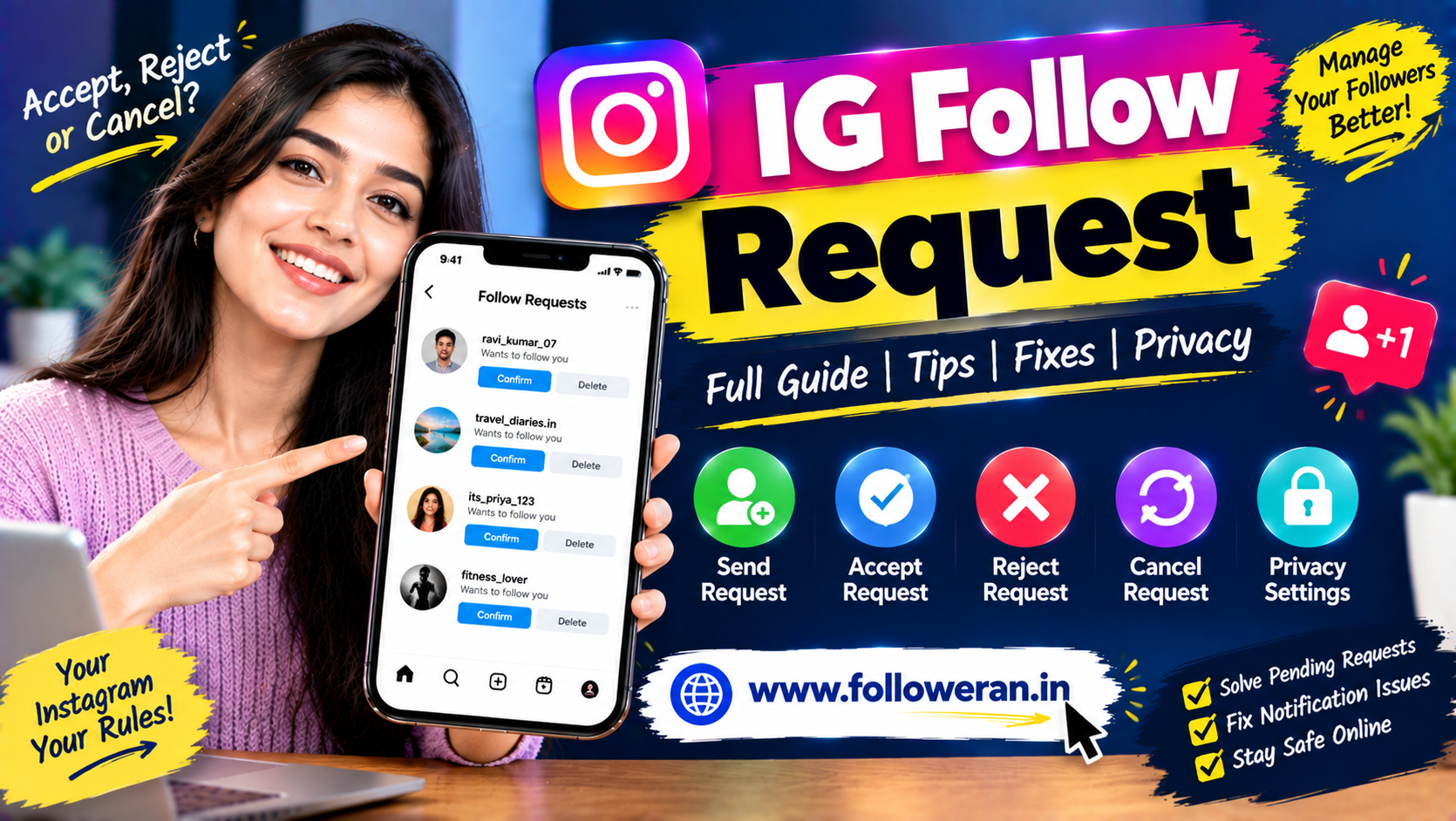
IG Follow Request: Complete Guide to Instagram Follow Requests
An IG follow request is a request someone sends when they want to follow a private Instagram account. Unlike a public account, where people can normally follow without waiting for approval, a private account gives the account owner control over who can become a follower.
Understanding Instagram follow requests is useful whether you are managing a personal profile, creator account or business presence.
You may want to know:
How do I accept a follow request?
How do I reject one?
Can I cancel a request I already sent?
Why is my follow request still pending?
Can I see all the requests I have sent?
This guide explains the basics in simple language.
What Is an IG Follow Request?
An IG follow request is a request to follow a private Instagram account.
When someone visits a private account and taps Follow, Instagram can send a request to the account owner instead of immediately adding the person as a follower.
The account owner can then decide whether to:
Accept
Delete/Reject
or leave the request pending.
Public Account vs Private Account
The difference is simple.
Public Instagram Account
People can generally follow the account without waiting for manual approval.
Private Instagram Account
People must generally send a follow request before they can access content that is restricted to approved followers.
This gives the account owner more control over their audience.
How Does an Instagram Follow Request Work?
The process typically looks like this:
Visit private profile
↓
Tap Follow
↓
Request sent
↓
Account owner receives request
↓
Accept or reject
If accepted, the requester becomes a follower and can access content according to the account's current privacy settings.
How to Accept an IG Follow Request
When you receive a follow request:
Open Instagram.
Go to your notifications or follow-request area.
Locate the person.
Review the account.
Select the option to accept the request.
The exact interface can change with app updates.
How to Reject or Delete a Follow Request
You do not have to accept every request.
When reviewing a request, you can generally choose to reject or delete it if you do not want the person to follow you.
This is useful when:
You do not recognise the account.
The account looks suspicious.
You want to keep your profile limited.
You only want people you know to follow you.
What Happens After You Accept a Follow Request?
Once accepted, the person becomes a follower of the private account.
Their access is then governed by the account's current privacy settings.
They may be able to interact with:
Posts
Reels
Stories
Other follower-only content
depending on what Instagram currently allows and what the account owner has chosen to share.
What Happens If You Reject a Follow Request?
The requester is not added as a follower.
They may be able to send another request later, depending on the account and Instagram's current behaviour.
If the same suspicious account repeatedly sends requests, consider using stronger privacy or blocking controls.
Why Is My IG Follow Request Still Pending?
A pending request generally means the account owner has not approved or rejected your request yet.
Possible reasons include:
They have not seen the notification.
They rarely use Instagram.
They are reviewing requests later.
They do not recognise your account.
They have not decided whether to accept it.
A pending request does not necessarily mean something is wrong with your account.
Can You See Pending Follow Requests You Sent?
Instagram's interface for reviewing outgoing requests can change, and not every version presents the information in the same location.
If you want to check requests you have sent, look through Instagram's account, privacy or activity-related settings and any available request-management options.
Avoid relying on old tutorials that show menus that no longer exist in your version of the app.
Can You Cancel an IG Follow Request?
If a request has not yet been accepted, Instagram may allow you to undo it by returning to the person's profile and tapping the Follow/request control again.
For example:
Requested
may change back to:
Follow
This indicates that the pending request has been withdrawn.
The exact button behaviour can vary depending on Instagram's current interface.
Why Can't I Cancel a Follow Request?
There can be several reasons.
The request was already accepted
It is no longer a pending request.
The account changed its privacy status
The profile may now be public.
The user blocked you
You may no longer have access to the profile.
Instagram changed the interface
The location of request controls can change.
Temporary app issue
Try reopening or updating Instagram before assuming the request system is broken.
IG Follow Request Notification Not Showing
Some users receive a request but do not immediately see the expected notification.
Possible causes include:
Notifications being disabled
App notification delays
Poor internet connection
Instagram app issues
Temporary server-side problems
A request already being handled from another device
Check Instagram's notification settings and make sure your app is updated.
How to Fix Instagram Follow Request Problems
Try these basic steps:
Update the app
Install the latest available Instagram version.
Restart Instagram
Close the application and open it again.
Check your internet connection
A weak connection can prevent the request list from refreshing properly.
Review notification settings
Make sure Instagram notifications are allowed on your device.
Log out and back in
This can sometimes refresh account data.
Clear app cache where supported
On supported devices, clearing cached application data can resolve certain display issues.
Try Instagram Web
If an option is not appearing correctly in the mobile application, checking your account through a web browser can sometimes help determine whether the problem is app-specific.
Why Do Some Follow Requests Look Suspicious?
Not every follow request represents a genuine person interested in your content.
Warning signs can include:
No profile photo
Very little content
Repetitive comments
Generic usernames
Suspicious links
Unusual follower/following ratios
Messages asking for personal information
You do not need to accept every request.
How to Check a Follow Request Before Accepting
Before accepting an unfamiliar account, review:
Profile photo
Bio
Recent posts
Mutual connections
Follower/following activity
Linked websites
Recent interactions
Do not click suspicious links just because the account sent you a follow request.
Should You Accept Every Instagram Follow Request?
No.
Your follower list is part of your account's audience.
For a personal profile, you may want to accept people you know.
For a creator or business profile, you may have different criteria depending on your goals.
Quality and relevance can matter more than simply accepting everyone.
IG Follow Request for Creators
Creators often receive large numbers of follow requests.
Instead of accepting blindly, consider:
Is the account relevant?
Does it look genuine?
Could it be a useful connection?
Is the profile suspicious?
Does the account interact normally?
Creators should also be careful about suspicious direct messages and external links.
IG Follow Request for Businesses
A business using a private Instagram account may want tighter control over who can view its content.
However, businesses that rely heavily on discovery may prefer a public account depending on their marketing strategy.
The decision depends on whether the business prioritises:
Privacy
or:
Maximum public visibility
IG Follow Request for Influencers
Influencers may receive requests from:
Fans
Other creators
Brands
Agencies
Spam accounts
A verification process can help identify useful connections.
For example:
Creator profile
→ Check niche
→ Check content
→ Check mutual connections
→ Decide whether to accept
What Is the Difference Between Follow Request and Message Request?
These are different concepts.
Follow Request
Someone asks to follow a private account.
Message Request
Someone sends a message that may be placed into a request area depending on Instagram's messaging settings.
One does not automatically mean the other.
Follow Request vs Follow
A Follow action and a Follow Request can look similar but have different results.
Public profile
Tap Follow → follow may happen immediately.
Private profile
Tap Follow → request is sent and approval may be required.
This is why users sometimes see:
Requested
instead of:
Following
What Does “Requested” Mean on Instagram?
When you see Requested after tapping Follow on a private account, it generally means the follow request has been submitted and is waiting for the account owner to respond.
Until accepted, you should not assume that you are an approved follower.
Why Did My Follow Request Disappear?
A request may disappear because:
The person accepted it.
The person rejected/deleted it.
They changed account settings.
They blocked you.
Their account was deactivated or changed.
Instagram updated the displayed status.
A disappearing request does not always indicate a technical problem.
How Long Does an Instagram Follow Request Last?
There is no simple universal expiration period that applies to every situation.
A request can remain pending until the receiving account takes action or another account-status change affects it.
Therefore, do not assume that an old pending request will automatically expire after a specific number of days.
Why Is Someone Not Accepting My Follow Request?
There are many possible reasons.
They may:
Not recognise you
Keep their account private
Receive too many requests
Have not checked Instagram
Prefer not to accept unknown accounts
Do not assume that a pending request means the person has deliberately rejected you.
Should You Send Multiple Follow Requests?
Repeatedly sending requests or using multiple accounts to pressure someone is not a good approach.
Respect the other person's privacy.
If a user does not accept a request, avoid aggressive repeated attempts.
Instagram Follow Requests and Privacy
A private account provides more control over who can see restricted content.
If privacy is important, also review:
Story settings
Mention controls
Tagging controls
Message settings
Comments
Hidden words
Blocked accounts
Restricted accounts
Follow requests are only one part of Instagram privacy.
How to Reduce Unwanted Follow Requests
You can improve privacy by reviewing who can interact with your account and by removing or blocking suspicious accounts when necessary.
Also avoid publishing unnecessary personal details in your bio.
For example, displaying your:
Full home address
Personal phone number
or
Private email
may create unnecessary exposure.
Can You Approve Follow Requests Automatically?
Instagram does not necessarily provide the same level of automation across all account types and settings.
Be cautious with third-party applications promising to automatically approve thousands of requests.
Giving an external app extensive account access can create security and privacy risks.
Avoid Third-Party Follow Request Automation
Some tools may claim to:
Automatically accept requests
Automatically send requests
Mass-follow accounts
Manage followers
These services may violate platform rules or create account-security concerns.
Before connecting an external tool, understand:
What access it requests
What actions it performs
Whether Instagram permits the activity
Can SMM Panels Increase Instagram Follow Requests?
An SMM panel may advertise services related to followers, likes, views or engagement.
However, increasing follower numbers is different from generating genuine follow requests from interested users.
If your actual goal is:
More genuine people discovering your account
then content, collaborations, search discovery and legitimate advertising may be more useful.
Organic Ways to Get More Instagram Follow Requests
If you want more people to discover your private or public account, focus on creating a reason for them to connect.
Publish useful Reels
Create content around real audience interests.
Use relevant hashtags
Choose hashtags that match your niche.
Collaborate
Work with relevant creators and businesses.
Share your profile
Use your website, YouTube channel, Facebook page or other legitimate channels.
Build a recognisable niche
Give people a clear reason to follow.
How to Get More Relevant Followers Instead of Random Requests
Focus on audience fit.
For example:
Fitness creator → fitness audience
Food creator → food audience
Pune business → Pune customers
Digital marketing expert → business and marketing audience
Relevant followers are generally more useful than simply maximising request volume.
A Simple Follow Request Management Routine
If you receive many requests, use this routine:
Step 1: Review the profile.
Step 2: Check whether it looks genuine.
Step 3: Look at the account's content.
Step 4: Check mutual connections where relevant.
Step 5: Accept, reject or leave pending.
Step 6: Block or report suspicious accounts if appropriate.
This keeps your follower list more controlled.
Common IG Follow Request Mistakes
Accepting every request
Not every account is genuine.
Clicking random links
A follow request does not make an external link trustworthy.
Sharing login information
Never give your password or security codes to unknown users.
Repeatedly requesting the same person
Respect the other user's decision.
Using aggressive automation
Mass actions can create security and platform-policy risks.
Focusing only on follower count
Relevant audience quality matters more than a large number.
Frequently Asked Questions
What is an IG follow request?
An IG follow request is a request sent by someone who wants to follow a private Instagram account. The account owner can decide whether to approve it.
What does “Requested” mean on Instagram?
It generally means your request to follow a private account has been sent and is waiting for the account owner to respond.
How do I accept an Instagram follow request?
Open the follow-request area on your profile, review the request and choose the available accept option.
Can I reject an Instagram follow request?
Yes, you can generally remove or reject requests you do not want to approve.
Can I cancel an IG follow request I sent?
For a pending request, you may be able to return to the person's profile and undo the requested status. The interface can vary with Instagram updates.
Why is my Instagram follow request pending?
The account owner may not have reviewed it, may rarely use Instagram, or may simply have chosen not to respond yet.
Why did my follow request disappear?
It may have been accepted, rejected, cancelled, or affected by a change to the account's status or privacy settings.
Can I see all the follow requests I sent?
Instagram's interface for outgoing requests can change. Check your current account settings and available account-activity/request controls.
Why am I not receiving follow-request notifications?
Check Instagram's notification settings, update the app, verify your internet connection and restart the application.
Should I accept follow requests from strangers?
That depends on your privacy preferences. Review unfamiliar profiles before accepting and be cautious with suspicious accounts.
Can a private Instagram account receive follow requests?
Yes. Private accounts can require people to request access before becoming followers.
Does accepting a follow request make someone a follower?
For a private account, accepting the request generally approves the person as a follower.
Can someone send another follow request after being rejected?
Depending on Instagram's current behaviour and account settings, another request may be possible later.
Can SMM panels create real Instagram follow requests?
Third-party services may advertise follower-related promotion, but that is not the same as generating genuine interest from people who voluntarily want to follow your account.
How can I get more genuine Instagram follow requests?
Create useful content, build a clear niche, publish Reels, collaborate with relevant creators, use appropriate search and hashtag strategies, and promote your profile through legitimate channels.
Final Thoughts
An IG follow request is a simple but important part of Instagram's privacy system.
When an account is private, people generally need to request access before they can become approved followers.
For account owners, the best approach is to review unfamiliar requests carefully and use Instagram's privacy and security controls appropriately.
For people sending requests, remember that a pending request simply means the other account has not approved it yet. There is no guaranteed way to make someone accept.
If your goal is to grow an Instagram audience, focus on attracting the right people rather than trying to maximise the number of requests.
Useful content, strong profile positioning, relevant collaborations, consistent publishing and genuine engagement are more valuable foundations for long-term Instagram growth than random or automated follow activity.
