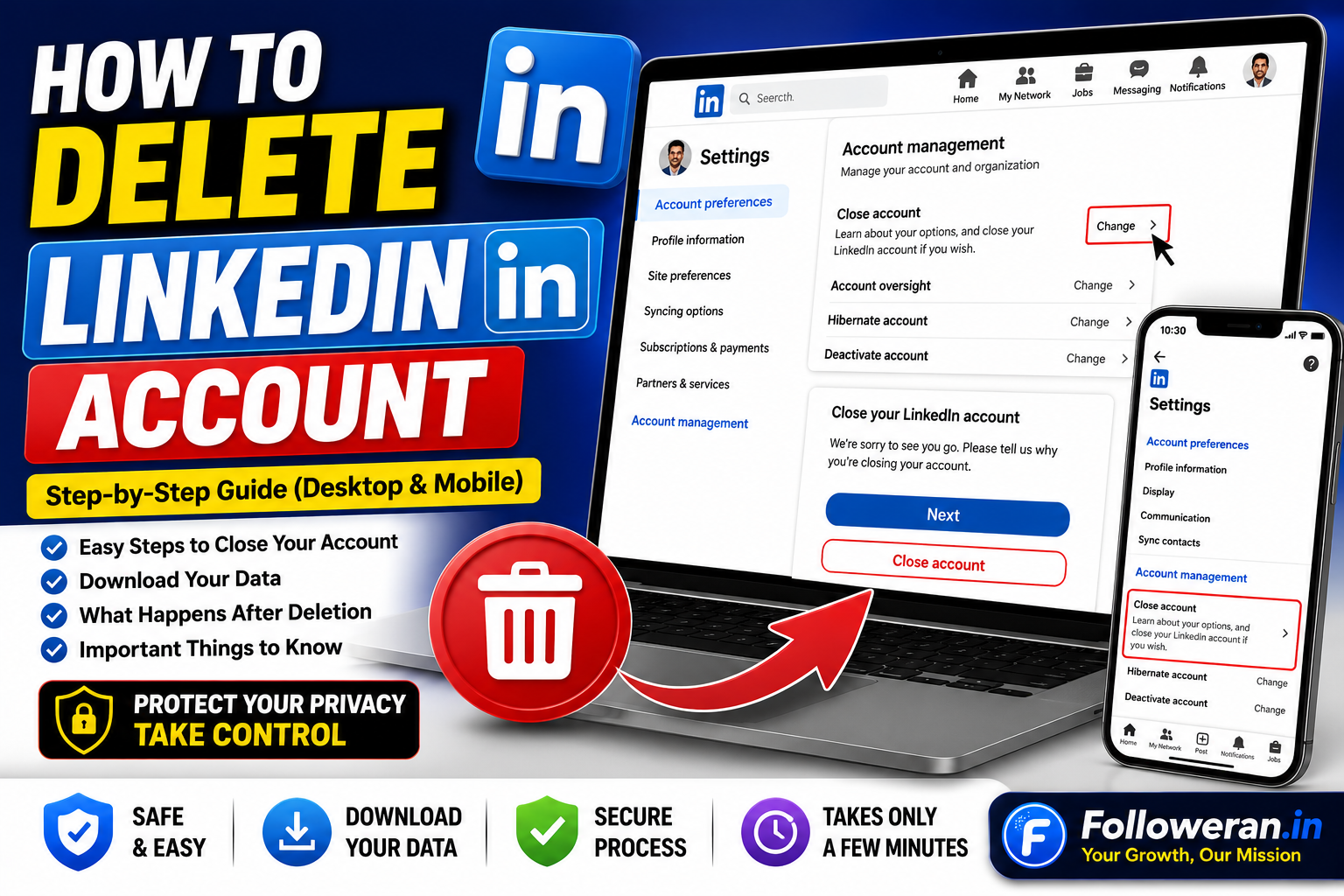
How Delete LinkedIn Account: Step-by-Step Guide
If you're searching for how delete LinkedIn account, LinkedIn provides an official option to permanently close your account from its Settings page. Closing the account removes your profile and access to your LinkedIn information, so it's worth saving anything you need before confirming deletion.
This guide explains how to delete your LinkedIn account on desktop and mobile, what happens afterward, and what to check before closing your profile.
How to Delete a LinkedIn Account on Desktop
LinkedIn's current desktop instructions are:
- Sign in to LinkedIn.
- Click the Me icon at the top of the LinkedIn homepage.
- Select Settings & Privacy.
- Open Account preferences.
- Under Account management, find Close account and click Change.
- Select the reason for closing your account.
- Click Next.
- Enter your LinkedIn account password.
- Click Close account.
LinkedIn's settings page is also available directly at linkedin.com/psettings/.
How to Delete Your LinkedIn Account on Mobile
The current LinkedIn mobile instructions are slightly different from the desktop process.
On the mobile app:
- Tap your profile picture.
- Open Settings.
- Tap Account preferences.
- Select Close account under Account management.
- Tap Continue.
- Choose a reason for closing the account.
- Tap Next.
- Enter your password.
- Tap Done.
LinkedIn's Help Center also notes that account settings can be accessed from the profile area on mobile.
What Happens When You Delete Your LinkedIn Account?
Closing your LinkedIn account is more than simply hiding your profile.
LinkedIn says closing an account permanently deletes the profile and removes access to the LinkedIn information associated with it. You also lose access to your connections and other information you've added to the account.
According to LinkedIn's Privacy Policy, personal data generally stops being visible to other people within 24 hours after account closure, and LinkedIn generally deletes closed-account information within 30 days, subject to stated exceptions such as legal, security, fraud-prevention and dispute-related requirements.
Will My LinkedIn Profile Disappear From Google?
Your LinkedIn profile should no longer be visible on LinkedIn after the account is closed, but search engines can continue showing cached or indexed information temporarily.
LinkedIn specifically notes that Google, Bing and Yahoo may still display your information for some time while their search indexes update.
So deleting your LinkedIn account does not necessarily mean that every search-engine result disappears immediately.
What Happens to My LinkedIn Connections?
Closing your account removes access to your LinkedIn connections.
LinkedIn also states that messages and connections are deleted as part of account closure, and recommendations and endorsements you have given or received are removed.
This is one reason you should consider downloading information you want to keep before closing the account.
Download Your LinkedIn Data Before Deleting
Before deleting your account, consider downloading a copy of your LinkedIn data.
LinkedIn provides a way to initiate a data download from Settings & Privacy.
Depending on your account, your data may include useful information such as profile details and other account-related information.
If there is anything you may need for your records, save it before closing the account.
Can I Temporarily Deactivate LinkedIn Instead?
LinkedIn's official account-closure process is designed to permanently close the account rather than simply pause it. If your goal is only to take a break, consider changing privacy, visibility or notification settings instead of deleting the account. LinkedIn's settings include controls for visibility, notifications, communications and other account preferences.
For example, you may want to reduce notifications or adjust how your profile and activity are displayed before deciding that permanent deletion is necessary.
What If I Have LinkedIn Premium?
Having LinkedIn Premium does not mean you have to delete the entire account.
LinkedIn explains that Premium access can be cancelled while keeping the free Basic account, allowing you to retain your profile, connections and other account information.
So, if your main reason for leaving is the subscription cost, cancelling Premium may be a better option than deleting your LinkedIn account.
What If I Own a LinkedIn Group?
LinkedIn notes that certain account circumstances may need to be resolved before a Basic account can be closed. This can include situations involving Premium memberships, ownership of a LinkedIn group, or premium account licenses.
Check your account and resolve any required ownership or subscription issues before trying to close it.
What If My LinkedIn Account Is Connected to an Enterprise Account?
Some LinkedIn accounts are connected to enterprise products such as Recruiter, Learning or Sales Navigator.
LinkedIn says that an enterprise-linked account may need to be removed from the enterprise account by an administrator before the personal account can be closed. If the issue remains after removal, LinkedIn recommends contacting support.
This can be particularly relevant if your LinkedIn account has been used through an employer or organisational subscription.
Can a Deleted LinkedIn Account Be Reopened?
LinkedIn says you can reopen your account in most cases when it has been closed for less than 14 days. However, some information cannot be restored even after reopening.
LinkedIn lists items such as:
- Endorsements and recommendations
- Ignored or pending invitations
- Followings
- Group memberships
as information that may not be recoverable after reopening.
For that reason, don't assume that reopening the account will restore everything exactly as it was.
What If I Can't Log In to LinkedIn?
You generally need access to the account to close it normally.
If you can't access the account, LinkedIn recommends resolving the login problem first, such as recovering access to your email or resetting your password.
Do not give your password or recovery information to an unofficial third-party service claiming it can delete the account for you.
How to Delete a Duplicate LinkedIn Account
If you've accidentally created more than one LinkedIn account, you may not need to delete your main profile.
LinkedIn provides a specific process for closing duplicate accounts. One official workflow involves signing in to the duplicate account, opening Settings & Privacy, going to Account preferences, and using Close account under Account management. LinkedIn also recommends waiting 48 hours after closing the duplicate before adding its email address to the remaining account.
LinkedIn Account Deletion vs Hiding Your Profile
Deleting and hiding are not the same.
Deleting your account closes the account and removes access to your LinkedIn information.
Changing visibility settings lets you keep your account while controlling aspects of how your profile and activity appear.
LinkedIn provides visibility and privacy controls under Settings & Privacy, so review those options if you are uncertain about permanently leaving the platform.
Common Reasons People Delete LinkedIn
People may close their accounts because they:
- No longer use LinkedIn
- Have changed careers
- Created a duplicate account
- Want to reduce social-media usage
- Are concerned about online privacy
- Prefer another professional platform
- No longer need a LinkedIn Premium subscription
Your reason matters because account deletion may not be necessary in every situation.
Checklist Before You Delete Your LinkedIn Account
Before pressing the final confirmation button, check that you have:
- Saved important profile information
- Downloaded any data you want to retain
- Saved important contacts elsewhere
- Reviewed Premium or other subscriptions
- Resolved group ownership issues
- Considered whether you actually need permanent deletion
- Confirmed that you can access the account
- Checked whether the account is connected to an enterprise service
Taking a few minutes to prepare can prevent unnecessary loss of information.
Frequently Asked Questions
How do I delete my LinkedIn account?
Go to Me → Settings & Privacy → Account preferences → Account management → Close account, select your reason, enter your password and confirm the closure.
How do I delete LinkedIn on my phone?
Open your profile, go to Settings → Account preferences → Close account, continue through the confirmation steps and enter your password.
Is deleting LinkedIn permanent?
Closing the account is intended to permanently delete your profile and remove access to your LinkedIn information, although LinkedIn says some data may be retained for specific legal, security and other reasons.
Can I recover my LinkedIn account after deleting it?
In most cases, LinkedIn says you can reopen a closed account within 14 days, but some information cannot be recovered.
Will deleting LinkedIn remove my profile from Google?
Your LinkedIn profile will no longer be visible on LinkedIn, but search engines may continue showing cached or indexed information temporarily while their indexes update.
Do I need to delete LinkedIn if I only want to stop Premium?
No. LinkedIn says you can cancel Premium and retain the free Basic account, including your profile and connections.
Final Thoughts
If you're searching for how delete LinkedIn account, the official process is straightforward, but account closure is a significant step.
Before deleting your account, download anything you want to keep, review Premium and enterprise connections, and consider whether privacy or notification settings could solve your problem without permanent deletion.
For the latest account-closure instructions, always check LinkedIn's official Help Center because menu names and app layouts can change.
For more social-media and digital-marketing resources, visit www.followeran.in.
