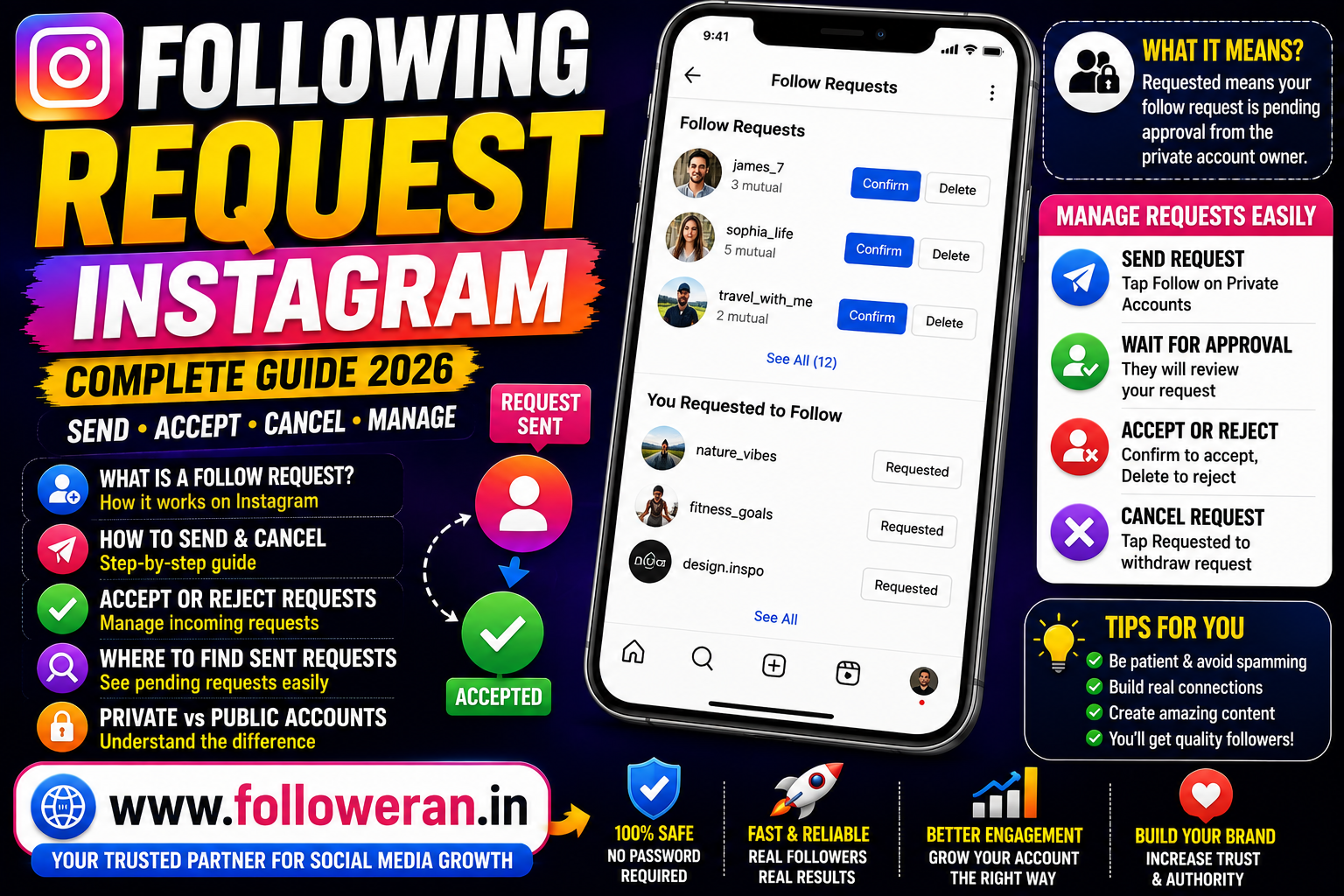
Following Request Instagram: How Instagram Follow Requests Work & How to Manage Them
If you're searching for following request Instagram, you may be trying to understand what an Instagram follow request means, why you see Requested instead of Following, how to accept or reject a request, or how to cancel a request you previously sent.
The basic rule is simple: when you try to follow a private Instagram account, your request normally has to be approved before you become a follower. Public accounts generally allow people to follow without waiting for manual approval.
The exact menu names and locations can change between Instagram app versions, devices and account configurations, so some settings may look slightly different on your phone.
This guide explains how Instagram follow requests work, what Requested means, how to manage incoming and outgoing requests, and what to do when you cannot find a request.
What Is an Instagram Follow Request?
An Instagram follow request is a request to follow a private Instagram account.
When you tap Follow on a private profile, Instagram doesn't normally add you immediately. Instead, the profile owner receives a request and can decide whether to approve it.
Once approved, you become a follower and can access the private content that Instagram makes available to followers.
Public Instagram Account vs Private Instagram Account
The difference between public and private accounts explains most following-request questions.
| Account Type | What Happens When You Tap Follow? |
|---|---|
| Public account | You generally follow immediately |
| Private account | A follow request is sent |
| Private account after approval | You become a follower |
| Private account after rejection | You do not become a follower |
Instagram's private-account model requires the account owner to approve incoming follow requests.
What Does “Requested” Mean on Instagram?
If you visit a private Instagram account and the Follow button changes to Requested, it generally means your request has been sent and is still pending.
The other person has not yet approved it.
A pending request may eventually be:
- Accepted
- Declined
- Cancelled by you
- Affected by a change to the account or follow relationship
Current guides also note that the exact interface can vary between Instagram versions and accounts.
How to Send a Following Request on Instagram
Sending a follow request is straightforward.
Step 1: Open Instagram
Launch the Instagram app and sign in.
Step 2: Search for the Account
Use Instagram Search to find the profile you want to follow.
Step 3: Open the Profile
Tap the account to view its profile.
Step 4: Tap Follow
If the account is private, the button should change to Requested or an equivalent pending status.
Step 5: Wait for Approval
The account owner decides whether to accept your request.
You don't need to repeatedly send requests while waiting.
How to Accept an Instagram Follow Request
If you have a private account, other people can send you requests to follow you.
To manage incoming requests:
- Open Instagram.
- Go to your notifications or follow-request area.
- Review the pending requests.
- Choose whether to Confirm/Accept or Delete/Decline, depending on the interface shown.
The precise wording can vary between current app versions.
How to Decline or Remove a Follow Request
If someone requests to follow your private account and you don't want to approve them, you can reject or remove the request from your pending request list.
You are not required to accept every request.
This can be particularly useful when managing:
- Personal accounts
- Private creator accounts
- Family accounts
- Professional networks
- Small communities
How to Cancel a Following Request You Sent
If you sent a request to a private account and changed your mind, you can normally visit that profile again.
When the request is still pending, the button may show:
Requested
or:
Request sent
Tap that button to withdraw the request where the current Instagram interface provides the option. Current 2026 guides describe this as the practical way to cancel an individual pending request.
Can You See All Follow Requests You Sent?
This is one of the most confusing parts of Instagram.
Instagram does not currently provide a consistently available, simple in-app list containing every outgoing follow request for every account. Current 2026 guides report that the most dependable way to review a broader list is through Instagram's account-data export, while a known individual request can be checked directly on that person's profile.
That means there are two useful approaches.
For One Specific Person
Open their profile and look at the button.
If it says Requested, the request is generally still pending.
For a Larger List
Use Instagram's information-export tools through Accounts Center.
How to Find Sent Follow Requests Using Instagram Data
Instagram provides account-data export controls through Accounts Center.
Current guides describe a route similar to:
Instagram → Profile → Menu → Accounts Center → Your information and permissions → Export your information
From there, select the relevant Instagram account and create an export. Depending on the current archive structure, pending follow requests may appear in a file with a name similar to pending follow requests.
Instagram can change archive names and file locations, so don't assume the exact filename will always remain identical.
Why Can't I Find My Sent Follow Requests?
There are several possible reasons.
Instagram Doesn't Show a Simple List
The in-app interface doesn't consistently provide a complete outgoing-request list.
The Request Was Accepted
If the person accepted your request, you may now simply be following the account.
The Request Was Declined
The request may no longer appear as pending.
You Cancelled It
The request will no longer be pending.
The Account Changed
A change to the account's privacy or status can affect the relationship.
The App Interface Changed
Instagram frequently changes where settings appear, so older tutorials may show menus you no longer see.
What Is an Incoming Follow Request?
An incoming request is a request someone else sends to your private account.
You can normally review these requests and decide whether to approve or reject them.
This is different from an outgoing request, which is one you sent to another account.
| Request Type | Who Sent It? | Where You Manage It |
|---|---|---|
| Incoming | Another Instagram user | Your pending requests |
| Outgoing | You | Recipient profile or account-data export |
This distinction resolves many searches for “Instagram following request.”
What Is a Pending Follow Request?
A pending follow request simply means the requested relationship hasn't been completed yet.
For an outgoing request:
You → Private Account → Waiting for Approval
For an incoming request:
Another User → Your Private Account → Waiting for Your Decision
Does a Follow Request Expire?
Don't assume that a request will disappear after a fixed period.
A pending request can remain until an account relationship changes, the recipient responds, the sender cancels it, or another account-side event affects the request. Current guides describe pending requests as remaining active until one of these changes occurs.
What Happens When Someone Accepts Your Follow Request?
The pending request becomes an approved follow relationship.
You can then access the content that the private account makes available to approved followers.
For a private account, approval is what changes the relationship from Requested to Following.
What Happens If Someone Rejects Your Follow Request?
You do not become a follower.
Depending on the current interface and the account relationship, you may simply see the normal Follow button again.
Instagram does not provide a special notification telling you every time someone declines a request, so don't assume the other person deliberately rejected you when a request disappears.
Does Instagram Notify Someone When You Cancel a Follow Request?
If you withdraw a pending request, Instagram does not normally present the other person with a special message saying:
“This person cancelled their request.”
However, they may have already seen the original request or its notification.
So cancelling a request should not be treated as a guaranteed way of making the original interaction invisible.
Can You Send a Follow Request Again?
If an account is private, you can generally request to follow again when the account allows it and the relationship has returned to an available Follow state.
However, repeatedly sending and cancelling requests can look spammy.
It's better to send a request once and wait.
Why Is My Follow Request Not Being Accepted?
There are many possible explanations.
The person may:
- Not use Instagram often
- Not recognise your account
- Prefer to keep followers limited
- Miss the notification
- Be reviewing requests later
- Decide not to approve you
Don't assume a pending request means something negative.
Why Is My Follow Request Disappearing?
Several explanations are possible.
The Person Accepted It
You may now be following them.
The Person Rejected It
The request is no longer pending.
The Person Blocked You
The relationship may change significantly.
The Account Was Deactivated
The account may no longer be available.
The Account Became Public
The pending-request relationship can change when privacy settings change.
You Cancelled It
The request was manually withdrawn.
Don't rely on one explanation without checking the profile.
Why Does It Say “Requested” Instead of “Following”?
This usually happens because the account is private and your request hasn't been approved yet.
The status:
Requested
means:
Waiting for approval
The status:
Following
means:
You are already following the account
Can You Follow a Private Instagram Account Without a Request?
Normally, a private account requires the owner's approval.
This is one of the fundamental differences between private and public Instagram profiles.
If you can't see the person's private content, sending a follow request is the normal route.
Can Someone Follow You Without Approval?
If your account is private, incoming followers generally require approval.
If your account is public, people can normally follow without a manual approval step.
Your account's privacy setting determines the basic process.
How to Make Your Instagram Account Private
The exact menu wording can vary by app version, but privacy controls are available through Instagram's settings.
A current general route is:
Profile → Menu → Settings and privacy → Account privacy
Then enable the Private account option.
Private-account behaviour means people need approval before becoming followers.
Private Account Follow Requests for Businesses
Businesses normally use public accounts when discoverability is a priority, but a private account can make sense for particular communities or personal brands.
Before making an account private, consider:
- Discoverability
- Customer access
- Content visibility
- Community management
- Brand objectives
Private Account Follow Requests for Creators
Creators may receive many requests after being discovered through Reels or other content.
It's useful to review profiles before approving unfamiliar accounts.
Look at:
- Username
- Profile photo
- Bio
- Content
- Mutual connections
- Relevance to your niche
You don't have to approve every account.
How to Handle Suspicious Follow Requests
Be cautious with accounts showing obvious spam characteristics.
Warning signs can include:
- Strange usernames
- Empty profiles
- Aggressive promotional messages
- Suspicious links
- Requests to move conversations immediately to another platform
- Claims that you have won a prize
- Requests for login details
Don't click suspicious links simply because someone requested to follow you.
Never Share Your Instagram Password
A follow request does not require you to give another person your password.
Never provide your:
- Instagram password
- Email password
- Two-factor authentication code
- Backup codes
- Recovery codes
Be especially cautious with websites or apps claiming that they can automatically manage follow requests for you.
Should You Use Third-Party Apps to Manage Follow Requests?
Be careful.
Current guides recommend using Instagram's own account-data tools rather than giving account access to unknown third-party applications for viewing sent requests.
Before connecting any external application, review:
- Developer
- Permissions
- Privacy policy
- Reputation
- Account access requested
An app doesn't become safe simply because it says “Instagram follow requests” in its name.
Can You Bulk Cancel Follow Requests?
Instagram does not currently provide a dependable standard bulk-cancellation feature for all outgoing requests, according to current 2026 guides. Pending requests generally need to be withdrawn individually once you identify the relevant accounts.
Avoid browser scripts or automation tools that claim to cancel hundreds of requests automatically unless you fully understand the risks and Instagram's current rules.
Why You Might Want to Cancel Old Follow Requests
You may have sent requests to:
- Old accounts
- People you no longer know
- Former colleagues
- Old acquaintances
- Unused profiles
- Accounts you no longer want to follow
Cleaning up old requests can make your account activity more intentional.
How to Cancel a Follow Request to One Account
The easiest method is usually:
Open Instagram
→
Search for the account
→
Open the profile
→
Tap Requested
→
Withdraw the request
The wording can differ slightly between current app versions.
Can You See Whether Someone Ignored Your Request?
Instagram does not give you a definitive “ignored” status.
A request can remain pending because:
- They haven't noticed it
- They haven't decided
- They don't use Instagram regularly
- They are reviewing requests later
- They don't want to accept it
Avoid assuming what someone is thinking based solely on a pending status.
Can You Know Who Viewed Your Follow Request?
Not in a simple, definitive way.
The existence of a pending request tells you that the account has not completed the follow relationship, but it doesn't necessarily tell you whether the owner has personally reviewed it.
Following Request Instagram: Common Statuses
| Status | Meaning |
|---|---|
| Follow | You are not currently following |
| Requested | A follow request is pending |
| Following | You currently follow the account |
| Follow Back | The other account follows you and you don't currently follow them |
The exact button text can vary by relationship and current Instagram interface.
Why Does Instagram Say “Follow Back”?
Follow Back usually indicates that another account is already following you and Instagram is offering you the option to follow them as well.
This is different from an incoming request to a private account.
Why Can't I Follow Someone on Instagram?
A Follow action can fail or behave differently for several reasons.
Possible causes include:
- The account is private
- The account has been deactivated
- The account blocked you
- The app is experiencing a temporary issue
- Your account may have activity limitations
- The Follow button hasn't updated properly
Try reopening the app and checking the profile again.
If the problem continues, review Instagram's current Help Center guidance rather than relying on an old tutorial.
Why Does My Follow Request Keep Turning Back to Follow?
If you send a request and later see Follow again, the request is no longer pending.
Possible reasons include:
- It was rejected
- It was cancelled
- The account changed
- The account relationship changed
- There was another account-side event
The button alone doesn't tell you which explanation occurred.
Why Can't I Send a Follow Request?
Possible causes include:
Temporary Instagram Restrictions
Rapid follow activity can sometimes lead to temporary limitations.
Connection Problems
A weak connection may prevent the action from completing.
App Problems
Restart or update Instagram.
Account Problems
Your account may be experiencing a specific restriction or limitation.
If you've been following and unfollowing many accounts rapidly, slow down and allow the account to operate normally.
Avoid Mass Follow-and-Unfollow Behaviour
A common Instagram growth tactic is to follow large numbers of accounts and then unfollow them later.
This can create poor-quality relationships and may look spammy.
A stronger approach is:
Relevant discovery
→
Genuine interaction
→
Relevant follows
→
Long-term audience
Quality matters more than raw activity.
Following Request Instagram for Personal Accounts
For a personal account, follow requests are mainly about privacy and control.
Before accepting someone, consider:
- Do you know them?
- Is the account genuine?
- Is the profile relevant?
- Does anything look suspicious?
It's okay to leave a request pending or reject it.
Following Request Instagram for Professional Accounts
Professionals may receive requests from:
- Recruiters
- Clients
- Colleagues
- Creators
- Businesses
- Industry contacts
A professional account can decide whether the connection is relevant before approving.
Following Request Instagram for Brands
Brands usually care about discoverability, but audience quality is still important.
A follower is more useful when they are relevant to:
- Product
- Service
- Industry
- Location
- Customer profile
Don't focus only on the number of requests you receive.
Following Requests and Instagram Growth
Follow requests can become part of a healthy growth strategy, but they shouldn't be treated as a substitute for good content.
For example:
Useful Reel
→
Profile Visit
→
Follow Request
→
Approval
→
Follower
That is much more meaningful than sending random requests to thousands of accounts.
How to Attract More Relevant Followers
Instead of sending large numbers of requests, create content people want to follow.
Use:
- Reels
- Carousels
- Stories
- Tutorials
- Useful tips
- Collaborations
- Search-friendly topics
- Community engagement
The objective is to make people think:
“This account is worth following.”
How to Manage Instagram Follow Requests Efficiently
Use a simple routine.
Daily
Review important incoming requests.
Weekly
Check whether your account is receiving suspicious activity.
Monthly
Review your audience quality and profile performance.
You don't need to spend hours managing every request.
How to Build a Better Instagram Profile
A good profile can improve the chance that someone accepts or sends a follow relationship.
Include:
Clear profile picture
Specific bio
Relevant content
Consistent branding
Useful link
For example:
Social Media Marketing Services
Instagram | YouTube | TikTok
Growth tips & marketing resources
↓ Explore services
www.followeran.in
Following Requests and Follower Quality
Not every follower is equally useful.
Consider:
| Follower Type | Potential Value |
|---|---|
| Relevant customer | High |
| Relevant niche creator | High |
| Industry professional | High |
| Genuine but unrelated account | Limited |
| Spam account | Very low |
| Fake/automated account | Very low |
Build the audience that matches your purpose.
How to Get More Instagram Followers Organically
A stronger long-term strategy is:
Choose a niche
↓
Create useful content
↓
Use Reels
↓
Engage with relevant communities
↓
Collaborate
↓
Optimise your profile
↓
Analyse results
This creates followers who have a reason to stay.
What About Instagram Follower Services?
Third-party services may advertise followers, Likes and other social-media promotional services.
If you evaluate a service, understand exactly what is being offered.
Check:
- Service description
- Delivery information
- Targeting
- Refill conditions
- Refund policy
- Customer support
- Security requirements
Never provide your Instagram password or authentication codes to an unfamiliar provider.
For social-media marketing and promotional services, you can explore www.followeran.in and review the current service information and policies before ordering.
Following Request Instagram and Account Security
A follow request itself is harmless.
The risk often appears when someone uses the request as a starting point for a scam.
For example:
“I sent you a follow request. Click this link to approve it.”
Treat such links cautiously.
Always verify requests directly inside the Instagram app.
Signs of an Instagram Follow-Request Scam
Watch for messages such as:
- “Verify your account here”
- “Click to accept this request”
- “You've won a prize”
- “Your account will be deleted”
- “Send me your login code”
- “Send your password so I can confirm you”
Don't provide sensitive information.
What to Do With a Suspicious Request
You can:
Ignore it
Delete it
Block the account
Report the account
Use Instagram's built-in reporting and blocking controls when appropriate.
Following Request Instagram FAQ
What is a following request on Instagram?
It is normally a request to follow a private Instagram account. The private-account owner decides whether to approve it.
What does Requested mean on Instagram?
It normally means you have sent a follow request to a private account and it has not yet been approved.
How do I send a follow request on Instagram?
Find a private profile and tap Follow. The button generally changes to Requested while the request is pending.
How do I accept a follow request?
Open your incoming follow requests and choose the appropriate option to accept or reject the request.
How do I reject an Instagram follow request?
Open the pending request and use the available reject/delete option.
How do I cancel a following request I sent?
Open the recipient's profile and tap the Requested or equivalent pending-request button to withdraw it.
Can I see all the follow requests I sent?
Instagram does not consistently provide a simple in-app list of all outgoing requests. You can check a known profile directly or use Instagram's data-export tools to find pending requests.
How do I see sent follow requests on Instagram?
For a wider list, use Instagram's Accounts Center → Your information and permissions → Export your information process and look through the resulting follower/following data.
Can I see pending follow requests without downloading my data?
For a specific person, you can usually visit their profile and check whether the button shows Requested. A complete outgoing list may not be available directly inside the app.
Does Instagram show who ignored my follow request?
No definitive “ignored” label is provided. A request can simply remain pending.
Can I cancel all follow requests at once?
Instagram does not currently provide a dependable standard bulk-cancellation option for all outgoing requests. Current guides generally describe cancelling individual requests.
Why did my follow request disappear?
It may have been accepted, declined, cancelled, or affected by an account or privacy change.
Why does Requested change back to Follow?
The request is no longer pending. This can happen if it was declined, cancelled, or otherwise removed.
Does a private Instagram account require follow approval?
Yes. Private accounts require approval before someone becomes a follower.
Can I follow a public Instagram account without a request?
Generally yes. Public accounts normally allow following without manual approval.
What happens when someone accepts my request?
You become a follower of that private account.
What happens when someone rejects my request?
You don't become a follower, and the account may return to showing a normal Follow button.
Will someone get a notification when I cancel my request?
Instagram does not normally send a special “request cancelled” notification, although the person may already have seen the original request.
Can someone see that I requested to follow them?
A private account can receive the follow request and review it.
Can I send another request after cancelling one?
Usually, if the account allows it and the Follow option becomes available again, you can send another request. Avoid repeatedly sending requests.
Why is my Instagram follow request pending?
The recipient may not have responded yet. They may not have seen it, may be inactive, or may simply prefer not to approve it.
How long does an Instagram follow request stay pending?
There is no universal fixed duration that you should rely on. A request can remain pending until the relationship changes.
Are Instagram follow requests only for private accounts?
The standard approval-based follow-request process is primarily associated with private accounts.
Can I follow someone if they haven't accepted my request?
Not as an approved follower of their private account until they accept the request.
Can I message someone whose follow request I sent?
Messaging availability depends on the account's settings and your existing relationship. Sending a follow request doesn't guarantee that your message will be accepted.
Can I cancel a follow request from Instagram on iPhone?
Yes. Open the profile where the request is pending and use the current Requested control to withdraw it.
Can I cancel a follow request from Android?
Yes. The process is generally the same: open the person's profile and tap the pending-request status.
Can I see sent requests on Instagram Web?
The interface and available controls can vary. If a direct list isn't available, Instagram's data-export tools are a more dependable way to review account information.
Are third-party apps safe for viewing sent requests?
Don't assume so. Current guidance recommends using Instagram's own account-data tools instead of giving an unknown app access to your account.
Should I give my Instagram password to an app that manages follow requests?
No. Never give your password or authentication codes to an unfamiliar service.
Can Instagram limit follow activity?
Instagram may impose account or activity limitations in certain situations. Rapid or spam-like activity is one reason to avoid mass-follow behaviour.
Why can't I send a follow request?
Possible causes include account limitations, connection problems, app issues or changes to the recipient's account.
How do I make my Instagram account private?
Open Instagram's privacy settings and enable the private-account option. Menu names can differ slightly by app version.
How do I approve followers on a private account?
Review your incoming follow requests and choose which accounts to accept.
Should I accept every Instagram follow request?
No. Review the profile and decide whether the account is genuine and relevant to you.
How do I identify a suspicious follow request?
Look for unusual usernames, empty profiles, suspicious links, unsolicited sales messages or requests for account credentials.
Is a follow request the same as a follower?
No. A request is pending; a follower relationship exists after the request is approved for a private account.
Is Follow Back the same as Requested?
No. Follow Back usually means the other account follows you and Instagram is offering you the option to follow them. Requested normally means your request to a private account is pending.
What is better than sending lots of follow requests?
Create useful content, engage genuinely with relevant communities and make your profile worth following.
Can Instagram follow requests help grow an account?
They can create connections, but genuine content discovery and relevant audience-building are usually more sustainable than mass-request activity.
How can I get more relevant Instagram followers?
Choose a clear niche, publish useful Reels and posts, engage with relevant users, collaborate with creators and optimise your profile.
Where can I explore Instagram growth services?
You can explore www.followeran.in for social-media marketing and promotional services, while reviewing the current service information and policies before ordering.
Final Thoughts
Understanding following request Instagram becomes much easier once you know the difference between public and private accounts.
A public account generally allows someone to follow without waiting.
A private account requires the owner to approve incoming followers.
The most important statuses are:
Follow — you are not currently following.
Requested — your request is pending.
Following — the follow relationship has been approved or is already active.
If you've sent lots of requests and want to review them, Instagram's current interface doesn't always provide a simple outgoing-request list. Current 2026 guides recommend checking a known profile directly or using Instagram's Accounts Center data-export tools to identify pending requests.
You can then cancel individual requests by visiting the relevant profile and withdrawing the pending request where the current interface provides that option.
Most importantly, treat follow requests as a normal social-media feature—not a reason to share sensitive account information.
Never provide your Instagram password, two-factor authentication code or recovery codes to someone who claims they need them to approve, cancel or manage a follow request.
For long-term Instagram growth, focus on valuable content, relevant followers, genuine engagement and a professional profile rather than sending large numbers of random requests.
For social-media marketing and promotional services, visit www.followeran.in and review the current services, pricing and policies before placing an order.
