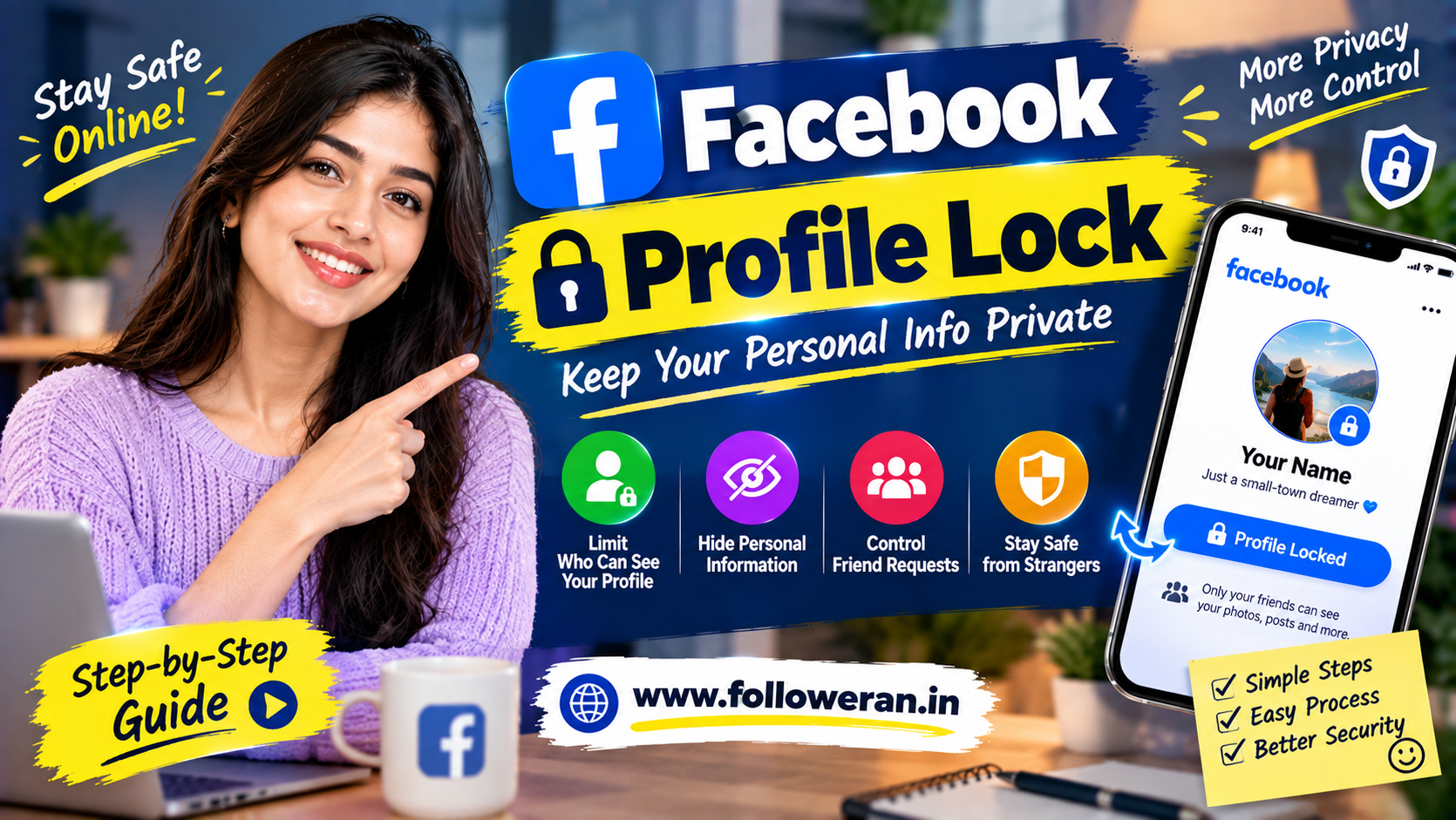
FB Profile Lock: How to Lock Your Facebook Profile and Protect Your Privacy
The fb profile lock feature is designed for Facebook users who want more control over what strangers can see on their personal profile.
For many users, Facebook contains years of photos, posts, personal information, friends, interests and other details. Profile Lock provides a convenient way to restrict much of that information from people who are not your Facebook friends.
The feature is particularly useful for people who want to keep their personal Facebook activity more private without deleting their account.
However, Profile Lock is not the same as making every part of your Facebook profile invisible. Some profile information can remain visible, and availability of the dedicated Lock Profile option can vary by country, account and Facebook's current feature rollout. India is among the markets where the feature has been available. (Facebook)
What Is FB Profile Lock?
FB Profile Lock is a Facebook privacy feature that limits how much of your personal profile can be viewed by people who are not your friends.
When the feature is available and activated, Facebook changes several privacy settings at once rather than requiring you to configure each option individually.
The goal is simple:
Friends can continue to see more of your profile, while strangers receive a much more limited view.
Why Do People Lock Their Facebook Profiles?
People may choose to lock their profiles for several reasons.
Protecting personal photos
Users may want to reduce access to older photos and profile content.
Limiting strangers
Profile Lock can make it harder for people outside your friend list to browse your personal activity.
Reducing unwanted attention
A more restricted profile can be useful when people receive unwanted friend requests or profile visits.
Improving privacy
Users who do not want their Facebook profile to be broadly visible may prefer stronger privacy controls.
Protecting personal information
Reducing publicly visible information can help limit unnecessary exposure.
What Happens When You Lock Your Facebook Profile?
The exact interface and controls can change, but Facebook's Profile Lock functionality is designed to restrict the public view of personal profile content.
Common changes associated with Profile Lock include:
Previously public posts can be restricted to Friends
Profile and tag review controls can be enabled
Public visibility of some About information is reduced
Non-friends receive a more restricted profile view
Friends retain broader access to eligible profile content
Facebook's Help Center also distinguishes between the visibility of the current profile and older profile or cover photos, so users should not assume that every image becomes completely invisible. (Facebook)
Is FB Profile Lock the Same as a Private Facebook Account?
Not exactly.
Facebook has many individual privacy controls, while Profile Lock is a bundled privacy feature that applies a set of restrictions to a personal profile.
You can also manually configure privacy settings without using the dedicated Lock Profile option.
This is especially useful when the Lock Profile button is not available on your account.
Who Can Use Facebook Profile Lock?
The dedicated feature is generally associated with personal Facebook profiles, rather than Facebook Pages.
Availability can also vary by:
Country
Account
Profile type
Facebook feature rollout
Current app interface
For example, current guides continue to report Profile Lock availability in India, while availability in other countries can differ. (Lookfb)
Because Facebook can change feature availability, users should check their own profile rather than assuming that a particular country list will remain unchanged.
How to Lock Your Facebook Profile
When the feature is available, the process is usually straightforward.
Step 1: Open Facebook
Open the Facebook app and sign in to your personal account.
Step 2: Go to Your Profile
Tap your name or profile picture to open your profile.
Step 3: Open the Profile Menu
Look for the three-dot menu near your profile controls.
Step 4: Find “Lock Profile”
If the feature is available for your account, you may see:
Lock Profile
Step 5: Review the Changes
Facebook should display information describing the privacy changes.
Read the summary before confirming.
Step 6: Confirm
Select the confirmation option to lock your profile.
The exact wording and location of controls can change as Facebook updates its interface.
How to Check Whether Your Profile Is Locked
After enabling Profile Lock, return to your profile.
Depending on Facebook's current interface, you may see an indication that your profile is locked.
You can also use Facebook's view-as/public-view functionality where available to understand what someone who is not your friend can see.
This is useful because privacy settings can be more complicated than they initially appear.
Why Is FB Profile Lock Not Showing?
One of the most common searches is:
“FB profile lock option not showing.”
There are several possible reasons.
The feature is not available for your account
Feature availability can vary by location or account.
You are using a different profile type
The dedicated lock feature is designed for personal profiles rather than business Pages.
Professional Mode is enabled
Some current guides report that Professional Mode can affect Profile Lock availability. (Lookfb)
Your app needs updating
An outdated Facebook application can sometimes result in an older interface.
Facebook is testing a different interface
Feature placement can vary between users.
The feature has changed
Facebook regularly updates its settings and privacy interfaces.
Therefore, a missing button does not necessarily mean that you have done something incorrectly.
What to Do When “Lock Profile” Is Missing
You can still strengthen your privacy manually.
Review settings for:
Future posts
Past posts
Stories
Profile information
Friend requests
Friend list visibility
Tagging
Profile and tag review
Search visibility
Who can follow you
This takes longer than using Profile Lock, but it gives you more individual control.
Manual Facebook Privacy Setup
If the dedicated button is unavailable, begin with your privacy settings.
Future posts
Set future posts to an audience that matches your privacy preference, such as Friends.
Past posts
Review older public posts and use Facebook's available tools to restrict their visibility where appropriate.
Friend list
Consider limiting who can see your friends list.
Friend requests
Restrict who can send you friend requests if the available options suit your needs.
Tagging
Turn on review options that allow you to control posts or tags before they appear on your profile.
Profile information
Review personal details such as:
Workplace
Education
Location
Relationship information
Contact information
Only display information you actually want public.
Does Profile Lock Hide Everything?
No.
This is an important misconception.
Profile Lock does not mean:
“Nobody can see anything about me.”
Some information can remain visible to people outside your friend list.
For example, Facebook has stated that the current profile picture and cover photo can be public, although historical photos can have different privacy settings. (Facebook)
Your name and certain profile elements may also remain discoverable.
Think of Profile Lock as:
Reduced public visibility
rather than:
Complete invisibility
Can Strangers Still Find a Locked Profile?
Potentially, yes.
Locking your profile does not necessarily remove your profile from Facebook search.
Someone may still be able to find your name or limited profile information depending on Facebook's current search and privacy settings.
This is why additional privacy controls can still be useful.
Does Profile Lock Protect Your Profile Picture?
Profile Lock can restrict how strangers interact with and view parts of your profile, but users should not assume that the current profile picture and cover photo disappear entirely from public visibility.
Facebook's Help Center states that the current profile picture and cover photo are public. (Facebook)
For maximum privacy, also review what information your profile picture and cover photo communicate.
Can I Lock a Facebook Business Page?
The dedicated Profile Lock feature is intended for personal profiles.
A Facebook Page has different privacy, publishing and audience controls.
Do not confuse:
Personal Profile
with:
Facebook Page
The appropriate privacy strategy depends on which type of Facebook presence you operate.
FB Profile Lock and Professional Mode
Professional Mode changes the functionality of a personal profile by adding creator-oriented features.
Because Profile Lock is intended to provide stronger personal privacy, Professional Mode can affect whether the dedicated Lock Profile option is available on some accounts. Current third-party guides continue to identify Professional Mode as a possible reason the option does not appear. (Lookfb)
The safest approach is to check the actual options displayed on your account rather than relying on an old tutorial.
Should You Turn Off Professional Mode to Lock Your Profile?
Do not make this decision solely to obtain the Lock Profile button.
Professional Mode can provide functionality that creators may need.
Ask yourself:
Do I want a private personal profile?
or:
Do I want creator/public-discovery features?
Your answer should determine the appropriate setup.
Does Locking Your Profile Affect Existing Friends?
Profile Lock is primarily intended to restrict what people who are not your friends can see.
Your friends generally retain broader access to eligible profile content.
However, individual post or photo privacy settings can still matter.
For sensitive content, review the individual audience settings rather than assuming that Profile Lock overrides every possible visibility condition.
Does Profile Lock Delete Posts?
No.
Profile Lock is a privacy feature, not a content-deletion feature.
Your existing content remains associated with your account subject to the relevant visibility settings.
If you want something completely removed, you need to delete it separately.
Does Profile Lock Delete Photos?
No.
Locking your profile is different from deleting photographs.
Your photos can remain in your account, with visibility depending on their privacy settings and Facebook's current profile-lock behaviour.
Can You Still Post After Locking Your Profile?
Yes.
Profile Lock does not mean that you must stop using Facebook.
You can continue to:
Publish posts
Upload photos
Share content
Comment
Message friends
Use Facebook normally
The important difference is that your profile's public visibility is more restricted.
Can You Unlock Your Facebook Profile Later?
In supported interfaces, users can generally reverse Profile Lock through their profile settings.
The exact steps may change, but the basic concept is:
Locked → Open profile settings → Unlock profile
Review the confirmation screen before changing the setting.
What Happens After Unlocking?
Your privacy configuration can change depending on Facebook's current implementation and any manual settings you have previously changed.
Do not assume that unlocking simply restores every setting exactly as it was.
After unlocking, review your privacy options again.
FB Profile Lock on Android
On Android, the Facebook app interface may place profile controls in a menu or under settings.
A general process is:
Open Facebook → Open Profile → Three dots → Lock Profile
If the option is unavailable, check your privacy settings manually.
The precise location of the button can change with Facebook app updates.
FB Profile Lock on iPhone
The iPhone version of Facebook uses a similar concept.
Open your personal profile and look through the profile menu for the Lock Profile option if it is available.
If it is missing, review the privacy settings instead.
What If Facebook Shows “Lock Profile” but It Doesn't Work?
Try these basic troubleshooting steps:
Update Facebook
Install the latest available version of the app.
Restart the application
Close Facebook completely and reopen it.
Check your profile type
Make sure you are operating on a personal profile.
Review Professional Mode
If applicable, determine whether Professional Mode is affecting the availability of the feature.
Check privacy settings manually
You can still restrict individual visibility controls.
Recheck later
Feature availability can sometimes change as Facebook updates account-level features.
Should You Use a VPN to Enable FB Profile Lock?
Avoid relying on unofficial methods to force a region-specific feature.
Changing location through a VPN does not necessarily make an unavailable Facebook feature legitimately available to your account.
More importantly, you should not give your Facebook password to someone claiming they can “activate” Profile Lock remotely.
Beware of Facebook Profile Lock Scams
The popularity of privacy features creates opportunities for scammers.
Be cautious if someone claims:
“Pay me and I'll lock your Facebook profile.”
or:
“Send your password and I'll enable Profile Lock.”
You should not need to hand over your password to a stranger to use Facebook's normal privacy settings.
Be especially suspicious of:
Unknown login pages
Fake Facebook support accounts
Requests for verification codes
Remote-access requests
Cryptocurrency payment demands
“Guaranteed account privacy” services
Profile Lock vs Blocking Someone
These are completely different.
Profile Lock
Limits public visibility of your profile.
Blocking
Prevents a specific Facebook account from interacting with you in various ways.
You can use one or both depending on the situation.
Profile Lock vs Making Posts Private
Profile Lock is a broader privacy feature.
Changing a post to:
Friends
only affects that post or relevant audience setting.
Profile Lock applies a broader set of privacy restrictions to your personal profile when the feature is available.
Profile Lock vs Deactivating Facebook
These are also very different.
Profile Lock
Your account remains active.
Deactivation
Your Facebook presence is temporarily made unavailable according to Facebook's deactivation process.
Profile Lock is therefore useful for people who want to continue using Facebook while reducing public exposure.
How to Improve Facebook Privacy Beyond Profile Lock
Profile Lock should be only one part of your privacy strategy.
Also consider:
Review old posts
Look through older public content.
Check tagged posts
Review content where other users have tagged you.
Limit personal information
Remove unnecessary public details.
Review friend requests
Restrict who can send requests where appropriate.
Review followers
Understand who can follow you.
Enable security protections
Use strong account security and two-factor authentication where available.
Check active sessions
Review devices and login activity periodically.
How to Check Your Public Facebook Profile
A useful privacy exercise is to view your profile from the perspective of someone who is not your friend.
Look for:
Profile photo
Cover photo
About information
Public posts
Photos
Friends
Contact information
Reels
Featured content
Ask:
“Would I be comfortable with a stranger seeing this?”
If the answer is no, change the relevant setting.
FB Profile Lock for Indian Users
Profile Lock has been available in India, making the feature particularly relevant to Indian Facebook users who want stronger personal privacy. (Techpoint Africa)
For Indian users, it is also useful to remember that Facebook's interface can change based on:
App version
Device
Account
Feature rollout
Profile configuration
Therefore, do not rely entirely on screenshots from an older tutorial.
Why Privacy Matters for Personal Brands
Creators and professionals sometimes use the same Facebook account for personal and public activity.
This creates a balancing problem.
You may want:
Public professional content
while keeping:
Personal family content
more private.
In that situation, carefully separating public and private content can be more effective than making everything visible or everything restricted.
Facebook Privacy for Business Owners
Business owners are often targeted by fake profiles and unsolicited messages.
A strong privacy setup can reduce unnecessary exposure of personal information while still allowing a separate Page or professional presence to remain public.
Consider separating:
Personal Facebook profile
from:
Business Page
and clearly define what information belongs on each.
Facebook Profile Lock and SMM
If you use Facebook professionally for social-media marketing, remember that privacy and growth are not necessarily the same objective.
A personal profile can be protected while a business Page remains public.
This is often a better structure than exposing personal information simply to attract followers.
Common FB Profile Lock Mistakes
Assuming it hides everything
It does not.
Using an outdated tutorial
Facebook's interface changes.
Confusing Profiles and Pages
They have different controls.
Sharing passwords with “support” people
This creates serious account-security risk.
Ignoring old public posts
Old content can still matter.
Forgetting tagged content
Friends can post content involving you.
Focusing only on the Lock button
A complete privacy review is better than relying on one setting.
Quick FB Profile Lock Checklist
Before considering your profile private enough, review:
| Privacy Area | Check |
|---|---|
| Profile Lock | Available/Enabled |
| Future Posts | Appropriate audience |
| Past Posts | Reviewed |
| Profile Photo | Reviewed |
| Cover Photo | Reviewed |
| Friends List | Appropriate visibility |
| Tags | Reviewed |
| Tag Review | Enabled where useful |
| Personal Details | Limited |
| Friend Requests | Restricted if needed |
| Followers | Reviewed |
| Login Security | Strong |
| Two-Factor Authentication | Enabled where available |
Frequently Asked Questions
What is FB Profile Lock?
FB Profile Lock is a Facebook privacy feature that restricts how much of a personal profile people who are not friends can see.
How do I lock my Facebook profile?
Open your personal Facebook profile, open the three-dot profile menu, and look for Lock Profile. If the option is available, review the changes and confirm. (PeekProfile)
Why can't I see the Lock Profile option?
Possible reasons include regional availability, account or profile configuration, Professional Mode, or changes to Facebook's interface.
Is Facebook Profile Lock available in India?
Yes, Profile Lock has been available in India, although feature availability can still depend on the specific account and Facebook's current rollout. (Techpoint Africa)
Can I lock a Facebook Page?
The dedicated Profile Lock feature is intended for personal profiles, not ordinary business Pages.
Does Profile Lock hide my profile picture?
It can restrict aspects of profile visibility, but the current profile picture and cover photo can still have public visibility depending on Facebook's settings. (Facebook)
Does locking my Facebook profile delete anything?
No. Profile Lock is a privacy feature, not a deletion tool.
Can I unlock my profile later?
The feature can generally be reversed through Facebook's profile controls when available. Review your privacy settings after unlocking.
Does FB Profile Lock protect me from hackers?
It can reduce public visibility, but it is not a complete account-security solution. Use a strong password, two-factor authentication and account-security checks as well.
Can strangers still search for a locked profile?
A locked profile can still be discoverable in some ways. Profile Lock should be understood as a visibility restriction rather than complete invisibility.
Should I use a VPN to get Profile Lock?
Do not rely on unofficial methods to force region-specific features. Instead, use Facebook's available privacy controls for your account.
Is Profile Lock useful for creators?
It can be useful for personal privacy, but creators should consider whether Professional Mode or a public Page better matches their goals before changing their profile setup.
Final Thoughts
FB Profile Lock is a useful privacy feature for Facebook users who want to reduce what strangers can see without deleting their personal account.
For users in India, the option may be available directly from the profile menu, but Facebook's interface and feature availability can vary.
The most important thing to remember is that Profile Lock is not complete invisibility.
For stronger privacy, combine it with:
Friends-only posting
Limited personal information
Friend-list controls
Tag review
Old-post review
Strong account security
Two-factor authentication
If the Lock Profile button is missing, don't pay anyone to “activate” it and never give your Facebook password to a stranger. Use Facebook's built-in privacy settings and review your profile from a public-view perspective.
A secure Facebook presence is not just about clicking one button—it is about controlling what you share, who can see it and how securely you protect your account.
