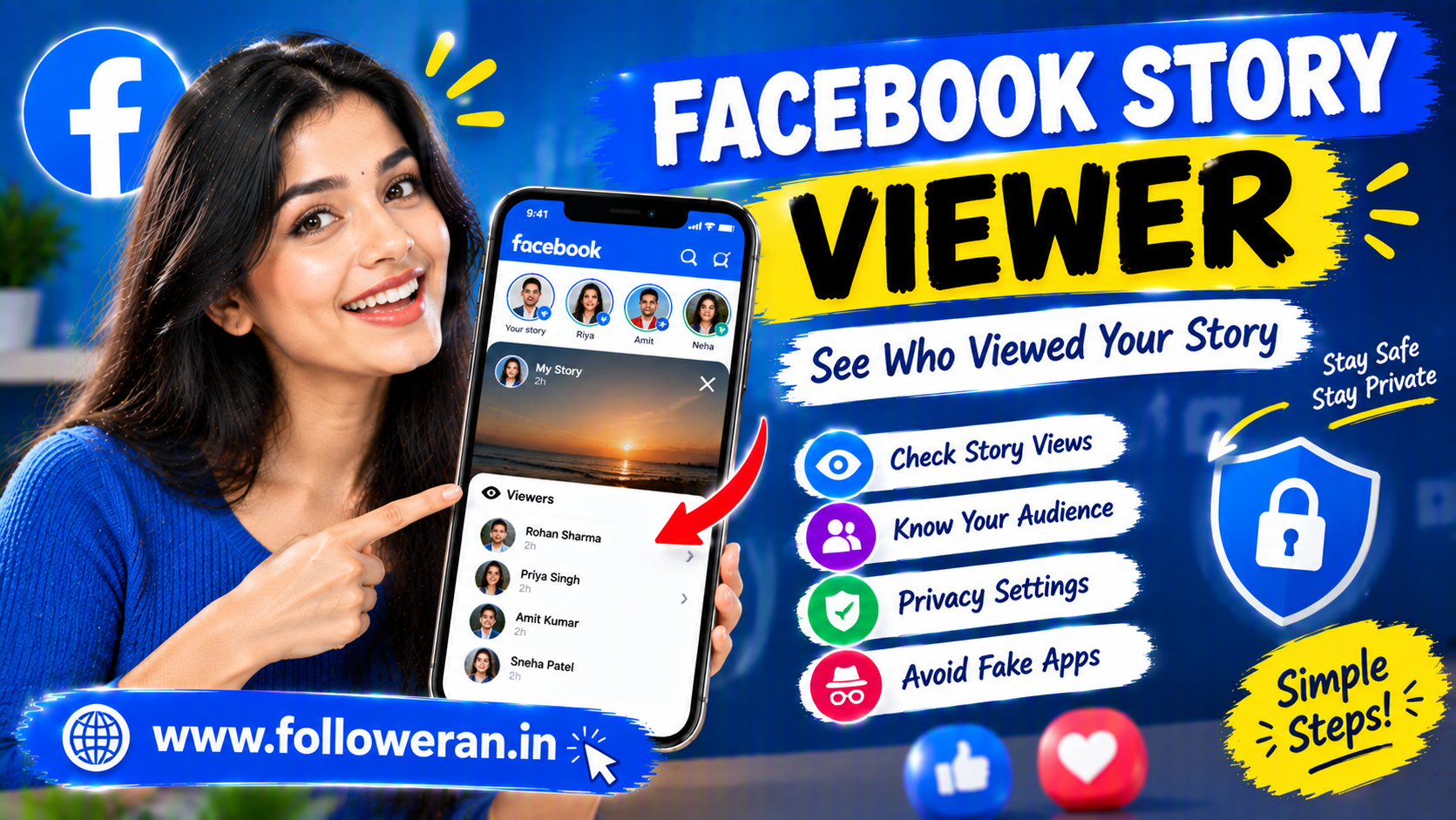
Facebook Story Viewer: How to See Story Views and Understand Privacy
The term Facebook Story Viewer can refer to several things. Most commonly, people use it when they want to know who viewed their Facebook Story, how Story views work, or whether there is a way to view someone else's Story anonymously.
Facebook Stories are temporary posts that can include photos, videos, text, and other creative elements. Because Stories are designed for quick, short-lived sharing, understanding their audience and privacy settings is important for both personal users and businesses.
Facebook gives users control over who can see content they share through its audience and privacy controls. Meta says users can decide who can see what they share and provides tools such as Privacy Checkup to review these settings.
What Is a Facebook Story Viewer?
A Facebook Story Viewer is generally the viewer information associated with a Facebook Story.
The phrase is also commonly used to describe websites or apps that claim to let people view Facebook Stories anonymously.
These are two very different concepts.
Facebook's Built-In Story Viewer
This refers to Facebook's own Story-viewing and viewer information features.
Third-Party Story Viewer Tools
These are external websites, apps, or services claiming to provide additional Story-viewing functionality, sometimes including anonymous viewing.
The safest way to interact with Facebook Stories is to use Facebook's own app or website rather than giving account credentials to an unknown third-party service.
How Facebook Story Views Work
When you publish a Story, people who are included in your selected audience may be able to see it.
The exact audience depends on your privacy and sharing settings.
Meta emphasizes that users are in control of who can see the content they share across its technologies.
For that reason, two Facebook users can have very different Story audiences depending on how their account and individual Story settings are configured.
How to See Who Viewed Your Facebook Story
If you have published a Facebook Story and want to check its viewers, open your active or recently published Story through Facebook and look for the viewer information provided by the platform.
The exact interface can vary depending on whether you are using:
Facebook on Android
Facebook on iPhone
Facebook in a web browser
A Page or professional account
A personal profile
Facebook regularly changes its interface, so button names and their placement may differ between versions.
The important principle is that viewer information should be checked through Facebook itself rather than relying on an external “viewer checker.”
Can You See Everyone Who Viewed Your Facebook Story?
The viewer information available to you depends on Facebook's current features and the Story's privacy settings.
A common misconception is that every possible person who encountered a Story will always appear in exactly the same way in the viewer list.
Story visibility depends on the audience chosen by the person who posted it. Meta's privacy tools allow users to control who can see their content, including using public, friends, or customized audiences where available.
Therefore, Story visibility should not be assumed to be identical for every account.
Can You View a Facebook Story Anonymously?
This is one of the most common reasons people search for Facebook Story Viewer.
There are websites and apps that advertise anonymous Facebook Story viewing, but you should be cautious about believing these claims.
A third-party website may not have the same access to Facebook's systems as the official Facebook app. It may also ask you for information that you should never provide.
Avoid any Story-viewing service that requests:
Your Facebook password
Your login verification code
Your recovery code
Your email password
Unnecessary account permissions
Meta's security guidance explicitly says not to share login details with others and recommends using strong, unique passwords for accounts.
Are Anonymous Facebook Story Viewer Websites Safe?
Not automatically.
A website may look professional while still being unsafe.
Be particularly careful when an anonymous Story viewer asks you to:
Log In With Your Facebook Password
Do not give your password to an unfamiliar Story-viewing site.
Install an Unknown App
Avoid downloading APK files or software from sources you do not trust.
Enter a Verification Code
A one-time code can be sensitive account-security information.
Complete Suspicious Surveys
Some “free viewer” websites redirect users through advertisements, surveys, downloads, or unrelated pages.
Connect Your Account
Review permissions carefully before connecting any external service to a social-media account.
Meta provides Security Checkup and other tools specifically to help users protect their Facebook accounts.
Facebook Story Viewer Online: What Should You Know?
Searching for Facebook Story Viewer online usually means someone is looking for a browser-based way to see Stories or Story viewers.
There are two important questions to ask:
Is the service actually connected to Facebook?
Does it require your account information?
If an external site asks for your Facebook credentials to reveal Story information, treat that as a warning sign.
Facebook's own privacy tools are the more appropriate place to manage who can see your content and review account security.
Can You View Someone's Facebook Story Without Them Knowing?
You should not assume that using an external website will make a Story view invisible.
Third-party claims about “anonymous viewing” may not reflect how Facebook actually records or displays interactions.
The safer assumption is that viewing content through Facebook can be subject to Facebook's own visibility and interaction systems.
If privacy matters, review Facebook's own settings rather than relying on an external viewer tool.
Facebook Story Viewer for Public Stories
Public Stories can potentially reach a wider audience than Stories limited to friends or a custom group.
Meta's privacy guidance explains that users can control the audience for content they share and customize who sees particular types of content.
For creators and businesses, broader visibility can make Stories useful for:
Product announcements
Events
Offers
Tutorials
Behind-the-scenes content
New videos
Customer updates
Brand storytelling
For personal accounts, however, it is important to check the audience setting before posting anything sensitive.
Facebook Story Viewer for Private Stories
Private or restricted Stories should not be treated as publicly accessible material.
When an account uses privacy controls, the intended audience is determined by those settings.
Meta's Safety Center explains that people control what information they share and who can see their content.
There is no legitimate reason to bypass another person's privacy settings simply to see restricted content.
Facebook Story Viewer vs. Facebook Story Downloader
These terms are sometimes mixed together, but they describe different things.
Story Viewer
A tool or feature used to view a Story or identify Story viewers.
Story Downloader
A tool that claims to save Story photos or videos to a device.
A downloader can create additional privacy concerns because it may involve copying somebody else's content outside the platform.
Always consider whether you have permission to save or reuse someone else's material.
Facebook Story Viewer vs. Facebook Story Views
These phrases are also different.
Facebook Story Viewer generally refers to the person viewing a Story or the system showing viewer information.
Facebook Story Views refers to the viewing activity associated with the Story.
For marketers, looking at views alone may not provide a complete picture of Story performance.
You may also want to understand:
Replies
Reactions
Link clicks
Profile activity
Follows
Other available Insights
How Businesses Can Use Facebook Stories
Stories can be useful for businesses that want to stay visible between regular posts.
Share Limited-Time Offers
A Story can highlight a promotion or event.
Show Behind the Scenes
People often like seeing how products or services are created.
Answer Questions
Turn common customer questions into short Story answers.
Demonstrate Products
Show how a product works rather than only displaying a static image.
Share Customer Feedback
Use reviews or testimonials appropriately and with any necessary permission.
Promote New Content
Use Stories to direct existing followers toward a new post, Reel, video, or article.
The goal should be useful communication rather than filling Stories with repetitive advertising.
How Creators Can Improve Facebook Story Views
A good Story strategy is about consistency and relevance.
Use a Strong First Frame
The opening visual should make it clear why someone should continue watching.
Keep the Message Simple
One Story should communicate one main idea whenever possible.
Use Interactive Features
Questions, polls, and other available interactive tools can encourage participation.
Post Relevant Updates
Create Stories around topics your audience already follows you for.
Maintain a Consistent Style
Recognizable fonts, colors, visuals, and presentation can make your Stories easier to identify.
Test Different Formats
Compare photos, short videos, tutorials, questions, and behind-the-scenes content.
How to Protect Your Facebook Story Privacy
Privacy settings deserve attention before you publish.
Meta's Privacy Checkup helps people review settings related to the visibility of their information and content.
Before posting a Story, consider:
Who should see this?
Does the Story contain personal information?
Is my audience setting appropriate?
Am I sharing someone else's information?
Would I be comfortable with the Story being reshared?
Meta's Safety Center also recommends being thoughtful about what you share because information posted to friends or followers can potentially be shared onward.
Common Facebook Story Viewer Scams
Searches for free or anonymous Story viewers can sometimes lead to deceptive websites.
Warning signs include:
“See private Stories instantly”
“Anonymous viewer without Facebook”
“Enter your Facebook password”
“Install this APK to continue”
“Complete a survey to unlock viewers”
“Verify your account through this external page”
“Download our browser extension”
These claims should be treated cautiously.
Meta states that users should protect their login details and use security tools to keep their accounts secure.
Can a Facebook Story Viewer Show Private Stories?
You should not rely on a third-party site claiming that it can bypass the privacy settings of a Facebook account.
If a Story is restricted to a certain audience, that restriction exists precisely to control who can see the content.
Meta's privacy framework is built around user control over visibility and sharing.
Be particularly skeptical of any website promising access to private Stories without the owner's permission.
Facebook Story Viewer for Marketing
From a marketing perspective, Story viewers can provide useful signals about audience interest.
A business can examine how different Story topics perform and then adjust its content.
For example:
Story 1: Product photo
Story 2: Product demonstration
Story 3: Customer question
Story 4: Limited-time offer
Over time, performance data can help identify which formats generate the most attention.
Meta also describes recommendation and ranking systems across Facebook, including systems for Stories, Feed, Reels, and other surfaces, using signals related to people's interactions and interests.
Facebook Story Viewer for SMM and Social Media Managers
Social-media managers may need to monitor Stories for several business accounts.
A sensible workflow is to:
Use official Facebook account access.
Review Story performance regularly.
Record important engagement metrics.
Identify high-performing content themes.
Protect client login credentials.
Use approved account-management tools where appropriate.
Do not ask clients to share passwords unnecessarily.
Account security should always be part of social-media management.
How to Increase Facebook Story Views
If your objective is Facebook Story viewer growth, focus on attracting more legitimate viewers rather than trying to manipulate viewer counts.
Create Stories around:
Current topics
Frequently asked questions
Short tutorials
New products
Offers
Polls
Customer stories
Behind-the-scenes moments
Useful tips
Also consider the time of day your audience is most active and use your available analytics to compare performance.
Frequently Asked Questions
What is a Facebook Story Viewer?
It can refer to someone who views a Facebook Story, the viewer list associated with your own Story, or a third-party service claiming to provide Story-viewing functionality.
How do I see who viewed my Facebook Story?
Open your Story through Facebook and use the viewer information provided by Facebook. The interface can vary by app version and account type.
Can I view Facebook Stories anonymously?
Third-party websites may claim to provide anonymous viewing, but such claims should be treated cautiously. Do not provide your Facebook password or security codes to an unfamiliar service.
Can I see who viewed my Facebook Story?
Facebook provides Story-viewing information for your own content, subject to its current features, account type, and privacy settings.
Can a Facebook Story viewer show private Stories?
You should not rely on a third-party tool claiming to bypass another person's privacy settings. Private content should remain accessible only to the intended audience.
Is there a Facebook Story Viewer app?
There are third-party apps and websites using similar terminology, but they are not necessarily official Facebook products. Review permissions and security requirements carefully before using them.
What is the difference between a Story viewer and a Story downloader?
A Story viewer is intended for viewing or identifying Story activity, while a Story downloader claims to save Story media to a device.
How long do Facebook Stories last?
Facebook Stories are designed as temporary content, but exact availability can depend on Facebook's current product features and how the Story is managed or archived.
Can I control who views my Facebook Story?
Facebook provides audience and privacy controls that let users decide who can see what they share.
How can I get more Facebook Story views?
Publish useful, visually engaging Stories consistently, use interactive features, test different topics, and analyze which content performs best with your audience.
Final Thoughts
The keyword Facebook Story Viewer covers several different searches, from people trying to check who viewed their own Story to users looking for anonymous Story-viewing tools.
For checking your own Story activity or controlling who can see your content, Facebook's built-in features and privacy settings are the most appropriate place to start. Meta emphasizes that users control the visibility of their content and provides privacy and security tools to help manage that control.
Be cautious with websites claiming to reveal private Stories, provide guaranteed anonymous viewing, or unlock hidden viewer information. Never give an unfamiliar service your Facebook password, verification code, or recovery information.
For creators and businesses, Stories can also be a useful way to maintain audience attention, test content ideas, answer questions, and measure viewer interaction.
