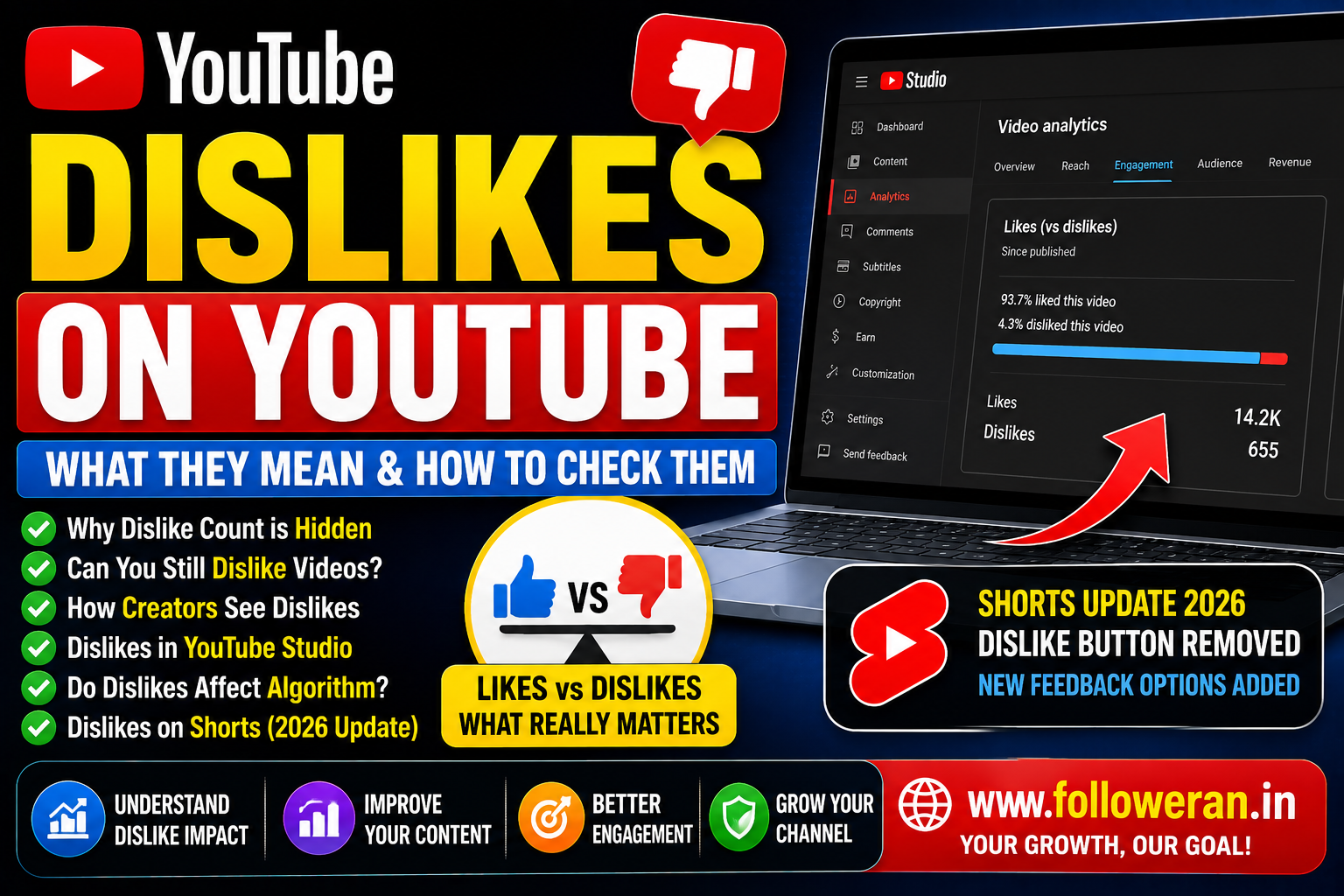
Dislikes on YouTube: What They Mean and How to Check Them
If you're searching for dislikes on YouTube, you may want to know why the dislike count disappeared, whether creators can still see dislikes, how dislikes affect recommendations, or how to check dislike data in YouTube Studio.
YouTube still allows viewers to dislike eligible content, but the public dislike count is private. YouTube introduced this change to reduce targeted dislike attacks and harassment, while still allowing creators to access dislike information for their own content through Studio.
What Are Dislikes on YouTube?
A dislike is a way for a viewer to indicate that they don't like a video.
For long-form videos and livestreams, YouTube currently provides a thumbs-down option. For Shorts, YouTube has been changing the feedback interface and has moved toward a heart-based feedback system.
A dislike can provide feedback to YouTube and contribute to understanding how viewers respond to content.
Why Can't I See the YouTube Dislike Count?
YouTube made public dislike counts private in 2021.
The company said its testing found that hiding the public number reduced dislike-attack behaviour, particularly against smaller creators. Viewers can still use the dislike button, but the public count isn't displayed on the video's watch page.
This means you may see:
Like 👍
Dislike 👎
but not:
Dislikes: 12,345
on the public video page.
Can Creators Still See YouTube Dislikes?
Yes, for applicable content, creators can still use YouTube Studio analytics to examine likes and dislikes on their videos.
YouTube's current Analytics help documentation includes a Likes (vs dislikes) report under the Engagement section.
This allows creators to use dislike data for their own performance analysis even though viewers cannot see the public total.
How to Check Dislikes on YouTube Studio
For your own videos:
- Sign in to YouTube Studio.
- Open Content.
- Select the video you want to analyse.
- Open Analytics.
- Go to the Engagement section.
- Look for the Likes (vs dislikes) report.
YouTube's current Studio guidance confirms that the Engagement tab includes a Likes vs dislikes report.
YouTube is also rolling out changes to the Studio interface during 2026, so the exact location or appearance of analytics controls may differ between accounts.
Can You See Who Disliked Your YouTube Video?
No.
YouTube does not provide creators with a list identifying individual viewers who disliked a video. The dislike is available as an aggregate engagement signal rather than a public list of users.
Do Dislikes Hurt YouTube Videos?
A dislike isn't automatically a signal that a video will fail.
YouTube says likes and dislikes are among the hundreds of signals considered by its recommendation system. It also considers whether viewers choose to watch, how much of the video they watch and whether they appear satisfied with the content.
That means a few dislikes don't necessarily mean that your video is being suppressed.
How Much Do Dislikes Affect the YouTube Algorithm?
YouTube describes likes and dislikes as somewhat influential, but not as the only ranking signal.
Its recommendation system considers a combination of factors, including:
- What viewers watch
- What viewers don't watch
- What they search for
- Likes
- Dislikes
- “Not interested” feedback
- Watch behaviour
- Viewer satisfaction
This is why creators should avoid judging a video solely by its dislike count.
Likes vs Dislikes on YouTube
A useful metric is the relationship between positive and negative feedback.
For example:
| Metric | Example |
|---|---|
| Likes | 900 |
| Dislikes | 45 |
| Total likes + dislikes | 945 |
| Like share of responses | ~95.2% |
The formula for the positive-response percentage is:
Likes ÷ (Likes + Dislikes) × 100
This can provide additional context when analysing your own videos.
However, engagement rate, retention and watch behaviour should also be considered.
What Is a Good YouTube Dislike Ratio?
There isn't a universal “good” dislike ratio that applies to every channel.
A tutorial may have a different response pattern from:
- News
- Politics
- Product reviews
- Comedy
- Gaming
- Educational content
- Opinion videos
Instead of comparing your ratio with a random channel, compare your videos with your own historical performance.
Why Do YouTube Videos Get Dislikes?
People may dislike a video because:
- The content wasn't useful
- The title created the wrong expectation
- The video was too long
- Audio or video quality was poor
- The viewer disagreed with the opinion
- The information was inaccurate
- The viewer simply didn't enjoy it
A dislike doesn't always mean the video is bad.
Sometimes disagreement can still create meaningful engagement and help YouTube understand viewer preferences.
Dislikes Can Still Be Useful Feedback
Creators shouldn't automatically treat dislikes as a failure.
Instead, ask:
What changed?
Which topic generated the negative response?
Did viewers leave early?
Was the title misleading?
Did comments reveal a common complaint?
YouTube Analytics provides additional performance data such as watch time and average view duration that can help put audience feedback into context.
Dislikes and Audience Retention
Suppose a video has:
High views + many dislikes + strong retention
That may mean viewers are interested in the topic but divided about the content.
Another video could have:
Low dislikes + very low retention
which may indicate that people simply aren't interested enough to continue watching.
This is why dislike data should be examined alongside retention and watch behaviour.
Dislikes on YouTube Shorts
YouTube has made a significant recent change to Shorts.
In June 2026, TeamYouTube announced that the Dislike button was being retired from the Shorts player and replaced with other feedback options, including a heart icon and “Not interested” controls. Historical dislike data remains available for Shorts, but the dislike count stopped updating for Shorts by the end of June 2026.
YouTube said dislikes continue to be reported as usual for long-form videos and Live.
This means that advice written several years ago about checking current Shorts dislike counts can now be outdated.
Can YouTube Dislikes Be Hidden?
The public dislike count is already private across YouTube.
Creators can still access applicable dislike information for their own content through Studio analytics.
Can YouTube Dislikes Be Removed?
YouTube users can't simply remove dislikes individually from other viewers' accounts.
A creator can take action on content or comments that violate YouTube policies, but legitimate viewer feedback remains part of the platform's engagement system.
Can You Buy YouTube Dislikes?
Some third-party websites may advertise artificial dislikes.
Using artificial engagement is a poor strategy because it doesn't represent genuine audience feedback and can make your analytics less useful.
Creators should focus on legitimate audience growth rather than manipulating engagement metrics.
Can Dislikes Cause a YouTube Channel to Be Banned?
A few ordinary dislikes do not mean a channel will be banned.
The more important issue is whether the channel or its content violates YouTube's policies.
YouTube's recommendation and performance systems evaluate many signals rather than simply punishing a video because it receives dislikes.
How to Reduce Unnecessary YouTube Dislikes
You cannot eliminate negative feedback completely, but you can reduce avoidable dislikes.
1. Match the Title to the Video
Don't promise something the video doesn't deliver.
2. Improve the Introduction
Get to the main point quickly.
3. Check Accuracy
Verify important claims before publishing.
4. Improve Audio
Poor sound can make an otherwise useful video frustrating to watch.
5. Understand Your Audience
Create videos for the viewers you actually want to attract.
6. Respond to Constructive Feedback
Comments can reveal problems that dislike counts alone cannot explain.
Use YouTube Analytics Instead of Focusing Only on Dislikes
YouTube Analytics provides reports covering:
- Views
- Watch time
- Average view duration
- Reach
- Engagement
- Audience
- Revenue
- Trends
These metrics can help you understand the overall health of a video.
A useful performance framework is:
Impressions → Click → Watch → Engagement → Subscriber
Dislikes are only one small part of that journey.
YouTube Dislikes and Viewer Recommendations
YouTube says likes and dislikes contribute to recommendations, alongside what viewers choose to watch, what they skip, searches, “Not interested” feedback and viewer satisfaction.
So the dislike button is still useful to the platform even though the public count is hidden.
Common YouTube Dislike Mistakes
Avoid:
- Obsessing over every dislike
- Buying artificial dislikes
- Assuming dislikes automatically destroy rankings
- Ignoring audience retention
- Ignoring comments
- Judging Shorts using outdated dislike-count information
- Comparing your ratio with unrelated channels
Explore YouTube and Social-Media Marketing Resources
If you're comparing YouTube views, subscribers, likes and other social-media marketing resources, you can explore:
Review the current services, pricing, delivery information and terms before placing an order.
Frequently Asked Questions
Why did YouTube remove the dislike count?
YouTube made public dislike counts private to reduce coordinated dislike attacks and harassment while keeping the dislike function available to viewers.
Can I still dislike a YouTube video?
Yes. For long-form videos and livestreams, viewers can still use the dislike button.
Can I see dislikes on my own YouTube videos?
Creators can access applicable dislike information through YouTube Studio's Likes (vs dislikes) analytics report.
Can I see who disliked my YouTube video?
No. YouTube does not provide a list identifying individual viewers who disliked a video.
Do dislikes hurt YouTube SEO?
Dislikes are one of many signals considered by YouTube's recommendation system, but they are not the sole factor determining whether a video is recommended. Viewer satisfaction, watch behaviour and other signals also matter.
Can I see dislike counts on YouTube Shorts?
The situation changed in 2026. YouTube retired the Dislike button from the Shorts player, and the dislike count stopped updating for Shorts by the end of June 2026, while historical data remains available to creators.
What should I do if my video suddenly gets many dislikes?
Look at the wider performance picture. Check retention, average view duration, comments, traffic sources and audience response before making major changes.
Final Thoughts
The subject of dislikes on YouTube has changed significantly since YouTube made public dislike counts private.
Today, viewers can still provide negative feedback on eligible long-form content, but the public dislike total isn't shown. Creators can use YouTube Studio's Likes (vs dislikes) analytics to understand feedback on their own videos, while YouTube's recommendation system considers dislikes alongside many other signals such as watch behaviour and satisfaction.
For Shorts, YouTube introduced another major change in June 2026 by retiring the Dislike button and stopping the updating of Shorts dislike counts, while preserving historical data.
For long-term YouTube growth, focus on audience retention, useful content, accurate titles, viewer satisfaction and meaningful engagement rather than trying to eliminate every dislike.
For more YouTube and social-media marketing resources, visit www.followeran.in.
