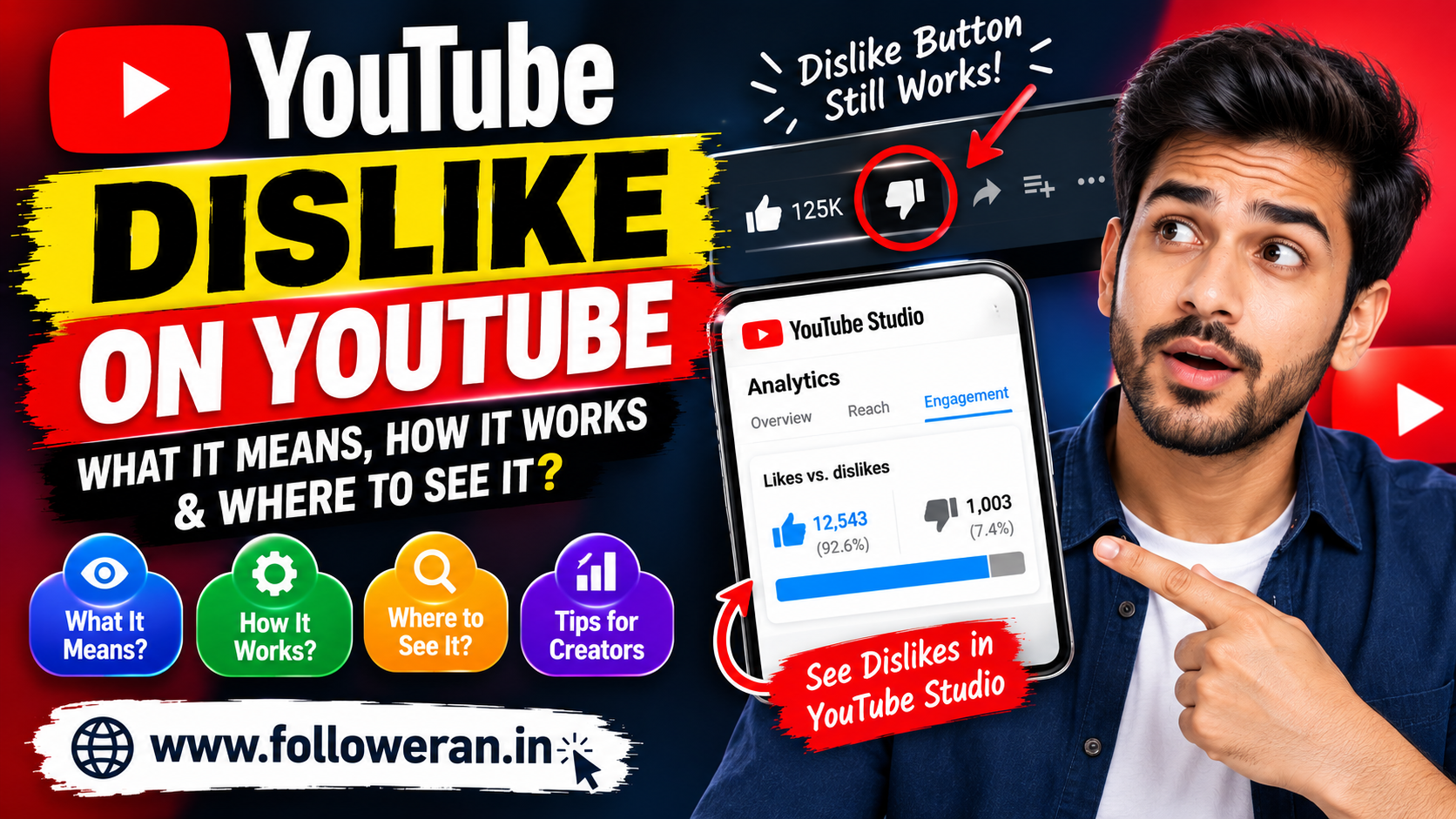
Dislike on YouTube: What It Means, How It Works and Where to See It
The dislike on YouTube button has changed significantly over the years. Viewers can still use the dislike button on supported videos, but the public dislike count is no longer displayed on YouTube video pages. Creators, however, can still see dislike data for their own videos through YouTube Studio.
This change was introduced after YouTube found that hiding public dislike totals reduced targeted dislike attacks against creators. The company said the dislike button itself would remain available so viewers could continue providing feedback and helping personalize recommendations.
If you're searching for dislike on YouTube, this guide explains what the button does, whether you can see dislike counts, how creators can check them and what the metric actually tells you.
What Is the Dislike Button on YouTube?
The YouTube dislike button allows viewers to indicate that they didn't like or weren't satisfied with a video.
For long-form videos and livestreams, viewers can select the thumbs-down button. YouTube says that disliking a video is one way to express an opinion, while inappropriate content should instead be reported through YouTube's reporting tools.
The button is therefore still part of YouTube's feedback system, even though the public count has changed.
Can You See the Number of Dislikes on YouTube?
For viewers, the public dislike count is not displayed on the normal YouTube video page.
YouTube announced that dislike counts would become private across the platform, while creators could continue seeing exact dislike counts for their own videos in YouTube Studio.
This means you may see:
Like 👍
but not:
Dislike 👎 12,450
on another creator's video.
The creator can still access the underlying dislike data for their own content.
Why Did YouTube Hide the Dislike Count?
YouTube said the main reason was to reduce targeted dislike attacks.
According to YouTube's announcement, its experiment showed that when the dislike number wasn't visible, people were less likely to target the dislike button simply to drive the number upward. YouTube also said smaller and newer channels were disproportionately affected by this behavior.
So the change wasn't about removing negative feedback altogether.
The button remained.
The public number was removed.
Does the YouTube Dislike Button Still Work?
Yes, where the button is available.
YouTube's current Help Centre says that viewers can dislike long-form videos and livestreams using the thumbs-down button. To undo the choice, the viewer can select the icon again.
Dislikes therefore still provide feedback even though viewers generally cannot see the total number submitted by everyone else.
Can Creators See Dislikes?
Yes.
Creators can view likes and dislikes for their own videos through YouTube Studio.
YouTube's Analytics documentation includes a Likes vs dislikes report under the Engagement section. It summarizes how many viewers liked and disliked videos.
How to Check Dislikes in YouTube Studio
The current workflow is:
YouTube Studio → Content → Select a video → Analytics → Engagement
YouTube identifies the Likes vs dislikes report as part of the Engagement reporting area.
The exact interface can change as YouTube updates Studio, but the Engagement section is the key place to look.
What Does a YouTube Dislike Tell You?
A dislike doesn't automatically mean the video is bad.
A viewer may dislike a video because:
The information wasn't useful
The video didn't match expectations
The title or thumbnail was misleading
They disagree with the opinion
The presentation wasn't enjoyable
The information was incorrect
They simply prefer different content
That's why you shouldn't analyse dislikes in isolation.
Look at dislikes together with:
Views
Likes
Watch time
Average view duration
Audience retention
Comments
Shares
Subscribers gained
YouTube's Engagement reports are designed to provide a broader picture of audience interaction, including watch time, average view duration and likes versus dislikes.
Likes vs Dislikes on YouTube
Consider this example:
| Metric | Video A | Video B |
|---|---|---|
| Views | 50,000 | 10,000 |
| Likes | 2,500 | 900 |
| Dislikes | 200 | 20 |
| Comments | 150 | 180 |
| Subscribers gained | 120 | 95 |
Video A received significantly more exposure, but Video B may have generated a relatively strong response from a smaller audience.
This is why raw dislike counts shouldn't be treated as a simple pass/fail metric.
Is a High Dislike Count Bad for a YouTube Video?
Not necessarily.
A video with many dislikes may still attract substantial viewing and discussion.
For example, controversial subjects can create both strong approval and strong disagreement.
The more important questions are:
Who disliked it?
Why did they dislike it?
Did they continue watching?
Did they comment?
Did the video attract the right audience?
A dislike is feedback, not a complete performance report.
Does Dislike Affect YouTube Recommendations?
YouTube has said viewers can still use the dislike button to help personalize and tune their recommendations.
That means the action can still be useful as feedback about a viewer's preferences.
However, creators shouldn't assume that one dislike will automatically cause YouTube to suppress a video.
Recommendation systems use many signals, and dislike is only one form of viewer feedback.
Are YouTube Dislikes Removed Completely?
No.
The public dislike count was removed, but YouTube did not remove the dislike action itself for supported content.
Creators can still see dislike totals on their own videos in Studio.
This distinction is important:
Dislike button = still available
Public dislike number = hidden
Creator's own dislike data = available in Studio
Can You See Dislikes on Someone Else's Video?
You generally cannot see the exact official dislike total for another creator's video directly on YouTube.
YouTube made the dislike count private specifically so that the public watch page no longer displays that total.
Some third-party browser extensions and websites claim to estimate dislike counts, but those estimates should not be confused with YouTube's official data.
What Happened to the YouTube Dislike API?
The public dislike-count system was also affected by YouTube's decision to make dislike totals private.
Third-party tools may therefore rely on estimates or historical information rather than having direct access to an official public dislike total.
For accurate information about your own channel, YouTube Studio remains the more appropriate source.
How Should Creators Respond to Dislikes?
Don't immediately panic when a video gets dislikes.
Instead, investigate the context.
Check Audience Retention
Did viewers leave very early?
Read the Comments
Do people mention a specific problem?
Check the Topic
Was the topic controversial or simply misunderstood?
Compare Similar Videos
Does the same subject consistently receive negative feedback?
Review Your Title and Thumbnail
Did they promise something the video didn't deliver?
This turns negative feedback into actionable information.
How to Reduce Unnecessary Dislikes
You can't eliminate negative opinions, and you shouldn't try to make everyone happy.
But you can reduce avoidable dislikes by making your videos clearer.
Match the Title to the Content
Don't promise something the video doesn't provide.
Use Accurate Thumbnails
Avoid misleading visual claims.
Deliver Value Quickly
Don't force viewers to sit through a long introduction before getting to the point.
Verify Your Information
Incorrect information can quickly damage audience trust.
Know Your Audience
Create content for a specific audience rather than everyone on the internet.
Improve Audio and Video Quality
Technical problems can negatively affect the viewing experience.
Are Dislikes a Useful Analytics Metric?
Yes, when used correctly.
YouTube itself includes Likes vs dislikes within its Engagement reports. It also provides other metrics such as watch time, average view duration and audience retention.
Instead of asking:
"How many dislikes did I get?"
ask:
"What does my audience feedback tell me about this video?"
That's a much more useful question.
What Is a Good Like-to-Dislike Ratio?
There isn't one official YouTube ratio that determines whether a video is successful.
For example, a video with 95% likes isn't automatically better than a video with 90% likes.
Context matters.
A controversial topic might naturally receive more negative feedback than a straightforward tutorial.
Compare the performance against:
Similar videos
Your previous uploads
Your target audience
Watch behaviour
Comments
Subscriber growth
Use trends rather than a single number.
Can a Video Have More Dislikes Than Likes?
Yes.
A video can receive more dislikes than likes if viewers respond negatively to it.
That doesn't automatically mean YouTube will remove it or that the video has violated any policy.
Dislike is a form of audience feedback.
Policy violations are handled through YouTube's separate reporting and enforcement systems.
Why Do YouTube Like and Dislike Counts Sometimes Change?
YouTube says its systems verify engagement metrics to help ensure that they come from legitimate activity.
Its current documentation says some likes and dislikes can be marked invalid and periodically removed from counts. YouTube also notes that metrics may take time to appear or can be adjusted as engagement is verified.
So a changing number doesn't necessarily mean someone manually removed their dislike.
It can be part of YouTube's metric-validation process.
Does a Dislike Count as Engagement?
YouTube includes likes, dislikes and subscriptions among its engagement metrics.
That makes dislikes meaningful as a form of interaction, although they shouldn't be interpreted as positive engagement.
A dislike tells you that a viewer took an action, but it doesn't tell you the exact reason behind that action.
How to Improve Videos After Receiving Many Dislikes
If a video receives more negative feedback than expected, review it objectively.
Ask:
Was the title accurate?
Was the thumbnail honest?
Did the opening match the promise?
Was the information correct?
Was the pacing too slow?
Did viewers expect something different?
Did the topic attract the wrong audience?
You can then use those observations when creating the next video.
YouTube Dislike vs Report
These are not the same thing.
A dislike is an expression of viewer preference or opinion.
A report tells YouTube that a piece of content may violate platform rules or be inappropriate.
YouTube specifically advises viewers to report inappropriate content rather than simply using dislike for that purpose.
Does Disliking a Video Hurt the Creator?
A dislike is feedback, but the public count is hidden from other viewers.
The creator can still see the dislike data in Studio and use it as one of several signals when analysing performance.
One or a few dislikes shouldn't automatically be viewed as a crisis.
Even successful channels receive negative feedback.
Current YouTube Engagement Changes
It's also worth knowing that YouTube continues to update how its metrics are calculated.
As of 24 August 2026, YouTube says public video views are counted when a video starts playing across Shorts, long-form videos and live streams. It continues to retain engaged views as a separate metric in Analytics, and YPP earnings and eligibility continue to use their respective qualified/engaged metrics.
This is another reason creators should avoid judging channel performance from one number alone.
Frequently Asked Questions
Can I still dislike a YouTube video?
Yes. YouTube's Help Centre says viewers can dislike supported long-form videos and livestreams using the thumbs-down button.
Can I see how many dislikes another YouTube video has?
The official public dislike count is hidden. YouTube allows creators to view dislike counts for their own videos in Studio.
Where can creators see YouTube dislikes?
Go to YouTube Studio, open the video's Analytics and select the Engagement section, where the Likes vs dislikes report is available.
Why did YouTube hide dislikes?
YouTube said hiding the public count helped reduce targeted dislike attacks, particularly against smaller and newer creators.
Does a dislike hurt YouTube views?
A dislike is one type of viewer feedback, but there isn't a simple rule that says one dislike automatically reduces views. YouTube evaluates many signals when determining how content is distributed.
Are YouTube dislikes still counted?
Yes. YouTube continues to track dislikes for creators and includes them in engagement analytics.
Can YouTube remove fake dislikes?
YouTube says engagement metrics are checked for legitimacy and some likes or dislikes may later be marked invalid and removed.
Should I worry about getting dislikes?
Not automatically. Use them alongside retention, watch time, comments, likes and other analytics to understand audience response.
Final Thoughts
The dislike on YouTube feature hasn't disappeared—the major change is that the public dislike number is hidden.
Viewers can still use the dislike button on supported content, while creators can access dislike totals for their own videos through YouTube Studio.
Rather than worrying about every negative interaction, treat dislikes as one piece of audience feedback.
Look at the bigger picture: views, watch time, retention, likes, dislikes, comments, shares and subscriber growth.
A dislike isn't necessarily a failure. Used properly, it can be useful feedback that helps you make your next video better.
