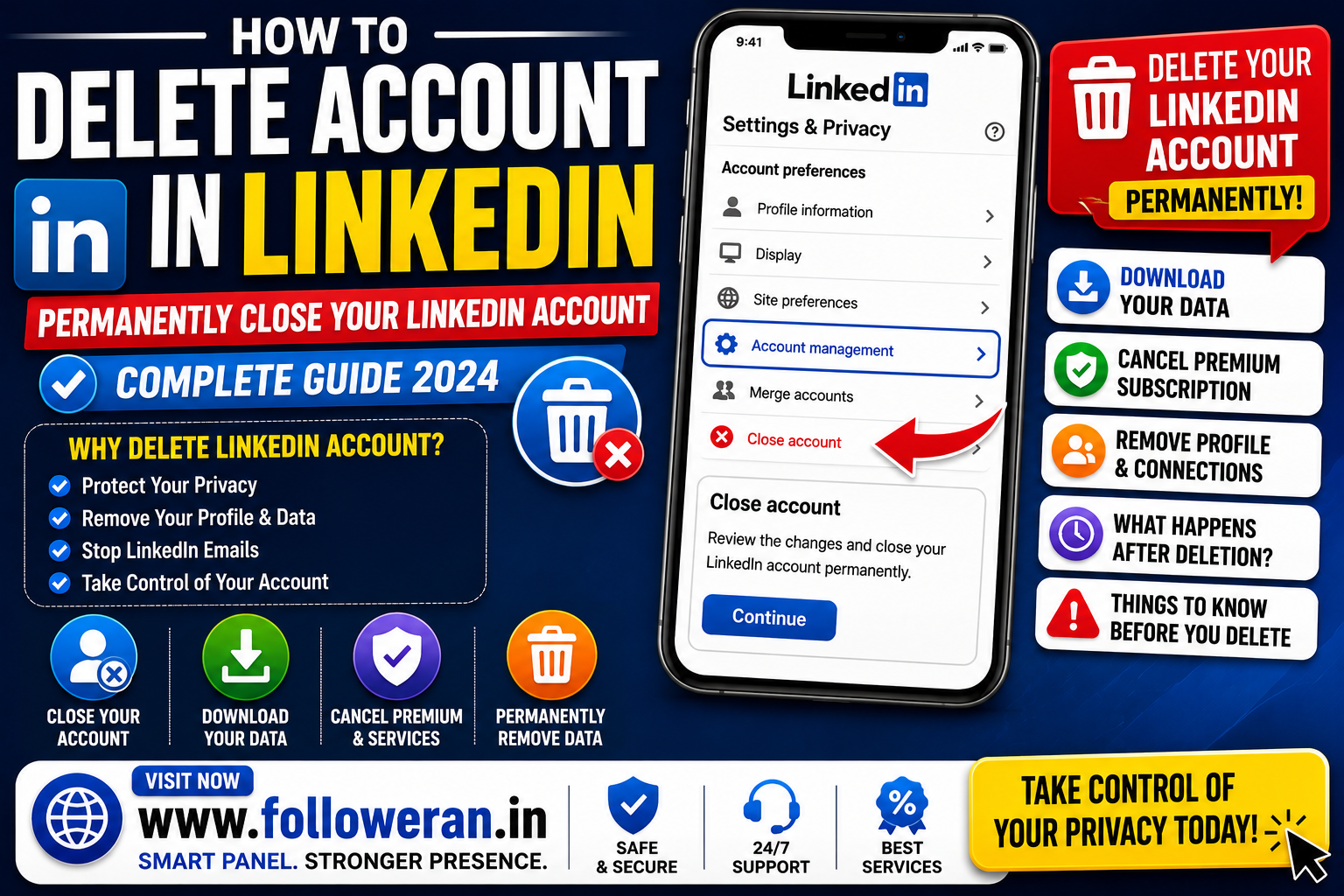
Delete Account in LinkedIn: How to Permanently Close Your LinkedIn Account
If you're searching for delete account in LinkedIn, you may want to permanently remove your LinkedIn profile, connections and account information.
LinkedIn provides an official Close account option through its account settings. Closing an account removes the profile from LinkedIn, although LinkedIn says some information may remain for legal, security, fraud-prevention or other legitimate reasons.
Before closing your account, it's worth downloading any information you want to keep and checking whether you have an active Premium subscription, advertising campaign, job posting or other LinkedIn service.
What Happens When You Delete Your LinkedIn Account?
LinkedIn uses the term close account for permanently leaving the service.
According to LinkedIn, closing an account removes your profile and prevents other people from viewing your LinkedIn information through the site. LinkedIn's privacy policy says personal data will generally stop being visible within 24 hours and that closed-account information is generally deleted within 30 days, subject to specified exceptions.
Information you've already shared with other people, such as messages or group posts, may continue to exist because other members may have copied or retained that information.
How to Delete Account in LinkedIn on Desktop
The desktop process is straightforward.
Step 1: Sign in to LinkedIn
Open LinkedIn and sign in to the account you want to close.
Step 2: Open Settings & Privacy
Click the Me icon at the top of the LinkedIn homepage and select Settings & Privacy. LinkedIn's current help documentation identifies this as the entry point for managing account settings.
Step 3: Find Account Management
Within your account preferences, locate the account-management section and choose the option to Close account.
LinkedIn's official instructions describe selecting Change next to Close account.
Step 4: Select a Reason
LinkedIn asks you to select a reason for closing your account.
Step 5: Confirm Your Password
Enter your LinkedIn password when prompted.
Step 6: Close the Account
Confirm the account closure.
Once the process is completed, LinkedIn begins the account-closure process and your profile is removed from the service.
How to Delete LinkedIn Account on Mobile
The exact interface can vary between app versions, but LinkedIn's current help information shows that account closure can be accessed from the profile/settings area.
The general route is:
Profile picture → Settings → Account preferences/account management → Close account
LinkedIn's current mobile instructions require you to continue through the closure process, select a reason, enter your password and confirm the closure.
Before You Delete Your LinkedIn Account
Don't close your account until you've checked the information you may want to retain.
Download Your LinkedIn Data
LinkedIn provides an option to download a copy of your account data through Settings & Privacy.
Depending on your account, this information may include useful records that you don't want to lose.
Save Important Contacts
If you use LinkedIn professionally, consider saving important contact information before closing your account.
Save Important Messages
Important conversations may be useful later, particularly if LinkedIn is part of your professional networking.
Check Premium
If you have LinkedIn Premium, check your subscription status before closing the account.
LinkedIn says Premium users can cancel Premium and retain a free Basic account instead of permanently closing the account.
Do I Need to Cancel LinkedIn Premium Before Deleting My Account?
Check your subscription before closing your account.
LinkedIn's official documentation notes that certain services may need to be cancelled before account closure. For duplicate-account situations, LinkedIn specifically lists Premium subscriptions, outstanding job postings/listings and advertising campaigns among items that may need attention.
If you only want to stop paying for Premium while keeping your profile, do not close your account. Cancel Premium instead; LinkedIn says the account then returns to the Basic plan while retaining your profile, connections and other data.
Delete LinkedIn Account vs Cancel Premium
These are two different actions.
| Action | What Happens |
|---|---|
| Cancel Premium | You keep your LinkedIn account and profile |
| Close LinkedIn account | Your profile and account are closed |
| Deactivate/limit activity | Depends on the specific privacy settings |
| Delete individual data | Only selected information is removed |
LinkedIn explicitly distinguishes cancelling Premium from closing the entire account.
Can I Delete LinkedIn Without Losing My Connections?
No, not in the sense of keeping the same closed account.
Closing the account removes access to the LinkedIn profile and account information, including your connections. LinkedIn's account-closure documentation warns that account-related data and connections are lost when an account is closed.
If your concern is privacy or reducing LinkedIn activity, you may prefer changing visibility settings instead of deleting the account.
What If You Have Two LinkedIn Accounts?
LinkedIn recommends considering whether duplicate accounts should be merged rather than simply deleting one.
If you can access both accounts, LinkedIn provides a process for merging or closing a duplicate account. It warns that information associated with the account being closed may be purged and recommends downloading an archive first.
Some information does not transfer during a merge, including certain profile content, recommendations, saved articles and group memberships.
What If You Forgot Your LinkedIn Password?
You need access to the account before you can normally complete the standard closure process.
If you can't sign in, use LinkedIn's official password-recovery process first. LinkedIn's help documentation explains that users who cannot sign in should recover access and then follow the appropriate account-closure instructions.
Don't use third-party websites claiming they can delete or bypass a LinkedIn account for you.
What If You Can't Access Your Email Address?
If you remember your account but no longer have access to its email address, LinkedIn provides account and identity-verification processes for certain situations.
Use LinkedIn's official recovery and support channels rather than giving your password or verification codes to an unofficial service.
Can I Recover a Deleted LinkedIn Account?
Don't assume that a closed account can be restored indefinitely.
Because LinkedIn starts the deletion process after account closure and generally deletes closed-account information within 30 days subject to exceptions, it is best to treat closure as a permanent decision.
Before closing the account, download anything you might want later.
What Happens to Your Google Search Result?
After closing your LinkedIn account, your profile may not disappear from external search engines immediately.
Search engines such as Google and Bing maintain their own indexes and may continue showing cached or indexed information for a period while their databases update. LinkedIn's account-closure documentation specifically notes that search engines may temporarily continue displaying information after the account is closed.
What Happens to LinkedIn Messages After Account Closure?
Closing your account removes your LinkedIn profile, but information you've already shared with other members may continue to exist.
LinkedIn's privacy policy explains that information shared with others, including messages, updates or group posts, may remain visible because LinkedIn doesn't control copies that other members have retained.
What If You Only Want a Break From LinkedIn?
Deleting your account isn't always necessary.
You might instead:
- Reduce notifications
- Adjust profile visibility
- Remove unnecessary information
- Stop publishing posts
- Cancel Premium
- Review privacy settings
LinkedIn's Settings & Privacy section provides controls for account preferences, security, visibility, data privacy, advertising and notifications.
LinkedIn Account Deletion Checklist
Download a copy of important LinkedIn data.
Save important professional contacts.
Save important messages or information.
Check LinkedIn Premium.
Check job postings or advertising campaigns.
Check whether you have duplicate accounts.
Make sure you can sign in.
Open Settings & Privacy.
Select the account-closure option.
Confirm the closure.
Common Mistakes When Deleting a LinkedIn Account
Avoid:
- Closing the wrong account
- Forgetting to download important data
- Cancelling Premium unnecessarily
- Forgetting about active business services
- Assuming Google removes the profile instantly
- Giving login credentials to third-party “account deletion” sites
- Closing an account when you only wanted to stop Premium
Frequently Asked Questions
How do I delete account in LinkedIn?
Sign in to LinkedIn, open Settings & Privacy, go to the account-management section, select Close account, choose your reason, enter your password and confirm.
Does deleting LinkedIn permanently delete everything?
LinkedIn says closed-account information is generally deleted within 30 days, but some information may be retained for legal, security, fraud-prevention or other legitimate reasons.
Does closing LinkedIn delete my connections?
Yes. Closing the account removes your LinkedIn account and associated connections.
Can I cancel LinkedIn Premium without deleting my account?
Yes. LinkedIn says cancelling Premium returns the account to the Basic plan while retaining your profile, connections and other data.
Can I delete LinkedIn from my phone?
Yes. LinkedIn's current mobile instructions provide an account-closure option through the profile/settings area.
What happens to my LinkedIn profile after deletion?
Your profile is removed from LinkedIn, generally becoming invisible to others within 24 hours, although external search engines may temporarily continue displaying indexed information.
Should I download my LinkedIn data before deleting my account?
Yes. LinkedIn provides a data-download option through Settings & Privacy, and downloading important information before closure is a sensible precaution.
Final Thoughts
If you're searching for delete account in LinkedIn, the official process is to close the account through LinkedIn's Settings & Privacy area.
Before doing so, download important data, check Premium and other LinkedIn services, save information you may need later, and make sure you're closing the correct account. LinkedIn says your profile generally stops being visible within 24 hours and that closed-account information is generally deleted within 30 days, subject to stated exceptions.
For more social-media and digital-marketing resources, visit www.followeran.in.
